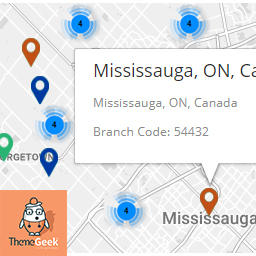
Descripció
Can be used as
- Branch/Store/office Locator
- Property Listing
- Office Listing
- Whatever else you can imagine listing on map
Features
- Creates searchable lists in seconds
- Customizeable markers/Icons – Assign your own marker, or choose one from defaults included.
- Live Suggestion while you type
- Auto Fetching of Longitude/Latitude
- Custom fields Addition option
- Allow users to search by text and location.
- Auto updating lists – Lists will automatically update when locations are added.
Newly Added Features – version 1.1
- Can Set custom zoom value from settings page
- Clusterization Added – best for large no of markers
- Enable/Disable clusterization from settings page
- Set Custom style for map, matching your website from settings page
Newly Added Features – version 1.3
- Map automatically fits itself around the markers, no matter how many there are, or how big the area they cover
Premium Feature for FREE
Filter Locations By City
- Add cities
- Assign cities to location
- Filter Location by cities dropdown on front-end
Need more custom features ?
- Get in touch with us at, support@themegeek.io
Captures

Selected location On Map, along with auto calculated longitude/latitude.
Instal·lació
- Upload
locatorLTE.zipto the/wp-content/plugins/directory - Activate the plugin through the ‘Plugins’ menu in WordPress
PMF
- Installation Instructions
-
- Upload
locatorLTE.zipto the/wp-content/plugins/directory - Activate the plugin through the ‘Plugins’ menu in WordPress
- Upload
- How to Install
-
- Upload
locatorLTE.zipto the/wp-content/plugins/directory - Activate the plugin through the ‘Plugins’ menu in WordPress
- Upload
- How to Use Plugin
-
- To use the plugin, After activating the plugin, place shortcode “[locatorlte]” in any page.
- Plugin will show “Branches” Tab.
- To use map service, you will need to enter Google Map API Key on locatorLTE Settings Page ( Settings > LocatorLTE Settings ).
Ressenyes

22 de abril de 2018
Like it, and the filtering by city feature is great, easy to set up.

31 de març de 2018
Nice plugin, had the features that i was looking for, plus it was quite easy to use, thumbs up.
Col·laboradors i desenvolupadors
«LocatorLTE – Premium Store Locator» és programari de codi obert. La següent gent ha col·laborat en aquesta extensió.
Col·laboradors
Traduïu «LocatorLTE – Premium Store Locator» a la vostra llengua.
Interessats en el desenvolupament?
Navegueu pel codi, baixeu-vos el repositori SVN, o subscriviu-vos al registre de desenvolupament per fisl de subscripció RSS.
Registre de canvis
1.0
- Initial release
1.1
- Custom Zoom Option Added
- Custom Styles Option Added
- Clusterization Implemented
- Clusterization disable/enable option added
1.2
- Minor Bug fixes
1.3
- Filter By Cities features addition
- Map Bound Feature addition