

Descripció
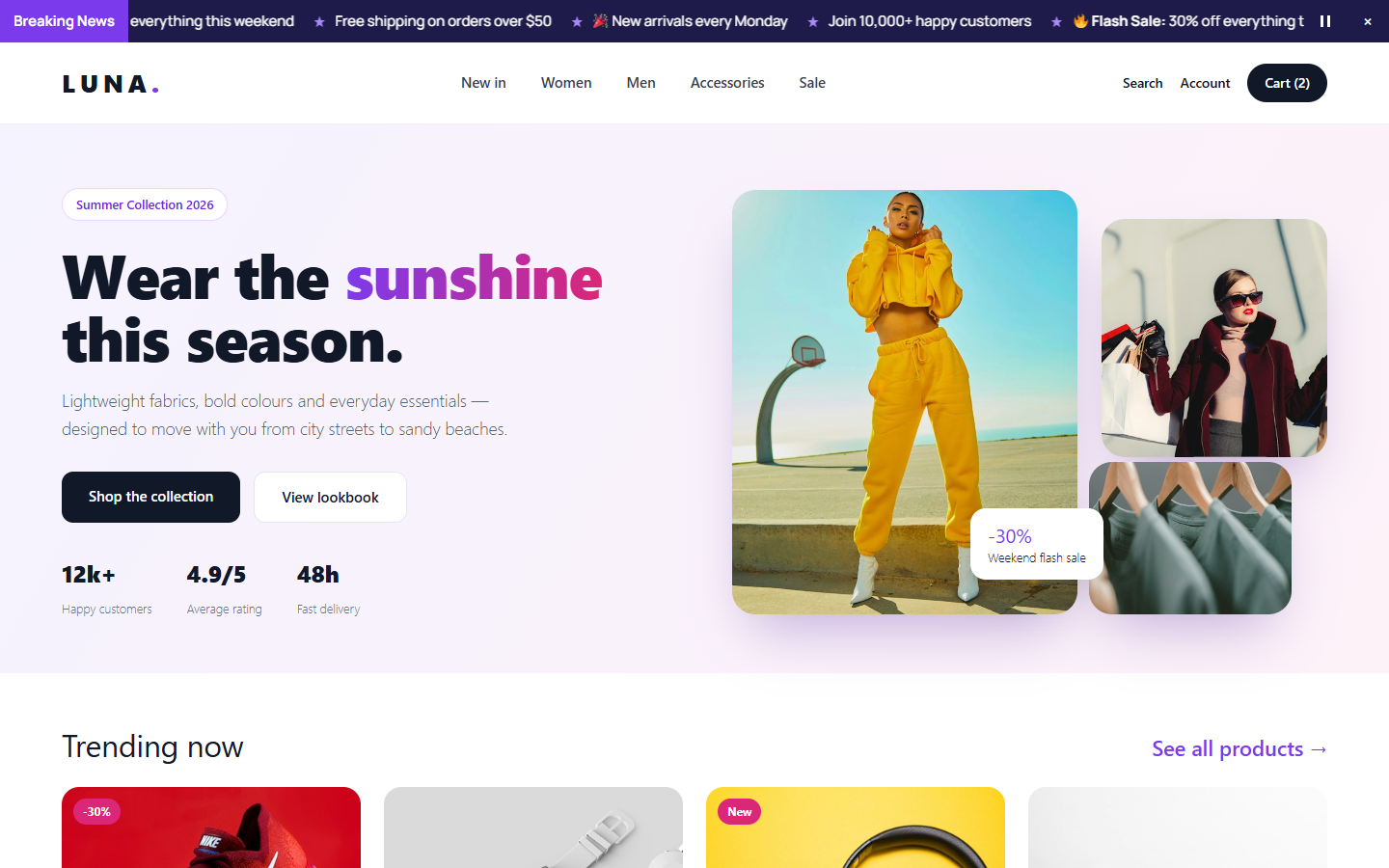
Marquee Running Text adds a smooth scrolling text bar — a news ticker, offer banner or announcement bar — to your website in a minute. Build it with a live preview, then show it at the top of every page, as a sticky bar, as a fixed bottom bar, or anywhere with a shortcode, block or Elementor widget.
Version 2.0 is a complete rebuild: a modern, lightweight animation engine replaces the old <marquee> tag, and everything you set up in 1.x is moved over automatically.
Features
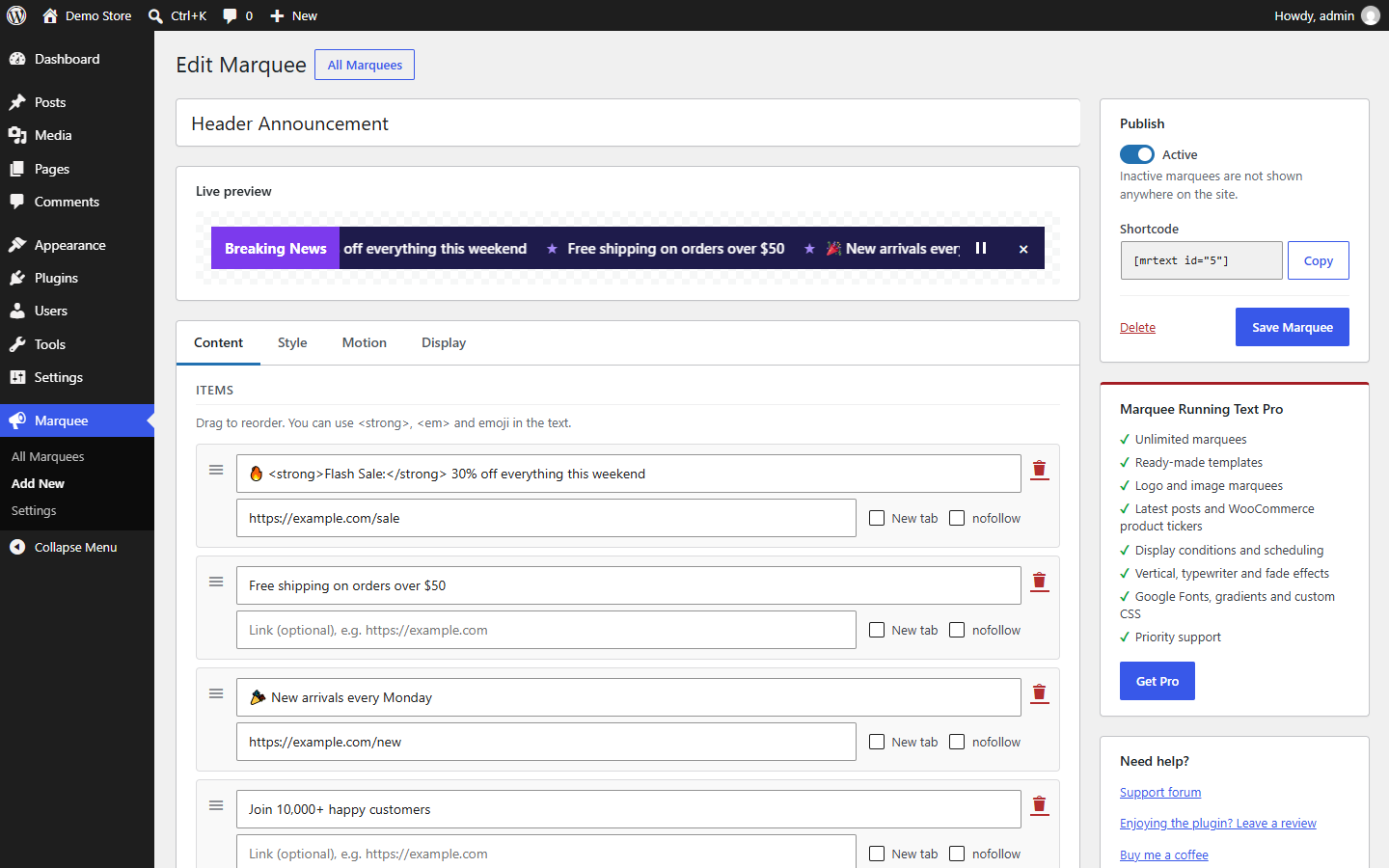
- Live preview builder — see every change instantly while you edit.
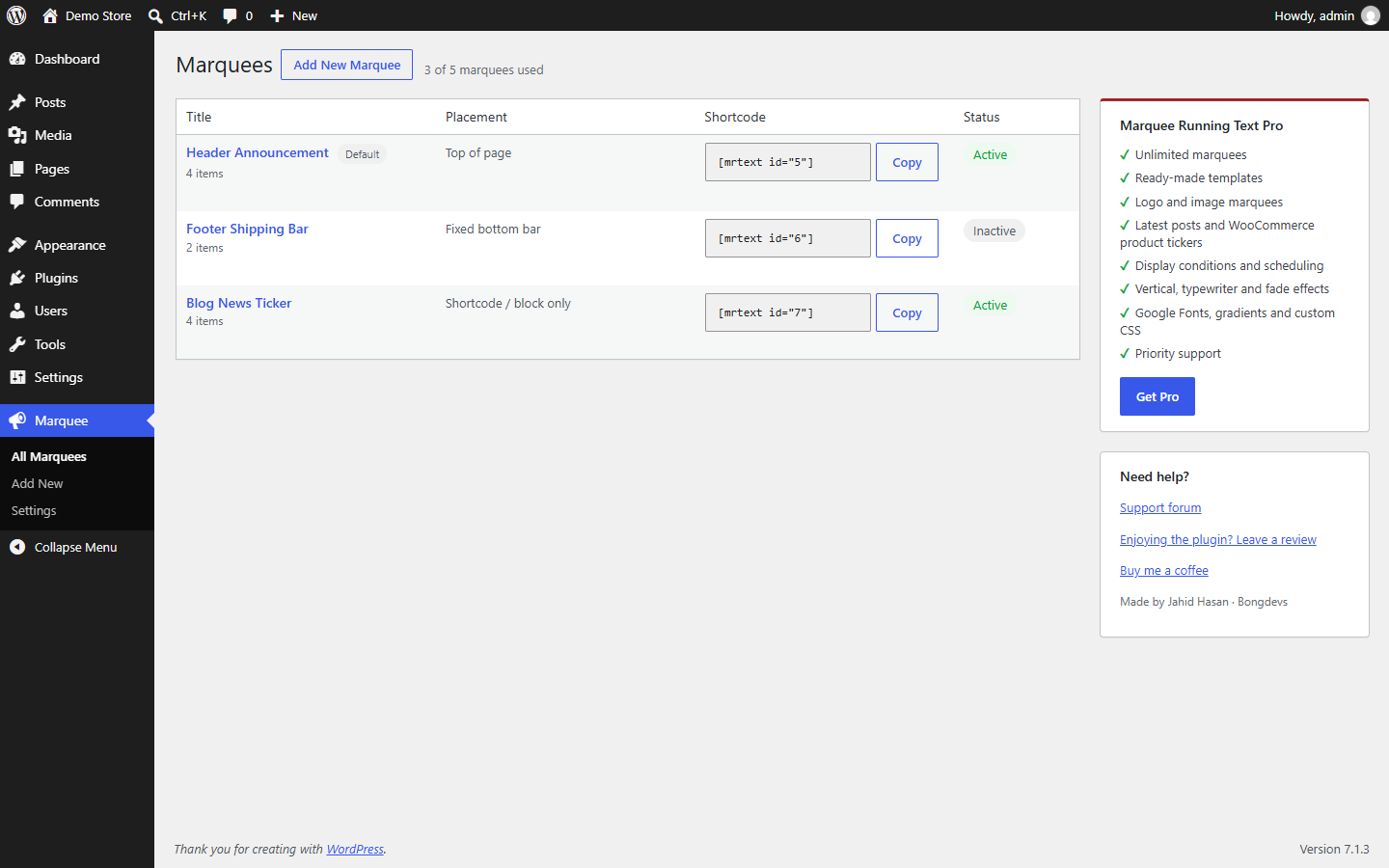
- Up to 5 marquees, each with its own items, colors and placement.
- Unlimited items per marquee, each with an optional link (new tab and nofollow options). Drag and drop to reorder.
- Placements: top of the page, sticky top bar, fixed bottom bar, or shortcode/block only.
- Shortcode:
[mrtext id="123"], or[mrtext]for your default marquee. - Gutenberg block and Elementor widget.
- Label box such as «Breaking News» or «Notice».
- Styling: background, text, hover, separator and label colors; font size and weight; bar height; spacing; rounded corners.
- Separators: dot, line, star, any character or emoji, or none.
- Motion: direction, speed, pause on hover, optional pause/play button.
- Close button that remembers the visitor’s choice.
- Show on the entire site or the homepage only; hide on mobile or desktop.
- Accessible: keyboard friendly, respects «reduce motion», optional pause button.
- Fast: a tiny dependency-free script (no jQuery) that only loads on pages with a marquee, and pauses when off-screen.
- RTL ready and translation ready.
- Works with any theme — including themes that do not support
wp_body_open.
Marquee Running Text Pro
Need more? Marquee Running Text Pro adds:
- Unlimited marquees
- 25 ready-made templates
- 1,800+ modern icons with an icon picker
- Logo and image marquees
- Latest posts and WooCommerce product tickers
- Display conditions (pages, categories, user roles, devices) and scheduling
- Vertical, typewriter and fade effects
- Google Fonts, gradients and custom CSS
- Priority support
Privacy
This plugin uses the Freemius SDK. On first use you are asked whether to share basic site information (opt-in) to receive security and feature updates; nothing is sent if you skip. See the Freemius privacy policy.
Captures
Blocs
Aquesta extensió proporciona 1 bloc.
- Marquee Running Text Show a scrolling marquee (news ticker / announcement bar).
Instal·lació
- In your dashboard go to Plugins Add New, search for «Marquee Running Text», then click Install Now and Activate.
- Go to Marquee in the admin menu.
- Edit the example marquee (or add a new one), switch it to Active and click Save Marquee.
Show a marquee
- Header, sticky or bottom bar: choose the placement in the editor’s Display tab.
- Posts and pages: add the Marquee Running Text block, or the shortcode
[mrtext id="123"]. - Elementor: add the Marquee Running Text widget.
- Widgets: add a Shortcode widget with
[mrtext]. - Theme files:
<?php echo do_shortcode( '[mrtext]' ); ?>
PMF
-
I updated from version 1.x. Are my texts and colors still there?
-
Yes. On the first load after the update, your five texts, links, colors, font size, direction, speed and show/hide setting are moved into a marquee called «Header Marquee». It is shown in the same place as before, and
[mrtext]keeps working. Your old settings are also kept in the database. -
The marquee does not appear in my header.
-
Check that the marquee is Active and its placement is Top of page, Sticky top bar or Fixed bottom bar. If you use a caching plugin, clear its cache.
-
How many marquees can I create?
-
Up to 5 in the free version. Marquee Running Text Pro removes the limit.
-
Can I use bold text or emoji?
-
Yes. Emoji work everywhere, and you can use
<strong>,<em>,<b>,<i>and<u>in item text. -
Does it work with right-to-left languages?
-
Yes. Arabic, Hebrew, Urdu and other RTL text is displayed correctly, and the label is placed on the right on RTL sites.
-
What about visitors who get motion sickness?
-
If a visitor has turned on «reduce motion» in their operating system, the marquee does not move; they can scroll it by hand. You can also add a pause/play button.
Ressenyes


Col·laboradors i desenvolupadors
«Marquee Running Text» és programari de codi obert. La següent gent ha col·laborat en aquesta extensió.
Col·laboradors

Traduïu «Marquee Running Text» a la vostra llengua.
Interessats en el desenvolupament?
Navegueu pel codi, baixeu-vos el repositori SVN, o subscriviu-vos al registre de desenvolupament per fisl de subscripció RSS.
Registre de canvis
2.0.3
- Fix: the «Get Pro» notice no longer says Pro is inactive when Pro is active but waiting for its license key.
2.0.2
- Fix: the Add-Ons page no longer shows «Add-on must be deployed to WordPress.org or Freemius»; Pro can now be bought and installed right from the dashboard.
- New: a dismissible notice with an «Install Pro Version» button that opens the Pro pricing in your dashboard (or «Activate Pro» when Pro is installed but inactive).
- Tweak: all «Get Pro» links now open the in-dashboard Pro pricing instead of a new tab.
2.0.1
- Fix: the Upgrade link now opens the Marquee Running Text Pro pricing page.
- Fix: removed the empty in-dashboard pricing page and the unused «Activate License» link (Pro licenses are activated in the Pro add-on).
2.0.0
- New: complete rebuild with a smooth, seamless animation engine (replaces the deprecated
<marquee>tag). - New: marquee builder with live preview and drag-and-drop items.
- New: up to 5 marquees, unlimited items per marquee.
- New: sticky top bar and fixed bottom bar placements.
- New: Gutenberg block and Elementor widget.
- New: label box, separators, pause/play button, close button, homepage-only and device options.
- New: accessibility — keyboard support, reduced motion support, screen reader labels.
- New: works with themes that do not call
wp_body_open. - Improved: all settings are validated and sanitized; admin styles load only on plugin screens.
- Improved: translation ready (text domain
marquee-running-text). - Changed: the «Before/After» header option (which never saved) is replaced by the new placement options.
- Upgrade: settings from 1.x are moved automatically. Requires WordPress 6.3+ and PHP 7.4+.
1.1.7
- Fix error.
1.1.6
- Fix error.
1.1.5
- Get Pro button added.
1.1.4
- Fix error.
1.1.3
- Upgrade to Pro link added.
1.1.2
- Settings link added.
1.1.1
- Fix error.
1.1.0
- Core code update.
1.0.3
- Fix header hide/show error.
1.0.2
- Fix error.
1.0.1
- Fix error.
1.0.0
- Initial release.