
Descripció
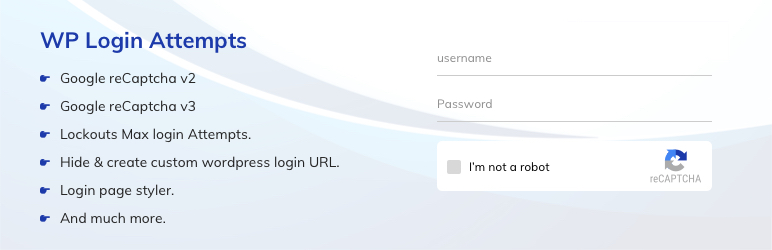
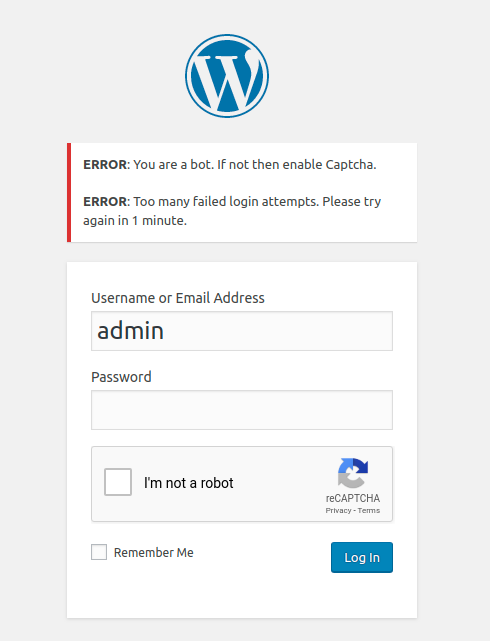
WP login attempts is a security plugin which can add Google reCAPTCHA to the WordPress login page, and protect the site from brute force attacks. Brute Force Attack tries usernames and passwords over and over again, until it gets in. WP Login Attempts limit rate of login attempts and blocks IP temporarily. It detects bots by captcha verification.
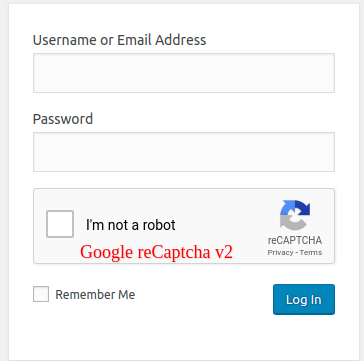
This plugin supports Google reCAPTCHA Version 2 and Version 3. Also, you can monitor failed login attempts and error logs.
WP login attempts plugin gives you the ability to change the URL of the login page to anything you want. This plugin restricts access to the wp-admin and wp-login.php page, so you can bookmark or remember the URL for future. Deactivating this plugin brings your site back exactly to the state it was before.
WP login attempts is a very lightweight plugin that lets you customize your WordPress admin login page easily and safely. This plugin allows you to change the background colour, background image, custom logo, logo Link, hide your password on the form and many more features through custom CSS.
Features
Allows the maximum number of attempts to the login page
Notify the user about remaining retries or lockout time on the login page
Monitor error Logs and email notifications
Disable the limit login feature without disabling the plugin
Google reCAPTCHA v2
Google reCAPTCHA v3
Hides wp-login.php, wp-admin directory and blocks access
Allows you to rename login URL
Custom Logo in the login form
Background Color and Background image on the login form page
Here’s a link to the documentation for the plugin. This will help you learn more about its features and how to use it.
Documentation
For any feedback or queries regarding this plugin, please contact our Support team.
Captures



Instal·lació
- Download and extract plugin files to a wp-content/plugin directory.
- Activate the plugin through the Plugins menu in the WordPress admin.
- The page will redirect you to the settings or go to the under Setting menu -> WP Login Attempts sub menu page.
PMF
-
I locked myself out testing maximum login attempts, what do I do?
-
Either wait or:
If you have FTP / ssh access to the site rename the file «wp-content/plugins/wp-login-attempts» to deactivate the plugin.
If you have access to the database (for example through phpMyAdmin) you can clear the wla_lim_lockouts_cal option in the wordpress options table. In a default setup this would work: «UPDATE wp_options SET option_value = » WHERE option_name = ‘wla_lim_lockouts_cal’»
-
Why am I seeing, “Please wait 20 minutes” error message when I try to login?
-
You’ve tried to log in with the wrong password or username more than four times.
Please wait for 20 minutes, then reset the password by clicking “Lost your password” link. -
I forgot my login URL?
-
Either go to your MySQL database and look for the value of wla_lim_hide_login_page in the options table or remove the wp-login-attempts folder from your plugins folder, log in through wp-login.php and reinstall the plugin.
-
Is it working in localhost?
-
Yes, It will work on your local machine also.
-
How to get Google reCAPTCHA Site Key and Secret Key?
-
1] To get the Site Key and Secret Key, go to the Google reCAPTCHA Admin Console.
URL: https://www.google.com/recaptcha/admin#list
2] Sign into your Google account to proceed to the reCAPTCHA dashboard.
3] After Sign in, you will be redirected to your Google reCAPTCHA dashboard.
4] Now, you will need to provide your domain (website URL) and specify the reCAPTCHA version to create Site Key and Secret Key.
5] You can also read our Step-by-Step Instructions in Detail. -
Captcha image is not working, How to solve it?
-
Go to the reCaptcha setting and click the Get the API key link. once you create a new key from google admin console [ https://www.google.com/recaptcha/admin#list ] please don’t forget to add your domain/site.
Copy the Site and Secret key and paste them in our Google reCaptcha setting page. -
Can we disable the login limit feature without disabling the plugin?
-
Yes, there is an option to disable in the plugin attempts settings menu.
Ressenyes


Col·laboradors i desenvolupadors
«WP Login Attempts» és programari de codi obert. La següent gent ha col·laborat en aquesta extensió.
Col·laboradors
“WP Login Attempts” s’ha traduït a 1 configuració regional. Gràcies als traductors per les seves aportacions.
Traduïu «WP Login Attempts» a la vostra llengua.
Interessats en el desenvolupament?
Navegueu pel codi, baixeu-vos el repositori SVN, o subscriviu-vos al registre de desenvolupament per fisl de subscripció RSS.
Registre de canvis
5.5
Stable Release
5.4
Stable Release
5.3
Stable Release
5.2
Stable Release
5.1
Stable Release
5.0
Second Stable Release
4.0
Added* the option to disable the limit login feature without disabling the plugin.
Fixed* the update notice issue.
3.0
Fixed some minor issues
2.0
Fixed UI issues and style setting options.
1.0
First Stable Release