

Descripció
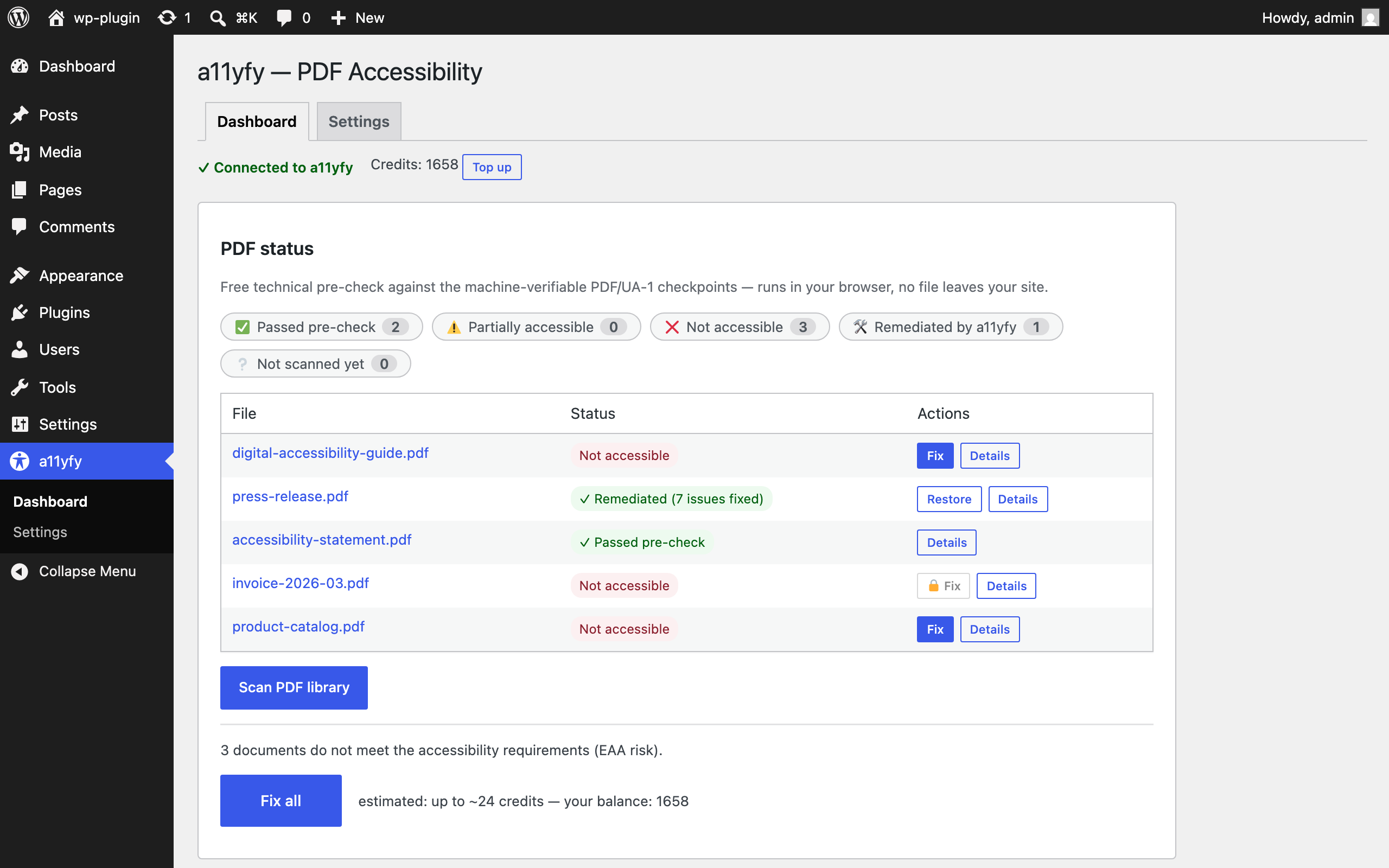
Is your site ready for the European Accessibility Act (EAA) and the ADA? Most PDF documents on the web are not accessible: screen readers cannot read them in a meaningful order, images have no descriptions, forms have no labels. The requirements are similar on both sides of the Atlantic — the EAA in the EU, the ADA and Section 508 in the United States — and PDFs are the most commonly overlooked part.
See the plugin in action (58 seconds):
The a11yfy plugin gives you two things:
-
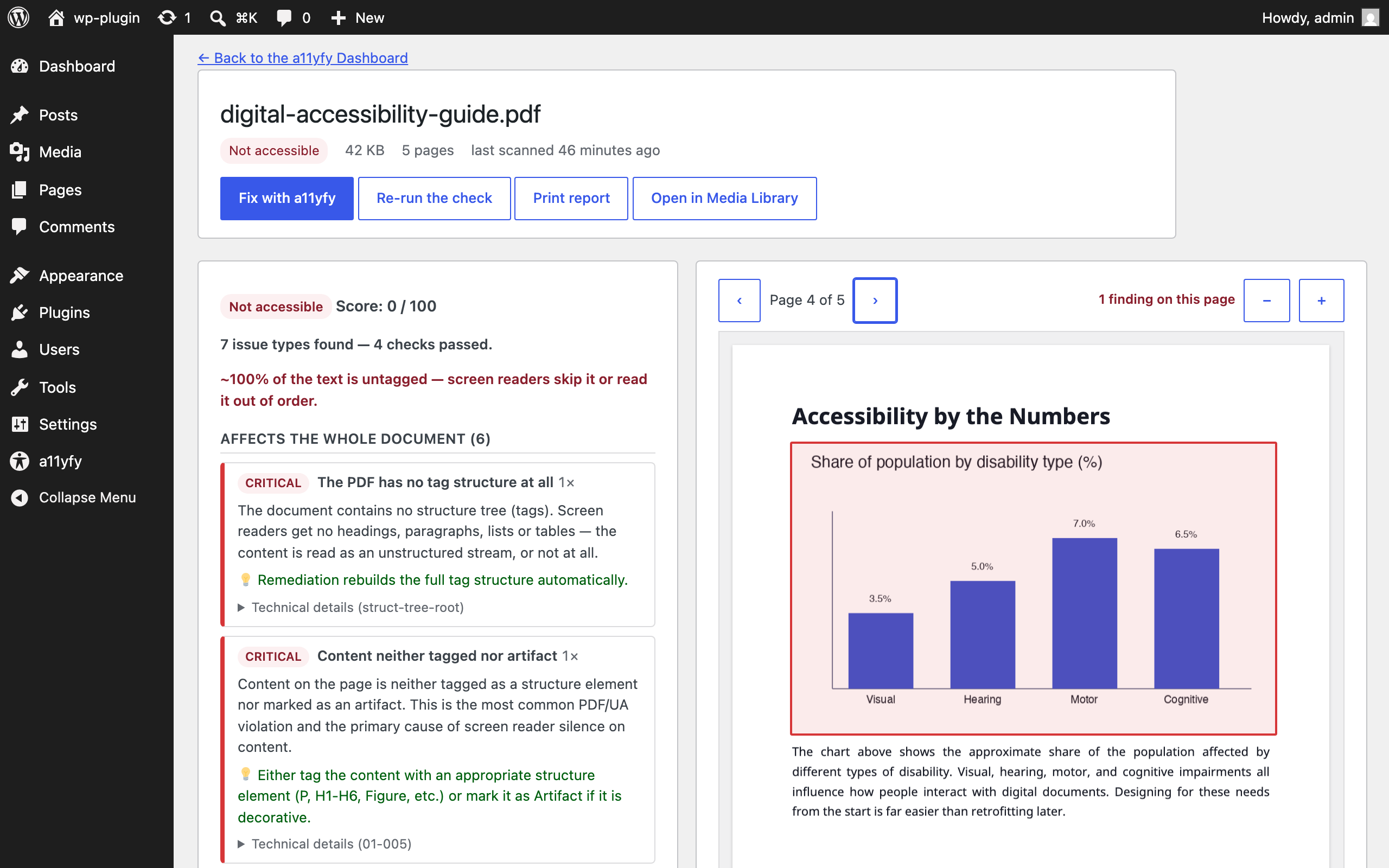
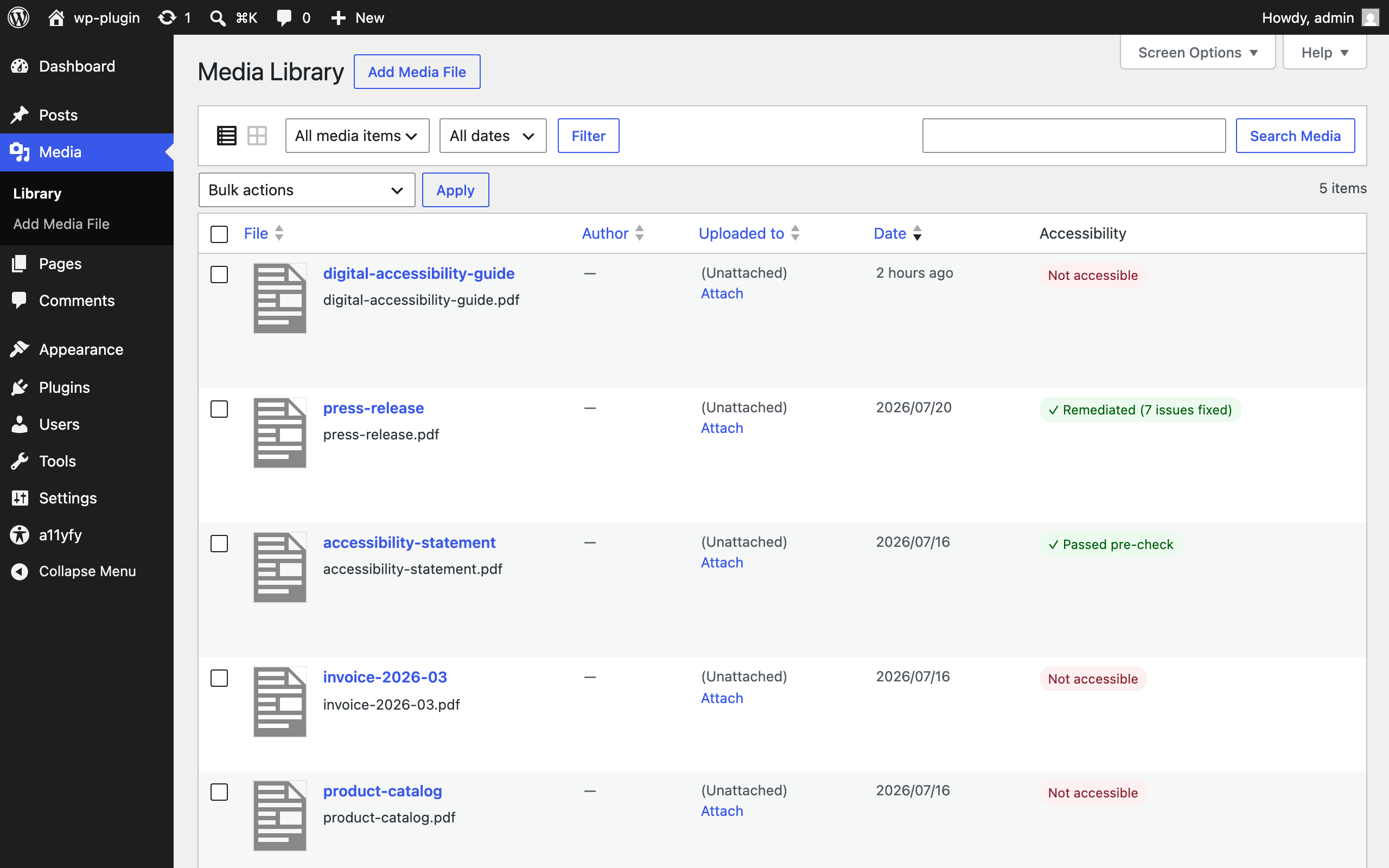
Free accessibility scan — 100% local. The analysis engine runs in your browser (pdf.js + pdf-lib): it verifies your PDFs against 42 machine-verifiable checkpoints of the Matterhorn Protocol (PDF/UA-1) — tag structure, document metadata, heading hierarchy, alternative texts, language settings, annotation nesting and more. Your files never leave your site. The result is a risk rating and a concrete list of problems for every PDF in your Media Library.
-
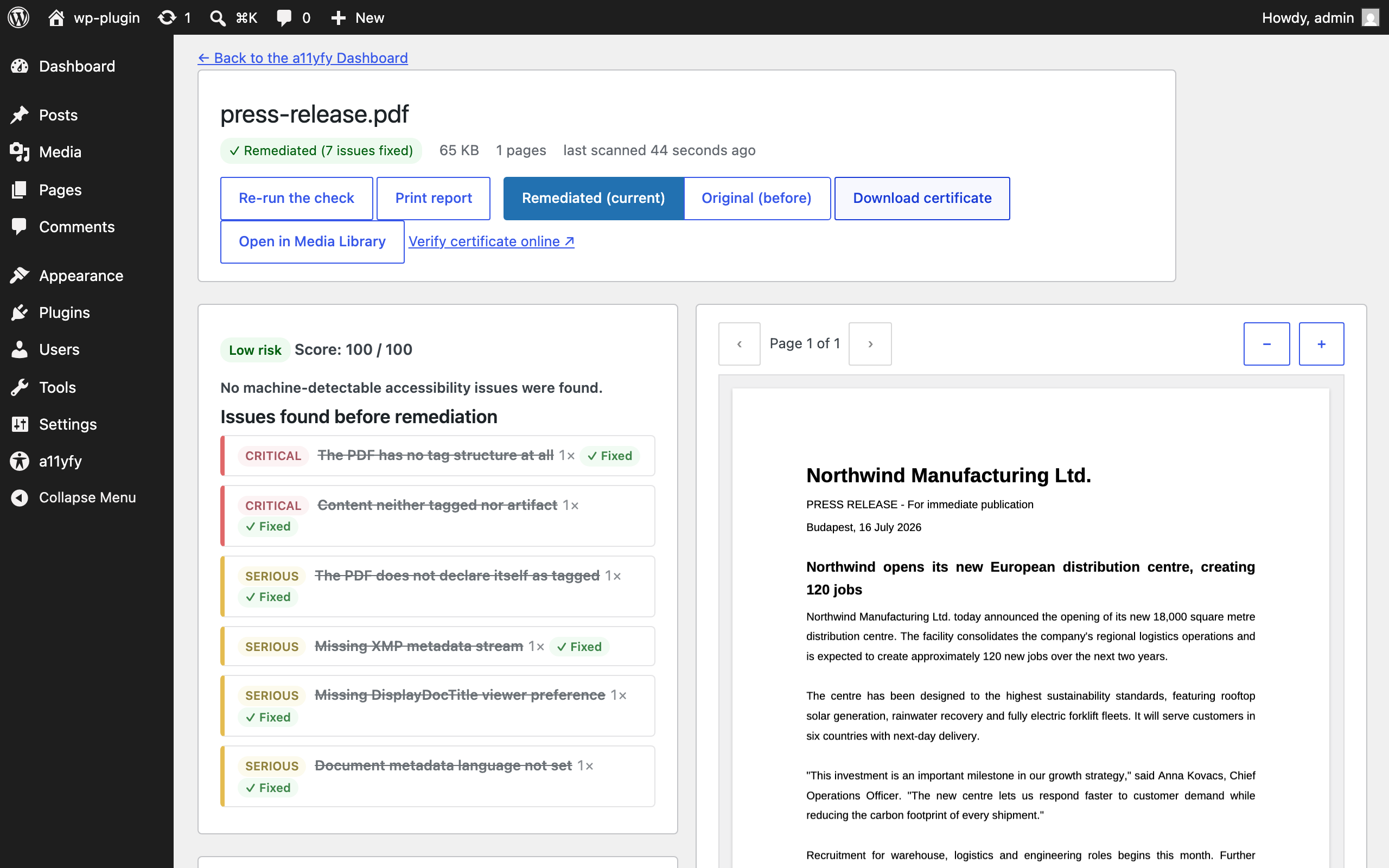
One-click remediation (optional, paid). Connect your a11yfy account and the plugin sends the selected PDFs to the a11yfy service, which produces a tagged, PDF/UA-oriented accessible version — processed in the EU. The fixed file replaces the original at the same URL (the original is kept as a backup with one-click restore), or, in conservative mode, is served alongside it.
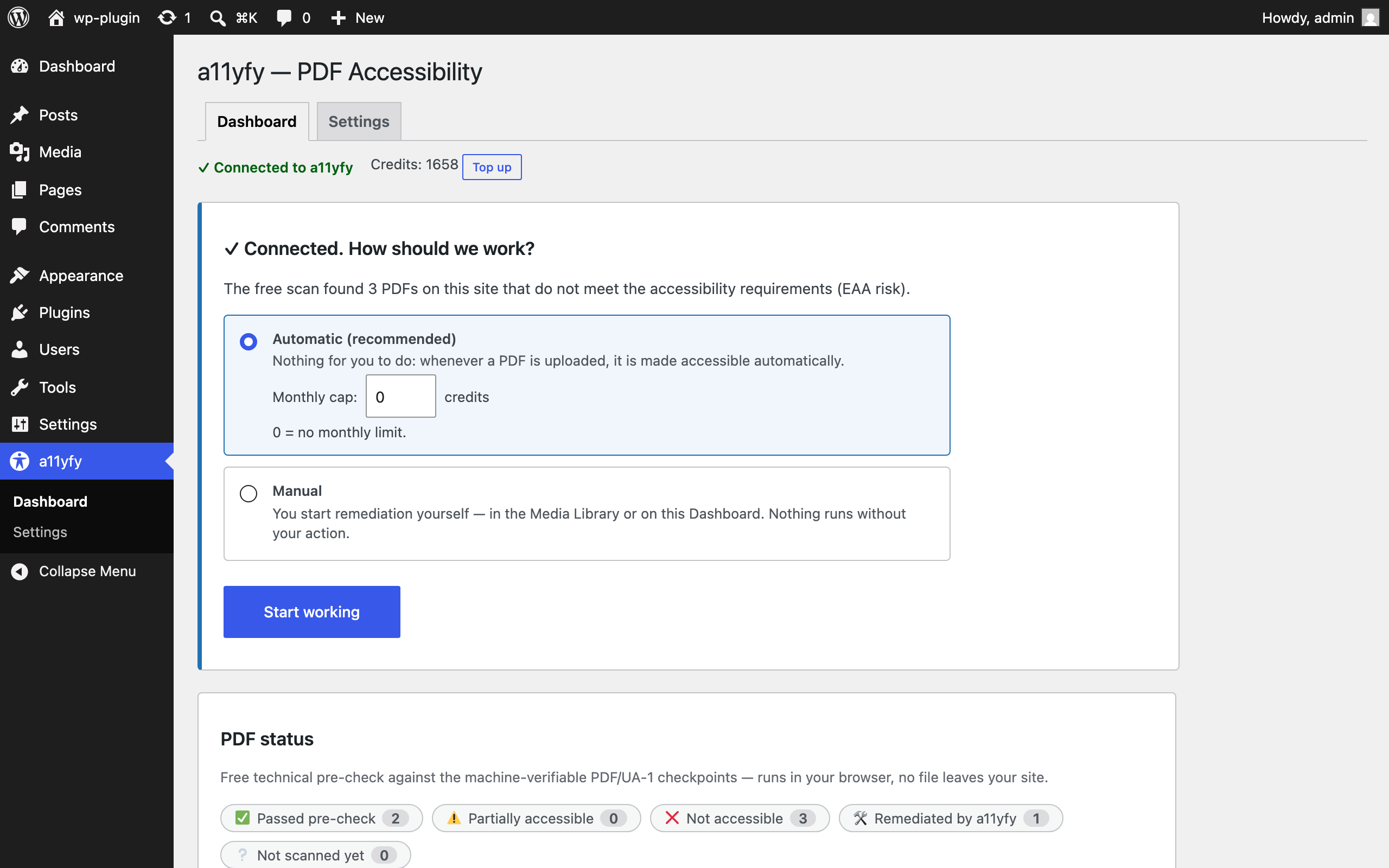
Three working modes: automatic (every new upload is fixed), manual (you pick what to fix), and on demand — visitors who click a not-yet-accessible PDF can request an accessible version in an accessible dialog and get an email when it is ready, so you only pay for documents people actually need.
The free scan is a genuine standalone tool — no account, no API calls, no telemetry. The paid service is only involved when you explicitly send a document for remediation.
Why a11yfy?
- Files are processed in the EU, on EU infrastructure — GDPR-friendly by design.
- Works on scanned (image-only) PDFs too: OCR plus a full structural rebuild.
- The original file is always kept — one-click restore, tamper detection, free re-apply.
- Every remediated PDF comes with a verifiable certificate — downloadable from the document page or the Media Library, with a public verification link you can share.
- Fully translation-ready — translations are delivered via translate.wordpress.org as they become available.
Important: the free scan is a technical pre-check against the machine-verifiable PDF/UA-1 checkpoints. It cannot (and does not claim to) certify full PDF/UA-1, EAA or ADA compliance — that also requires human checks and font-level validation, which the a11yfy service performs during remediation.
External Services
This plugin connects to the a11yfy API (https://a11yfy.com) — but only when you connect an API key and request remediation or balance information. The free scan never contacts any external service.
What is sent and when:
- When you remediate a PDF (manually, via bulk action, through the automatic mode you enabled, or when a visitor requests an accessible version in the on-demand mode you enabled): the PDF file itself, its file name, and your API key are sent to
https://a11yfy.com/v1/jobs. Processing happens in the EU. A requester’s email address is stored only on your site and is never sent to the a11yfy API. - Balance / job status checks: your API key is sent with each request; no document content.
The plugin never sends analytics, usage statistics, or any data about your site visitors. Data processing terms: https://a11yfy.com/privacy — Terms of service: https://a11yfy.com/terms
Source Code
The bundled analysis engine is built from human-readable source with esbuild. Unminified source: the js/ directory of the public plugin repository at https://github.com/a11yfy/wp-plugin — the bundled libraries are pdf.js (Apache-2.0, https://github.com/mozilla/pdf.js), pdf-lib (MIT, https://github.com/Hopding/pdf-lib), smalot/pdfparser (LGPL-3.0, https://github.com/smalot/pdfparser), Action Scheduler (GPL-3.0, https://github.com/woocommerce/action-scheduler).
Captures
PMF
How does the «On demand» mode work?
When a visitor clicks a link to a PDF that has not passed the accessibility pre-check, an accessible dialog appears. The visitor can open the document as it is, or request an accessible version by entering their email address. The plugin remediates the document once — no matter how many visitors ask for it — and emails everyone who requested it as soon as the accessible version is available. From then on, every visitor gets the accessible file at the same link, with no dialog. The email address is used solely for this one notification, is never sent to the a11yfy API, and is deleted automatically after 30 days. The dialog texts, the notification email and the button style can be customized under a11yfy Settings.
Is the scan really free?
Yes. It runs in your browser using open-source libraries. It does not use the a11yfy API and works without an account.
How much does remediation cost?
Remediation uses credits from your a11yfy account — typically 1–3 credits per page, depending on the PDF. The dashboard shows an estimate before you confirm, and the scan itself never costs anything. Current pricing: https://a11yfy.com/pricing
My PDFs are scans — can they be fixed?
Yes. Scanned, image-only PDFs are OCR-processed and rebuilt with a full tag structure, including an invisible, screen-reader-readable text layer.
Will the fixed PDF look different?
No. Remediation preserves the visual appearance; it adds the accessibility structure (tags, reading order, alternative texts, metadata) underneath.
Which PDFs cannot be remediated?
Password-protected, XFA-form and portfolio PDFs are detected up front, clearly labelled, and never sent to the service. Digitally signed PDFs are detected too: remediation rewrites the file and would invalidate the signature, so the fix only starts after you explicitly confirm it on the document.
My security plugin reported that a PDF file changed.
That is the point of remediation: the accessible version replaces the original file (same URL). The original is kept in a protected backup folder and can be restored with one click from the Media Library.
What happens when I delete the plugin?
Remediated PDFs are your content and stay by default. In Settings you can choose to restore the original files on deletion instead. All plugin data (tables, options, scan results) is removed either way.
Does it work with offloaded media (S3/CDN)?
Partially. Scanning works through a local proxy; in-place replacement automatically falls back to conservative mode for non-local files. Full offload support is planned.
In conservative mode, are all links to the PDF swapped?
Conservative mode swaps links in post and page content (
the_content) and wherever WordPress resolves the attachment URL (wp_get_attachment_url). Links hard-coded elsewhere — page-builder modules (Elementor, Divi, …), widgets, navigation menus, or theme templates — may keep pointing to the original file and should be checked manually. The default in-place mode does not have this limitation: the accessible file replaces the original at the same URL.
Ressenyes

Col·laboradors i desenvolupadors
«a11yfy – PDF Accessibility Checker & Fixer» és programari de codi obert. La següent gent ha col·laborat en aquesta extensió.
Col·laboradors
“a11yfy – PDF Accessibility Checker & Fixer” s’ha traduït a 3 configuracions regionals. Gràcies als traductors per les seves aportacions.
Traduïu «a11yfy – PDF Accessibility Checker & Fixer» a la vostra llengua.
Interessats en el desenvolupament?
Navegueu pel codi, baixeu-vos el repositori SVN, o subscriviu-vos al registre de desenvolupament per fisl de subscripció RSS.
Registre de canvis
1.1.0
- New «On demand» working mode: when a visitor clicks a PDF that is not accessible yet, an accessible dialog offers to open the document as-is or to request an accessible version by email. Remediation runs only on real demand.
- Visitors are notified by email as soon as the accessible version is ready; every dialog text (including the privacy note) and the notification email are fully customizable in Settings.
- The dialog inherits the typography of your theme, and on block themes the buttons follow your theme’s button style automatically; alternatively you can pick an accent color.
- If the credit balance does not cover a visitor request, the request is parked, the site owner is warned by email, and remediation starts automatically once enough credits are available.
- Requester email addresses are stored only until the notification is sent (30-day retention), with WordPress privacy export/erase support.
1.0.0
- Initial release.