

Descripció
iDownAlert tells you the moment something goes wrong on your WordPress site, so you hear about it before your visitors or customers do.
Errors & downtime
- White screen / fatal errors. Get the error message, the file and line, and which plugin or theme caused it.
- Database down. When WordPress shows «Error establishing a database connection», you get an email, and visitors see a clean «We’ll be right back» page instead. You are told again when the database comes back, with the total downtime.
- Works when WordPress can’t. Two small files in wp-content (
db-error.phpandfatal-error-handler.php) send alerts even when the database is down or a plugin crashes before the others load. - Whole server down? No plugin can send an email from a server that is switched off, so iDownAlert gives you a private heartbeat URL to add to a free uptime monitor such as UptimeRobot. The dashboard shows step-by-step instructions and confirms when the monitor is connected.
Malware & file changes
- Optionally compares WordPress core files with the official checksums from wordpress.org (off until you turn it on).
- Flags unknown PHP files in wp-admin, wp-includes and the site root.
- Flags any PHP file in the uploads folder, a common sign of a hack.
- Reports PHP files added or modified in plugins, must-use plugins and themes, except changes made by normal updates.
- Checks new and changed files for backdoors, web shells and obfuscated code.
Bots & brute force
- Alerts on repeated failed logins, 404 floods and scanners probing for files like
.env,.gitor wp-config backups. - Optionally blocks the offending IP for a time you choose.
- Works behind Cloudflare and other proxies, with an allowlist for your own IPs.
Site changes & health
- New administrator accounts.
- Site URL, admin email, registration or default role changes.
- Plugins and themes installed, updated, activated, deactivated or deleted.
- Failed automatic updates.
- SSL certificate about to expire, and low disk space.
- Emails your site fails to send.
No inbox floods
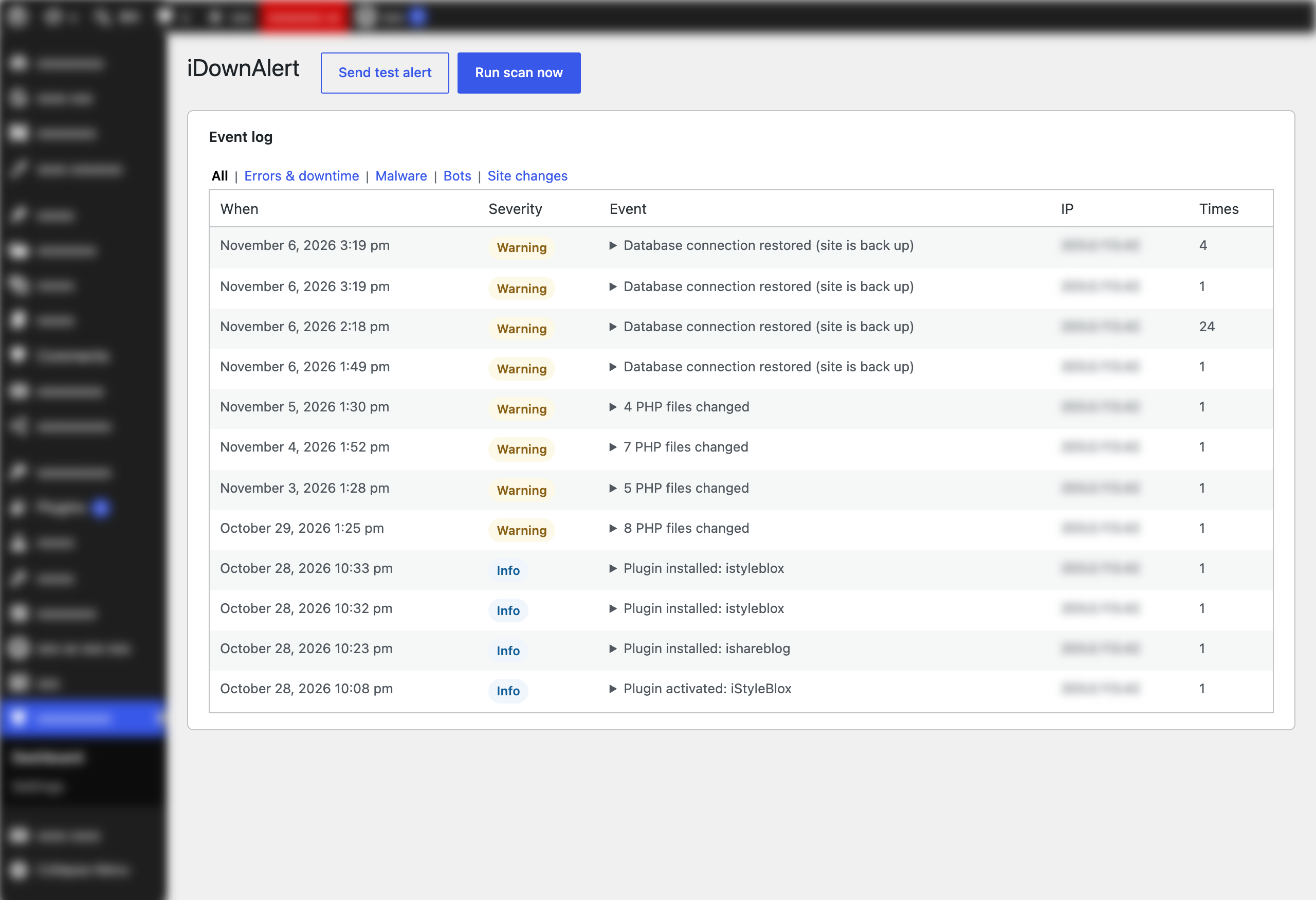
Repeats of the same problem are grouped: you get one email, and the next one tells you how many times it happened in between. A global hourly cap protects you during an attack. Every event is also kept in a searchable log on the dashboard.
Delivery you can trust
Alerts use wp_mail() by default. Because a broken mail setup is one of the things you want to hear about, iDownAlert can also send through its own SMTP connection (Gmail, Outlook, Zoho or your host) that works independently of other mail plugins, and through a Telegram bot as a backup.
External services
iDownAlert connects to these services:
- WordPress.org checksums API (
api.wordpress.org/core/checksums/), only during malware scans and only after you turn on «WordPress core» scanning (off by default), to fetch the official checksums for your WordPress version. Only your WordPress version and locale are sent. Terms - Telegram Bot API (
api.telegram.org), only if you turn on Telegram alerts. Each alert’s text is sent to the chat you choose. Terms · Privacy - Your SMTP server, only if you turn on SMTP. Alerts are sent through the server you enter.
The dashboard links to UptimeRobot as an example uptime monitor; the plugin sends nothing to it. The monitor you choose calls your heartbeat URL, which returns only «ok/problem» status.
Captures



Instal·lació
- Upload the plugin through Plugins Add New Upload Plugin, or install it from the plugin directory, then activate it.
- Go to iDownAlert Settings and check the email address that should receive alerts.
- Optional: under Delivery, set up SMTP and/or Telegram, then click «Send test alert».
- On the iDownAlert dashboard, copy the heartbeat URL into a free uptime monitor to be alerted when the whole server is down.
If an IP block ever locks you out, add define( 'IDOWNALERT_DISABLE_FIREWALL', true ); to wp-config.php.
To keep the SMTP password out of the database, add define( 'IDOWNALERT_SMTP_PASSWORD', 'your-password' ); to wp-config.php.
PMF
-
Can the plugin email me if my server goes down completely?
-
Not by itself: when the server is off, no code on it can run. iDownAlert covers this with a heartbeat URL for an external uptime monitor (UptimeRobot’s free plan checks every 5 minutes). Everything else, including database outages and fatal errors, is reported by the plugin directly.
-
What files does iDownAlert add outside its own folder?
-
Two standard WordPress drop-ins,
wp-content/db-error.phpandwp-content/fatal-error-handler.php. WordPress only loads drop-ins from wp-content, and they are what let iDownAlert send alerts when the database is down or a plugin crashes before the others load. If another plugin already uses one of those drop-ins, iDownAlert leaves it alone. You can turn them off under Settings Alerts.iDownAlert also keeps a copy of its alert settings and its alert throttling state in
uploads/idownalert/, because the database may be the thing that is down. The settings file is a PHP file that returns nothing when opened from the web, and the folder is also protected with an .htaccess file.All of these are removed when you deactivate the plugin.
-
Will scans slow down my site?
-
Scans run in the background with WP-Cron, once a day by default. Only new and changed files are checked for malicious code after the first scan.
-
I keep getting an alert about a file I trust.
-
Click «Mark as safe» next to it on the dashboard. If the file changes later, it is checked again.
Ressenyes
No hi ha ressenyes per a aquesta extensió.
Col·laboradors i desenvolupadors
«iDownAlert» és programari de codi obert. La següent gent ha col·laborat en aquesta extensió.
Col·laboradors
Traduïu «iDownAlert» a la vostra llengua.
Interessats en el desenvolupament?
Navegueu pel codi, baixeu-vos el repositori SVN, o subscriviu-vos al registre de desenvolupament per fisl de subscripció RSS.
Registre de canvis
1.0.0
- First release.