

Descripció
AJO Membership is a lightweight, secure, and straightforward plugin designed to turn your WordPress site into a basic membership portal without the bloat of massive membership plugins.
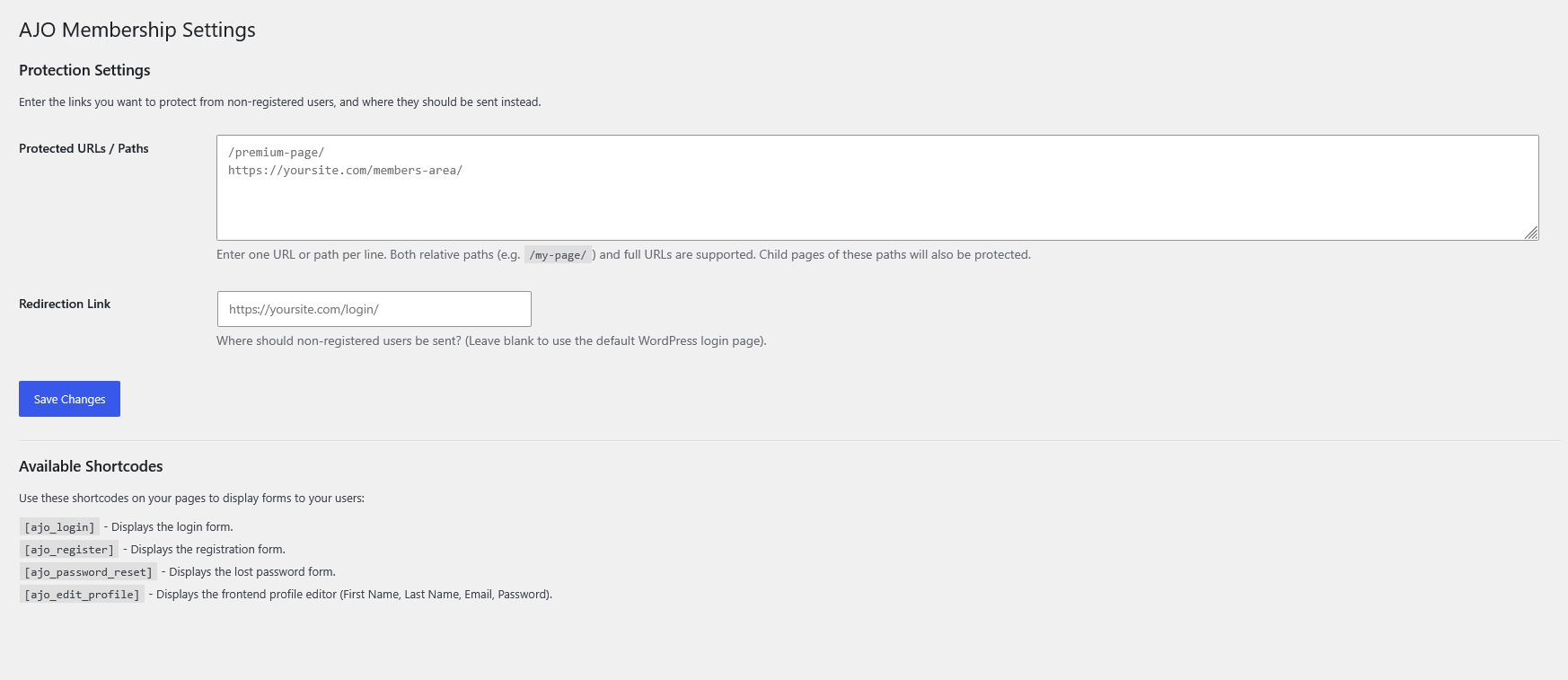
It allows you to restrict access to specific pages, posts, or entire URL paths directly from a simple settings dashboard. Non-registered users attempting to access protected content are automatically redirected to a custom link of your choosing.
The plugin also safely redirects non-administrative users away from the default WordPress dashboard (wp-admin), keeping your frontend pristine, and provides native WordPress-powered shortcodes to handle user authentication entirely on the frontend.
Features
- Content Protection: Protect any URL or path (e.g.,
/premium-content/). Sub-pages are automatically protected. - Custom Redirects: Send unauthorized visitors to a specific landing page or your login page.
- Dashboard Restriction: Automatically blocks non-administrators from accessing the WordPress backend dashboard, redirecting them to the homepage instead.
- Frontend Profile Editor: Allow users to update their Name, Email, and Password directly from a frontend page.
- Native Authentication: Uses WordPress’s core secure functions to handle logins, registrations, and password resets. No clunky third-party tables—just clean, native integration.
Included Shortcodes
Simply paste these shortcodes onto any page or post to display the respective forms:
[ajo_login]– Displays the standard login form. (Hides automatically if the user is already logged in).[ajo_register]– Displays a straightforward registration form.[ajo_password_reset]– Displays the lost password / reset request form.[ajo_edit_profile]– Displays a secure frontend profile editor for logged-in users to update their name, email, and password.
Captures
Instal·lació
- Upload the
ajo-membershipfolder to the/wp-content/plugins/directory, or install it via the WordPress Plugins dashboard by uploading the.zipfile. - Activate the plugin through the ‘Plugins’ menu in WordPress.
- Go to Settings > AJO Membership to configure your protected URLs and custom redirect link.
- Go to Settings > General and ensure «Anyone can register» is checked if you plan to use the registration shortcode.
- Create standard WordPress pages (e.g., «Login», «Register», «My Profile») and paste the provided shortcodes into the page content.
PMF
-
Why is the registration form not working?
-
Because this plugin securely utilizes WordPress’s native registration system, you must enable registration in your main WordPress settings. Go to Settings > General and check the box next to Membership that says «Anyone can register».
-
How do I protect a specific page?
-
Go to Settings > AJO Membership. In the «Protected URLs / Paths» box, type the path of the page you want to protect (e.g.,
/my-secret-page/). Enter one path per line. -
Does protecting a parent page protect its child pages?
-
Yes! If you protect
/members/, then any sub-page like/members/downloads/or/members/videos/will automatically be protected as well. -
Can regular users access my WordPress dashboard?
-
No. The plugin automatically detects if a user is an Administrator or not. If a subscriber or customer tries to access
/wp-admin/, they will be safely redirected back to your homepage.
Ressenyes
No hi ha ressenyes per a aquesta extensió.
Col·laboradors i desenvolupadors
«AJO Membership» és programari de codi obert. La següent gent ha col·laborat en aquesta extensió.
Col·laboradors
Traduïu «AJO Membership» a la vostra llengua.
Interessats en el desenvolupament?
Navegueu pel codi, baixeu-vos el repositori SVN, o subscriviu-vos al registre de desenvolupament per fisl de subscripció RSS.
Registre de canvis
1.0
- Initial release.
- Added content protection via URL path.
- Added shortcodes:
[ajo_login],[ajo_register],[ajo_password_reset]. - Added
[ajo_edit_profile]shortcode for secure frontend profile updating. - Added security feature to block non-admins from accessing the WordPress dashboard.
- Improved security nonces and user input sanitization.