

Descripció
Beep Notifier shows visitors a small, unobtrusive popup whenever someone recently bought from your store («Emma W. just purchased Linen Shirt · 5 mins ago»). Real orders, real social proof, no fake data.
It is built to be fast, private and accessible:
- Lightweight – one small script with no jQuery or animation libraries, and one stylesheet.
- Cache-friendly – works with page caching (WP Rocket, LiteSpeed, Cloudflare, etc.). Sales are read through a public REST endpoint and cached for 10 minutes.
- Privacy-first – shows «First name + last initial» by default, never addresses or emails. You can also go fully anonymous. Suggested privacy-policy text is added to Settings › Privacy.
- Accessible – screen-reader announcements, keyboard support (Esc to close), pauses on hover/focus and respects «reduce motion».
- HPOS compatible – works with WooCommerce High-Performance Order Storage.
Free features
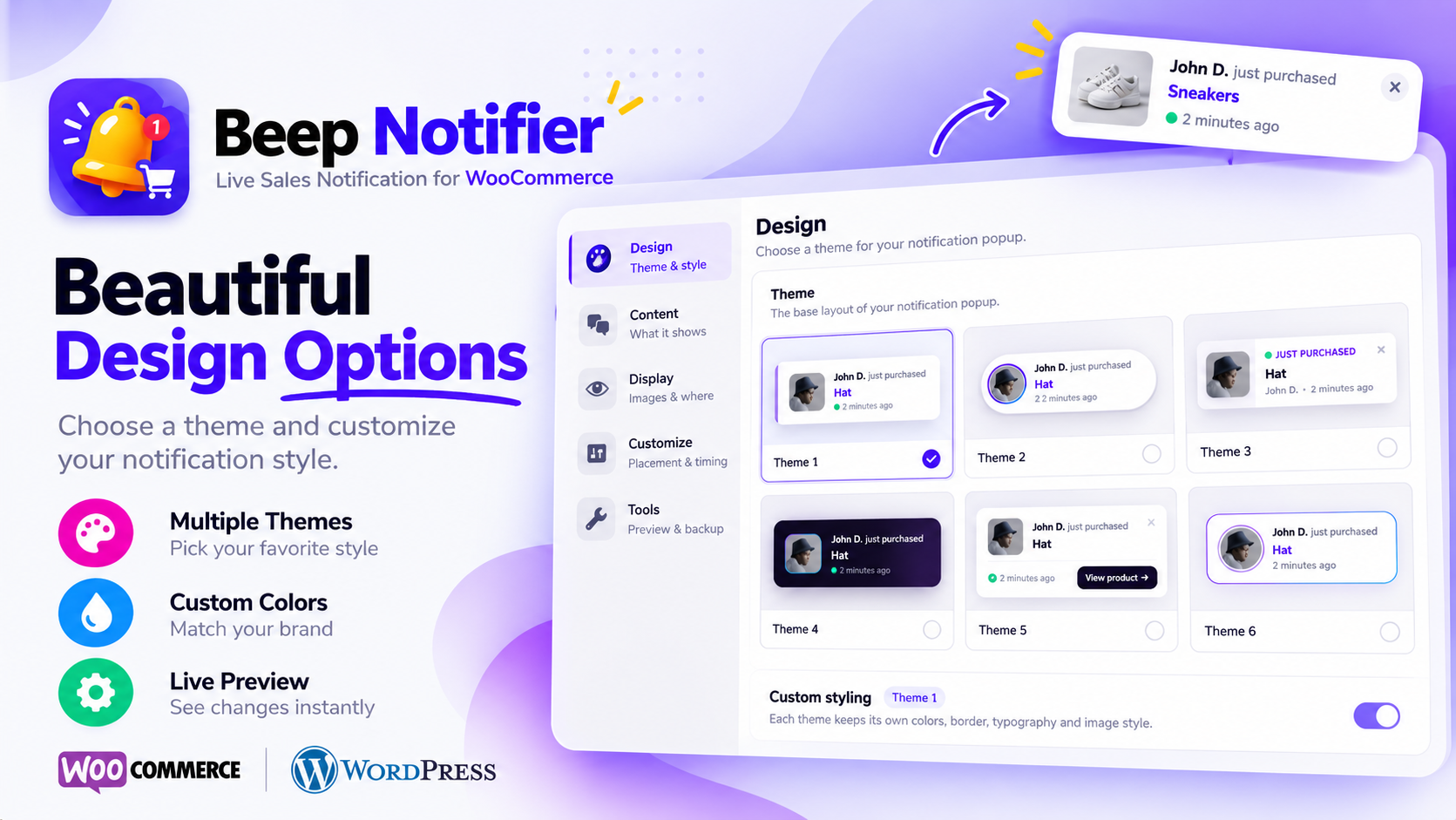
- 6 notification themes (Classic, Pill, Split, Dark, Receipt with «View product» button, Frame).
- Theme-wise custom styling: colors, theme accent colors, border, font sizes, image shape and position – saved separately for each theme.
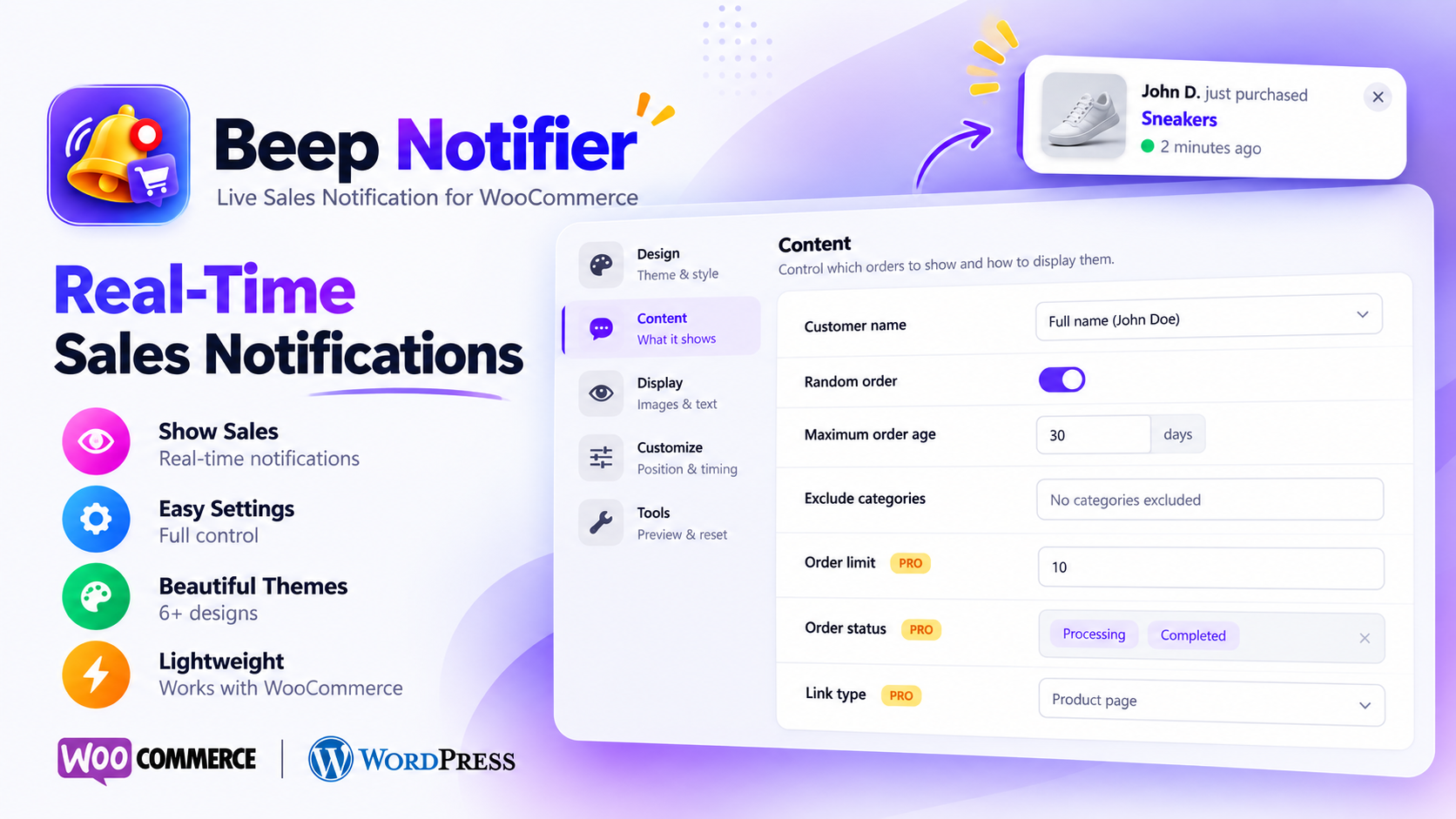
- Customer name format: first name + initial, first name, full name or anonymous.
- Random order, loop, maximum order age and excluded product categories.
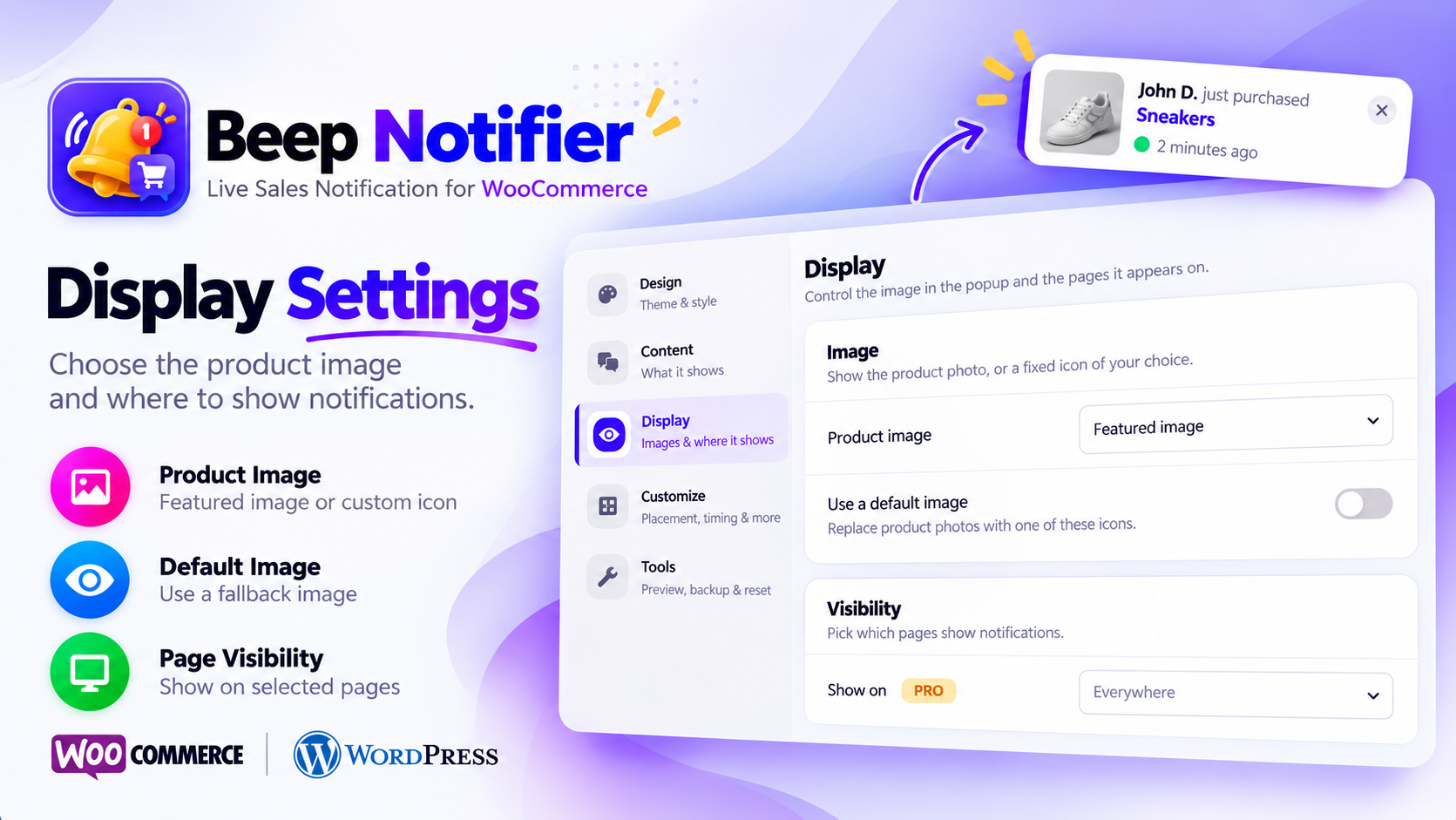
- Product image or one of 6 built-in icons.
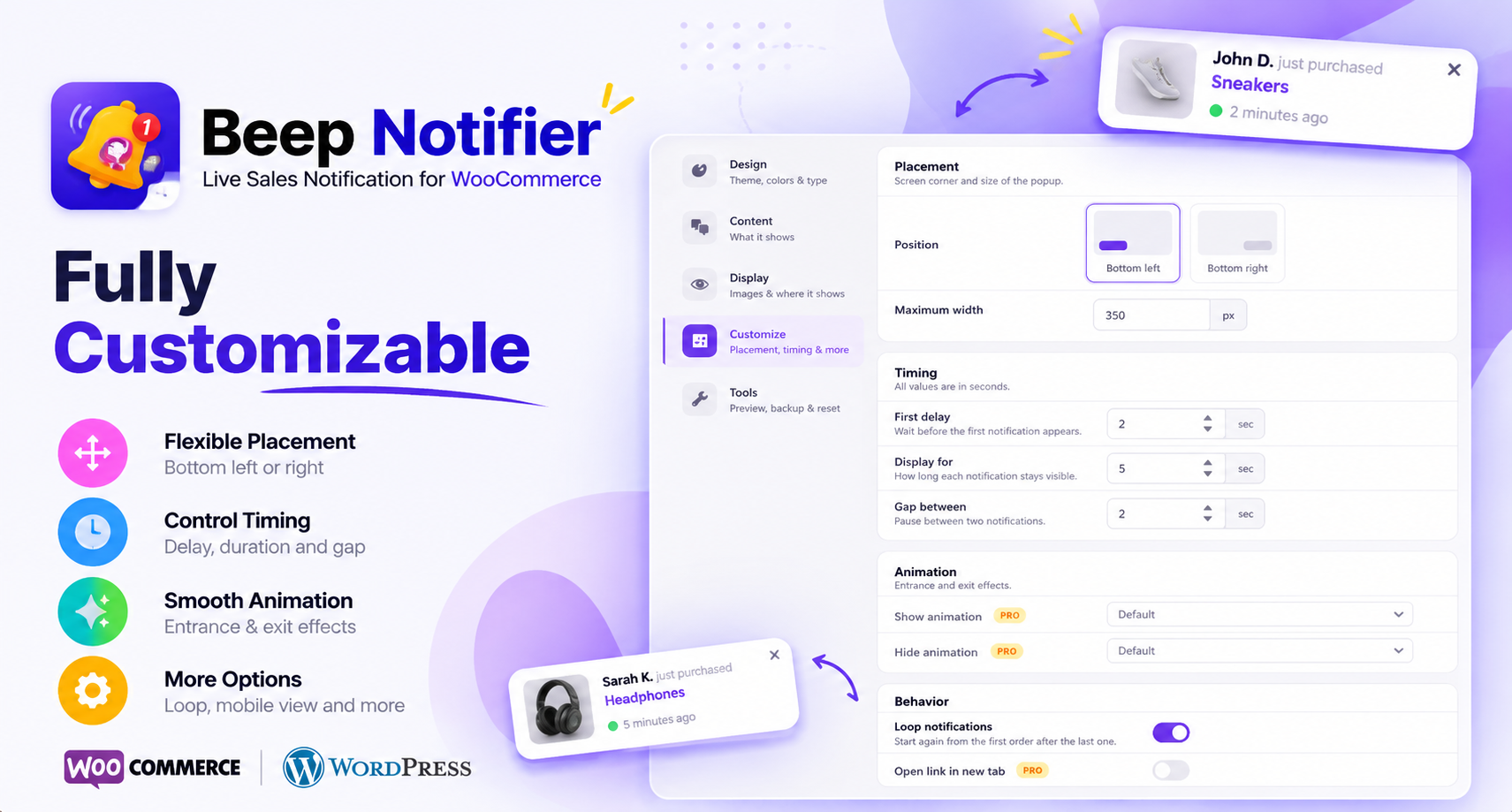
- Bottom-left or bottom-right position, maximum width, close button.
- Show or hide on mobile.
- Timing: first delay, display time and gap between notifications.
- Hidden, draft and private products are never shown.
- Dismissal is remembered for the visitor’s session.
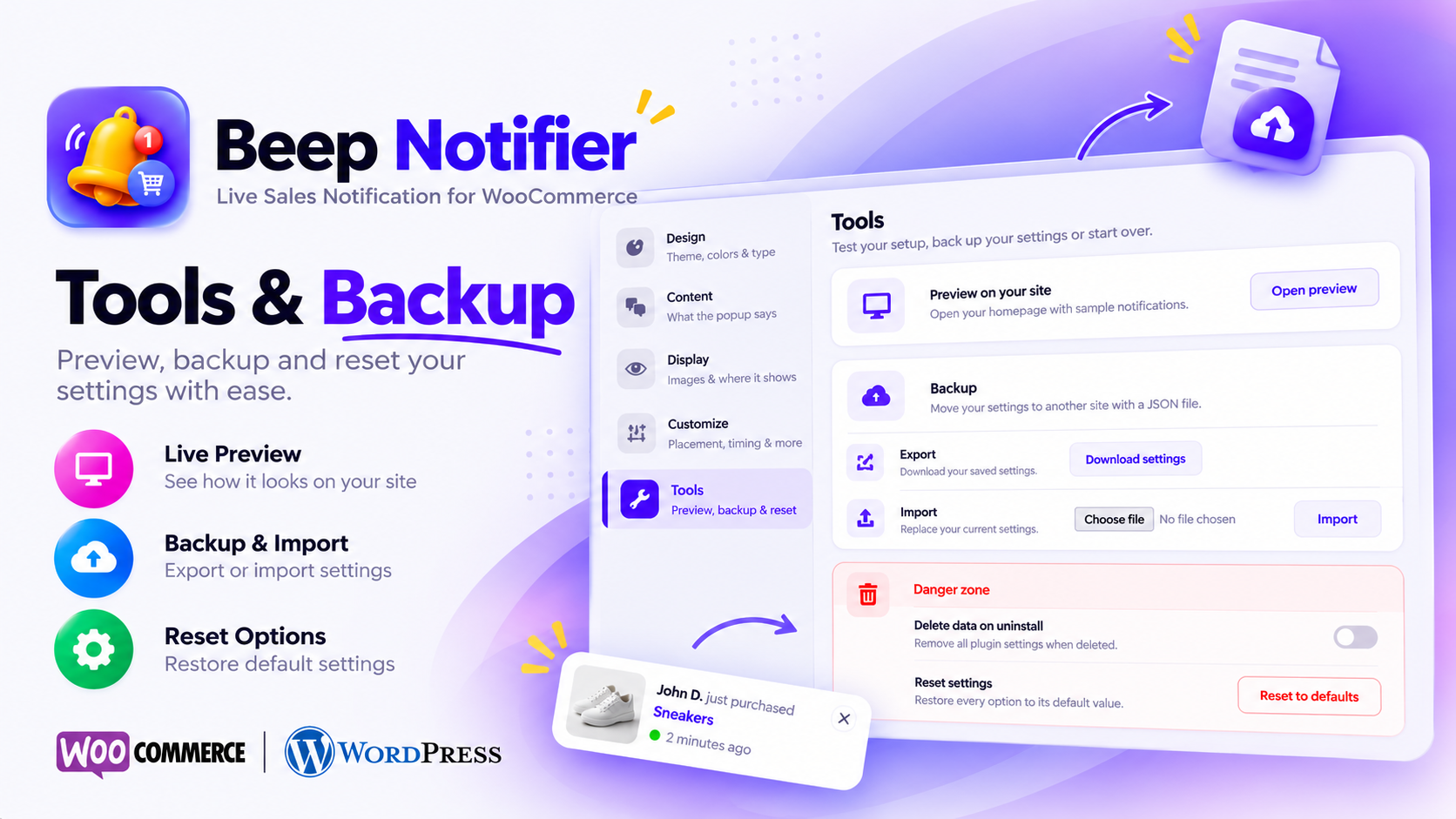
- «Preview on site» mode with sample notifications only you can see.
- Export, import and reset settings.
Pro
Beep Notifier Pro adds page targeting, order status filters, order limit, link options and more animations.
Captures
Instal·lació
- Install and activate WooCommerce.
- Install Beep Notifier from Plugins › Add New, or upload the
beep-notifierfolder to/wp-content/plugins/. - Activate the plugin.
- Open Beep Notifier in the WordPress admin menu, choose a theme and save.
- Use Preview on site to see it on your storefront.
PMF
-
Which orders are shown?
-
Recent orders with the status Processing or Completed from the last 30 days (configurable under Content › Maximum order age). Products that are hidden from the catalog, drafts or private are skipped.
-
Does it show customers’ personal data?
-
Only a name, in the format you choose. The default is first name plus last-name initial («John D.»). Choose «Anonymous» to show «Someone» instead. Addresses, emails and payment details are never sent to the browser.
-
Does it work with page caching?
-
Yes. Notifications load from a public REST endpoint that doesn’t depend on a per-page security token, so cached pages keep working.
-
Notifications don’t appear. What should I check?
-
Make sure WooCommerce is active and you have at least one Processing or Completed order within the maximum order age. If you closed a notification, it stays hidden until you open a new browser session. Use Tools › Preview on site to check the design without real orders.
-
Can shop managers change the settings?
-
Yes. Anyone with the
manage_woocommercecapability can open the settings page. -
Is my data deleted when I remove the plugin?
-
Only if you turn on Tools › «Delete data on uninstall» before deleting the plugin.
Ressenyes

Col·laboradors i desenvolupadors
«Beep Notifier – Live Sales Notification for WooCommerce» és programari de codi obert. La següent gent ha col·laborat en aquesta extensió.
Col·laboradors

Traduïu «Beep Notifier – Live Sales Notification for WooCommerce» a la vostra llengua.
Interessats en el desenvolupament?
Navegueu pel codi, baixeu-vos el repositori SVN, o subscriviu-vos al registre de desenvolupament per fisl de subscripció RSS.
Registre de canvis
1.2.0
- New: theme-wise custom styling – every theme keeps its own colors, border, font sizes and image style, with defaults that match the theme.
- New: theme-specific color controls (accent bar, avatar ring, label, glow, button, gradient frame).
- New: «Reset to theme’s defaults» for custom styling.
- Changed: existing custom styling is moved to the theme that was selected.
1.1.0
- Security: the sales endpoint no longer exposes billing city; customer names respect the new privacy setting.
- Security: every setting is validated against an allow-list on save and import.
- Fix: notifications stopped working on cached sites after 12–24 hours (expired nonce). Moved to a cache-friendly REST endpoint.
- Fix: product and customer names with
&or apostrophes were shown with HTML entities. - Fix: hidden, private and draft products could appear in notifications.
- Performance: removed jQuery, animate.css, WOW.js and Waypoints from the storefront (~90 KB less). Sales are cached and refreshed when orders change.
- New: name privacy options (First name + initial, Anonymous), maximum order age, exclude categories.
- New: pause on hover, remembered dismissal, keyboard support, screen-reader announcements, reduced-motion support.
- New: Preview on site, export/import/reset settings, optional data removal on uninstall.
- New: redesigned settings page with live preview.
- New: all 6 notification themes are now free.
- New: declared WooCommerce HPOS compatibility; WooCommerce shop managers can manage settings.
- Changed: «Show on mobile» is now a free feature and on by default.
1.0.0
- Initial release.