

Descripció
Built for stores that give back.
Cause Marketing for WooCommerce turns every sale into a charitable contribution — automatically. Set donation amounts by product or globally, show customers the impact of their purchase in real time, and manage everything from a dedicated admin dashboard.
Whether you donate $2.00 from every shirt sold or 5% of each purchase, the plugin handles the calculation, the customer messaging, and the reporting — without touching your checkout flow or requiring anything beyond WooCommerce.
Customers who see a cause they care about connected to their purchase buy more confidently. Cause Marketing for WooCommerce makes that connection visible and credible.
Core features (free)
- Flat dollar or percentage donations — set a global default, override per product. Simple and flexible.
- Donation ledger — every eligible order is recorded to a dedicated database table with pending/confirmed status and a configurable delay window (default 45 days) to protect totals during refund periods.
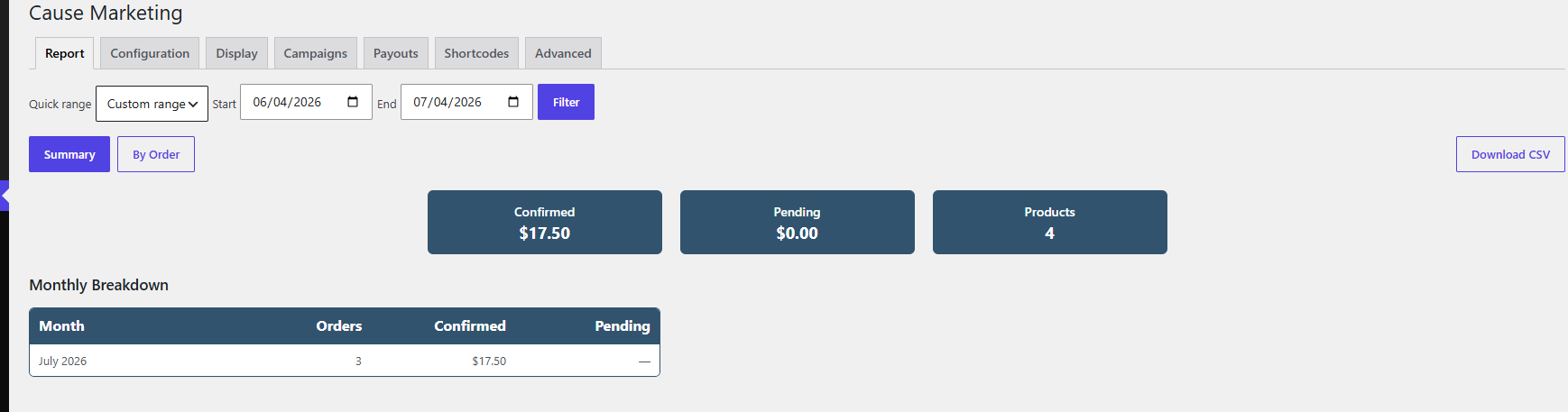
- Admin report — Summary — overview cards showing confirmed, pending, and reversed totals for any date range, plus a monthly breakdown table.
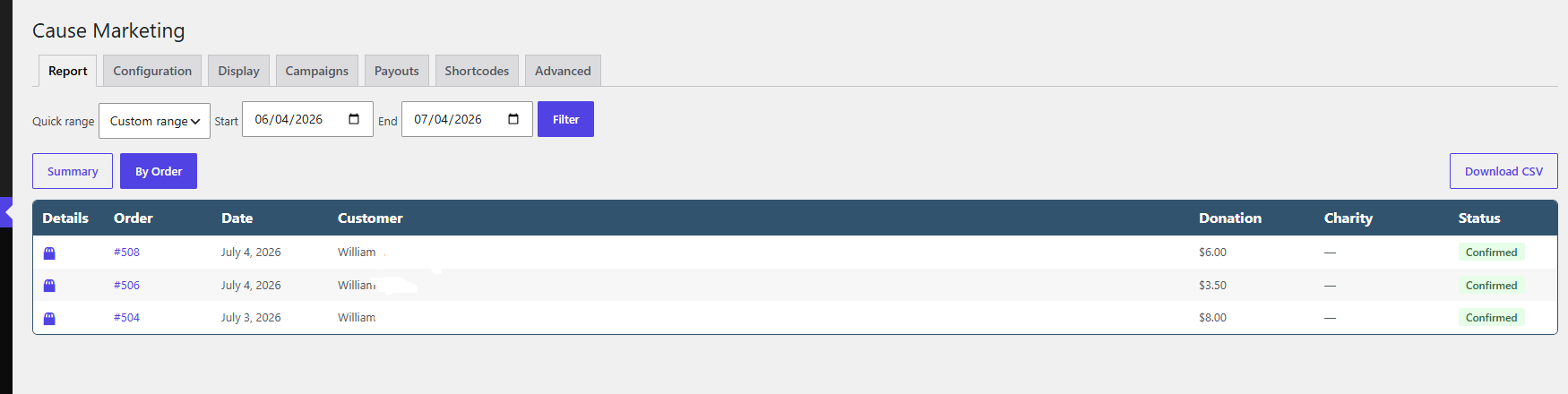
- Admin report — By Order — per-order donation totals with product detail drawer and CSV export.
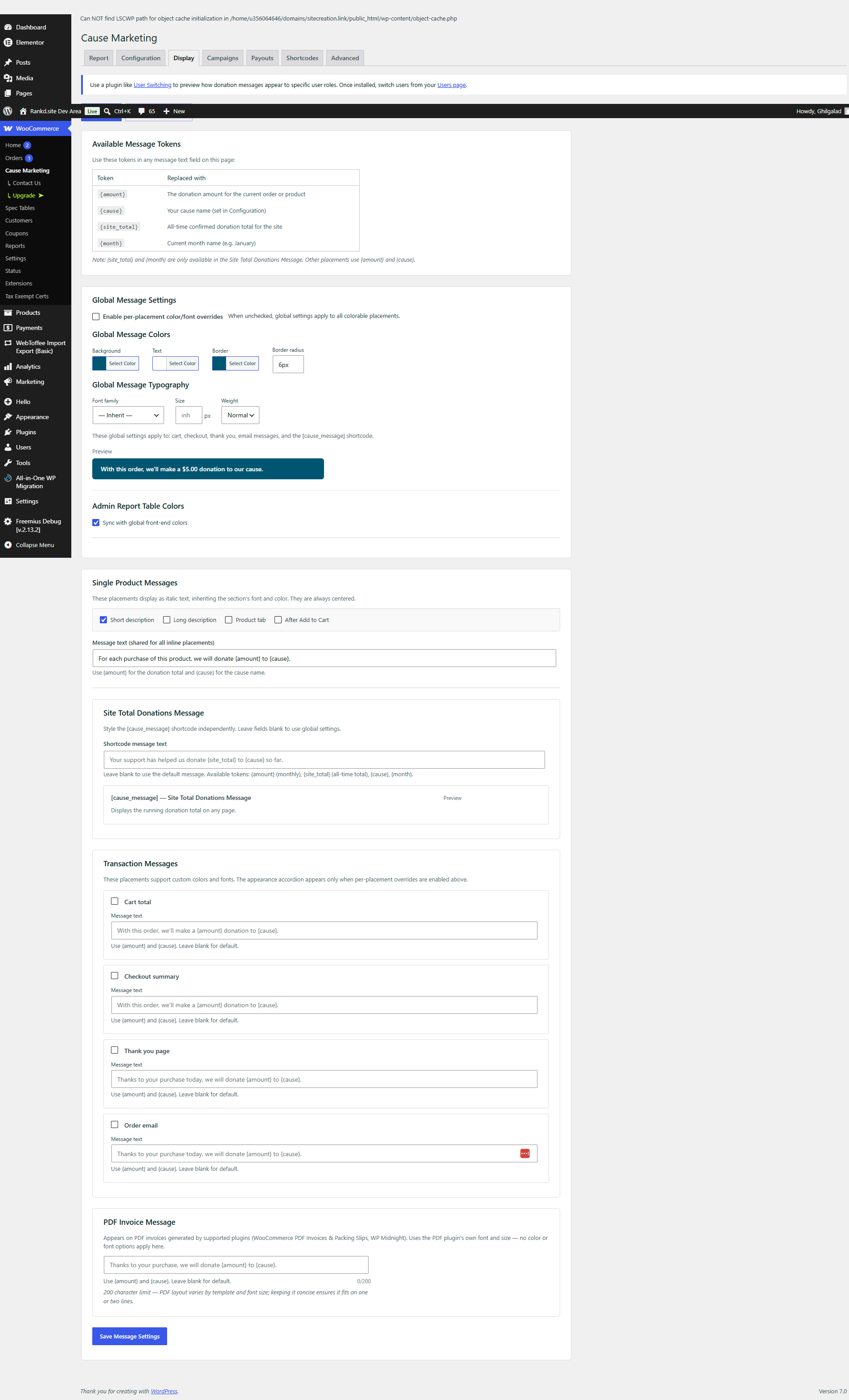
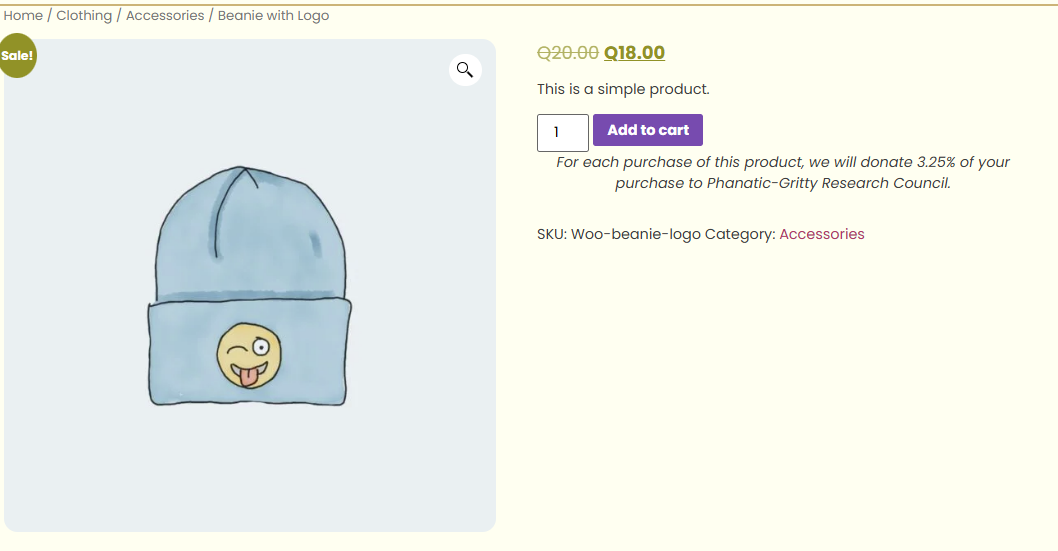
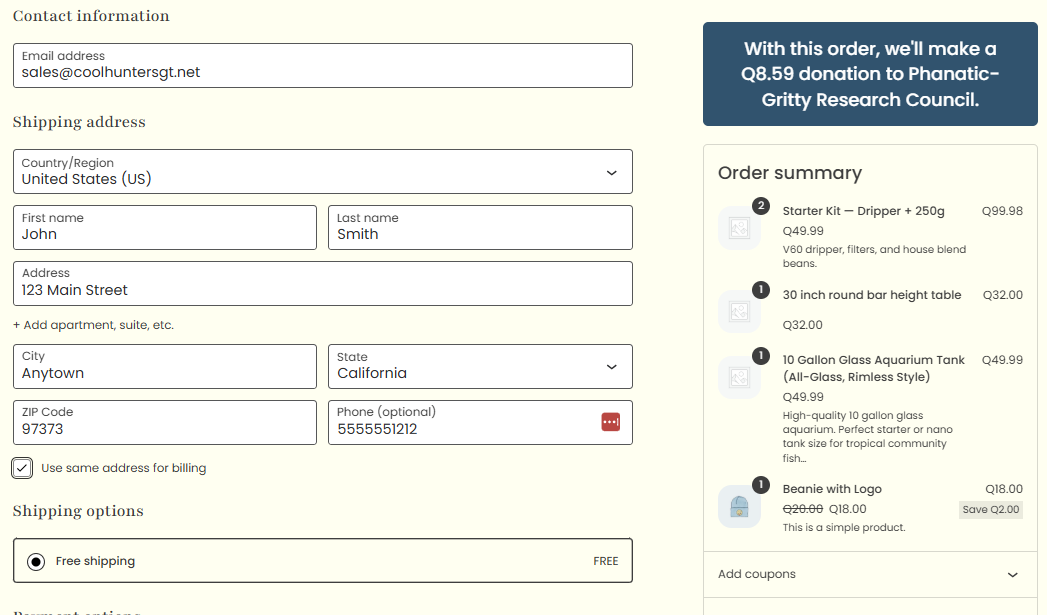
- Front-end messages — donation messages appear automatically on product pages, in the cart, at checkout, on the thank-you page, and in order emails. All placements are optional and configurable.
- Display tab — configure colors, fonts, and border radius for all message placements globally.
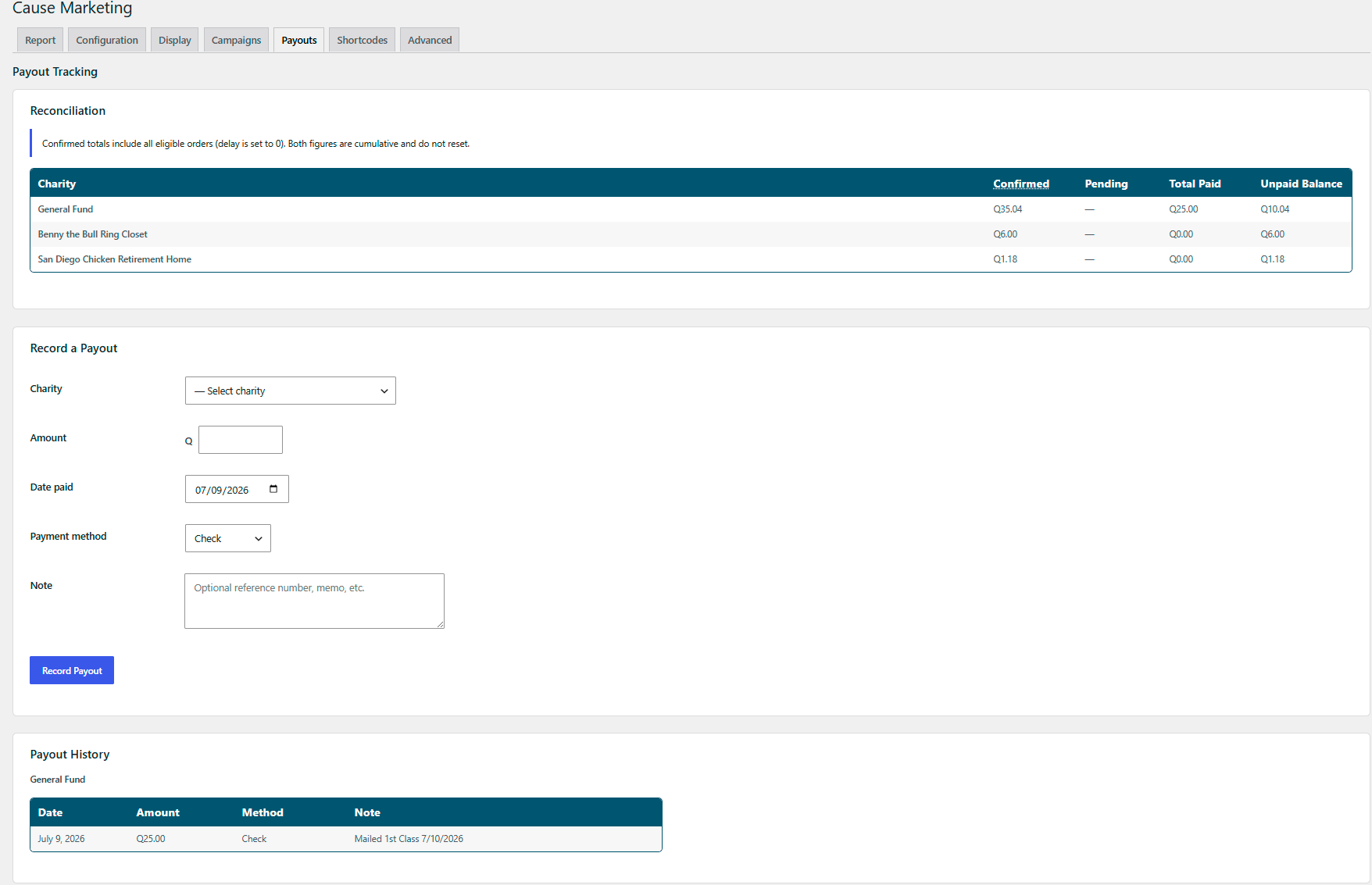
[cause_message]shortcode — embed a live running donation total on any page or in any page builder.- Payouts tab — record payments made to your cause, reconcile confirmed donations against payouts, and maintain a full payment history.
- PDF invoice integration — donation note appears automatically on invoices generated by WooCommerce PDF Invoices & Packing Slips and WP Midnight.
- HPOS compatible — fully supports WooCommerce High-Performance Order Storage alongside legacy post-meta storage.
- Role-based exclusions — exclude specific customer roles from seeing messages and from donation totals.
- Monthly email report — automatically emails a donation summary to your team on the 1st of each month.
- Refund handling — partial and full refunds automatically reverse the corresponding donation rows per product line item.
Pro features
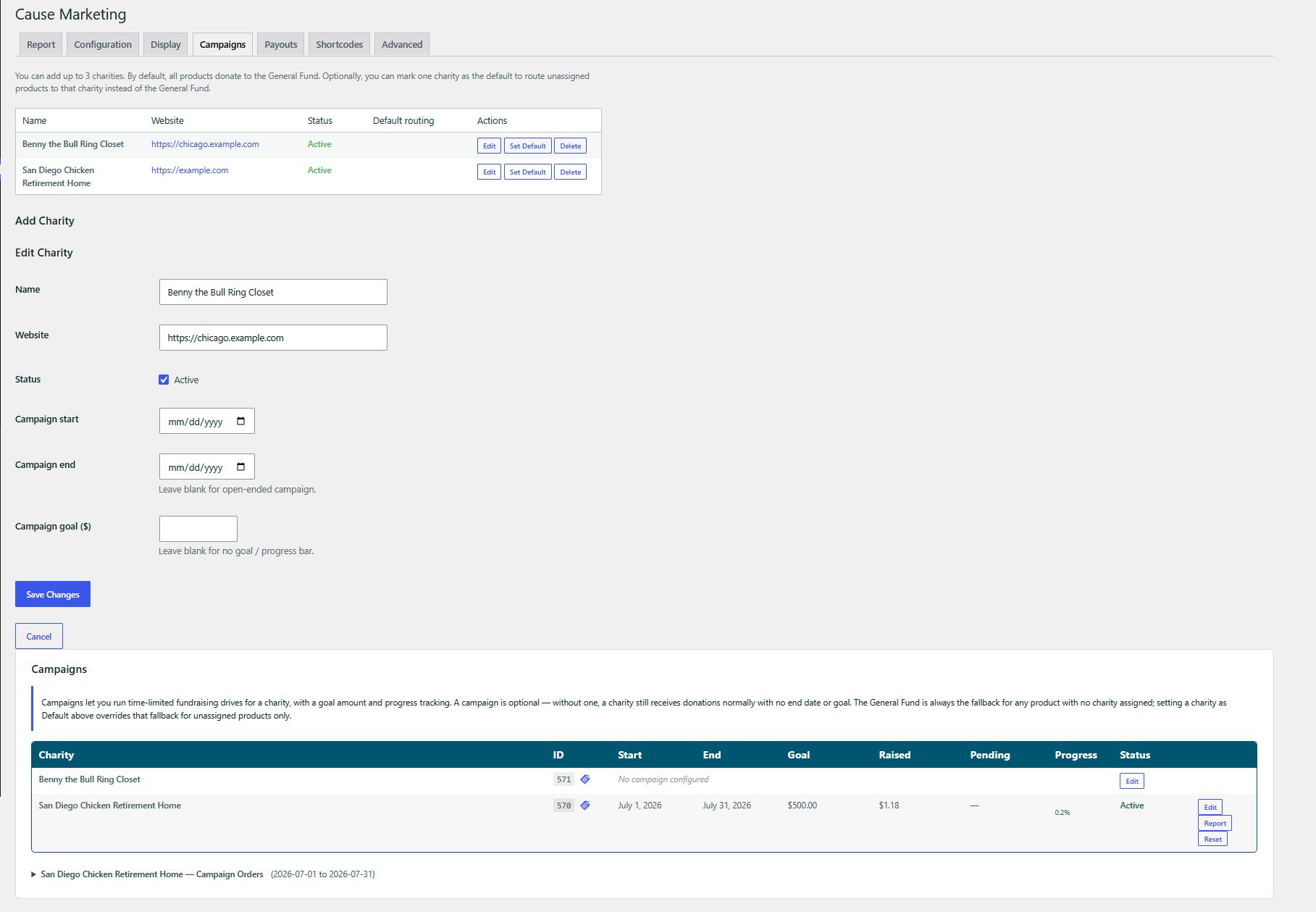
- Multiple charities — create up to 3 named charities and route product donations to specific causes.
- Campaigns — run time-limited fundraising campaigns with goal tracking, history, and automatic retroactive reassignment when dates change.
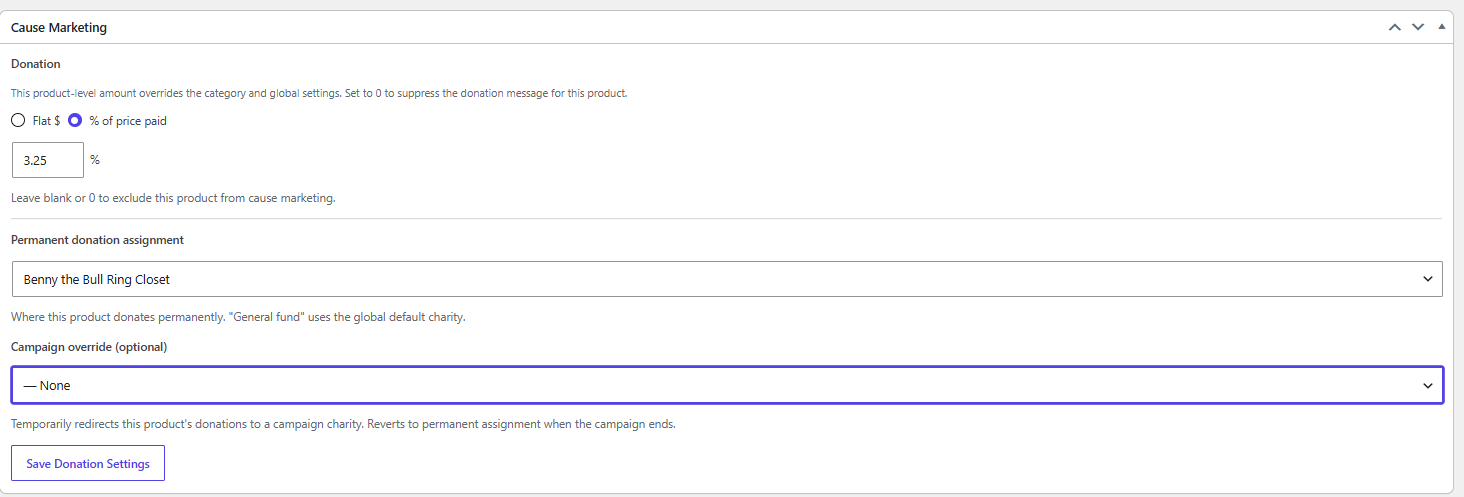
- Category-level donation settings — set donation amounts per product category, overriding the global default. Products can further override category settings.
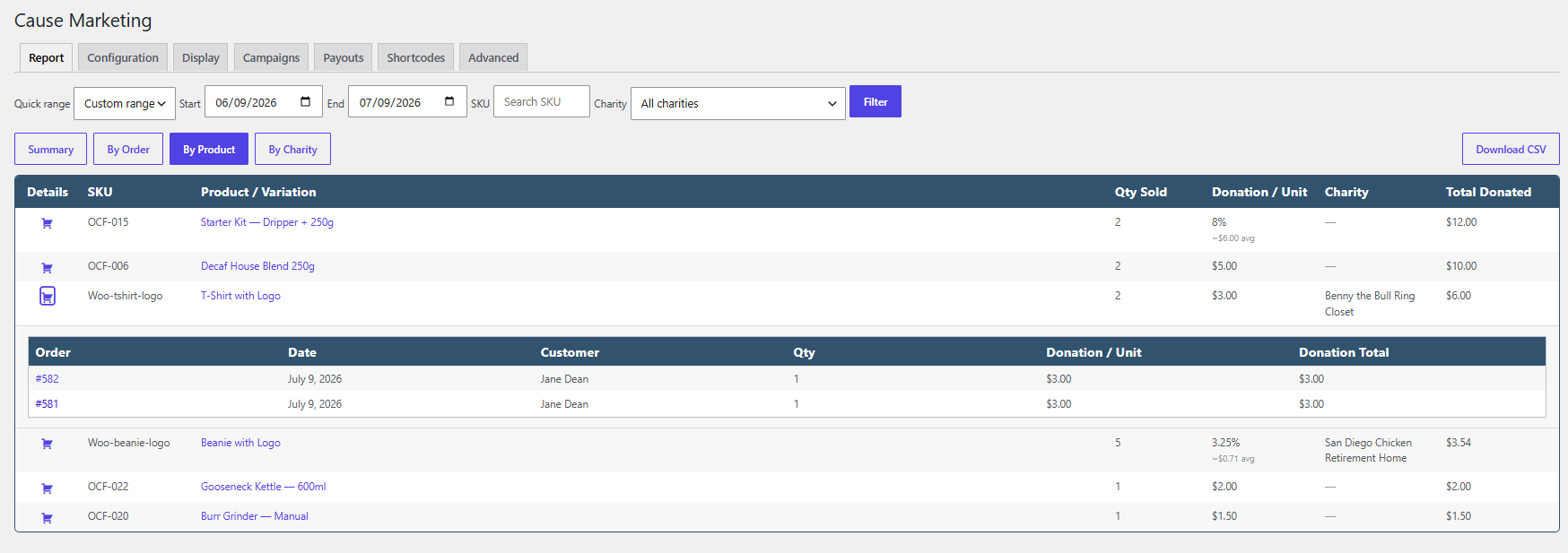
[cause_progress]shortcode — embed a campaign progress bar on any page or post.- Admin report — By Product — per-product donation totals with variation drill-down, order drawers, and CSV export.
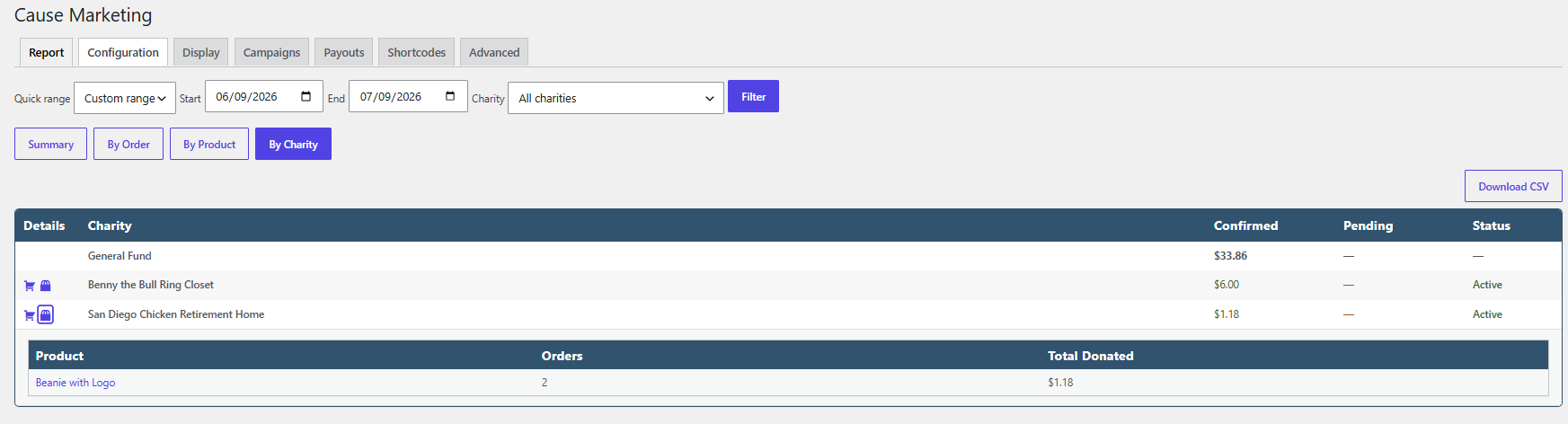
- Admin report — By Charity — per-charity confirmed and pending totals with CSV export.
- Per-placement appearance overrides — customise colors, fonts, and radius independently for each placement.
- Sale item controls — optionally skip percentage or flat donations on sale-priced products.
Why cause marketing works
Shoppers increasingly choose brands that stand for something. Displaying a clear, credible donation message at the point of purchase builds trust, reduces purchase hesitation, and gives customers a reason to share. Cause Marketing for WooCommerce provides the infrastructure to make that work reliably at any scale.
Compatibility
- WooCommerce 6.0+
- WordPress 5.9+
- PHP 7.4+
- HPOS (High-Performance Order Storage) — full support
- Elementor, Divi, Beaver Builder, Gutenberg — compatible via standard WooCommerce hooks
- WooCommerce PDF Invoices & Packing Slips (WP Overnight) — officially supported
- WP Midnight PDF — officially supported
Shortcodes
[cause_message]
Displays a cumulative donation total using the configured delay window.
Attributes
start_date— override the tracking start date (format: YYYY-MM-DD)starting_amount— add a seed amount to the running totaltest_mode— set toyesto bypass the delay window for previewing
Examples
[cause_message]
[cause_message start_date="2024-01-01"]
[cause_message starting_amount="5000" test_mode="yes"]
[cause_progress] (Pro)
Displays a campaign progress bar for a charity.
Attributes
charity— charity post ID. Defaults to the default charity.show_charity—yesorno. Show the charity name. Default:yes.show_amounts—yesorno. Show raised/goal amounts. Default:yes.show_percent—yesorno. Show percentage complete. Default:yes.include_pending—yesorno. Include pending donations in the raised total. Default: follows Configuration setting.test_mode—yesorno. Show all data regardless of campaign status. Default:no.
Examples
[cause_progress]
[cause_progress charity="123" show_charity="no"]
[cause_progress show_amounts="no" show_percent="yes"]
Captures
Instal·lació
- Upload the
cause-marketing-for-woocommercefolder to/wp-content/plugins/, or install via Plugins Add New and search for «Cause Marketing for WooCommerce». - Activate the plugin via Plugins Installed Plugins.
- Navigate to WooCommerce Cause Marketing Configuration and set your cause name and global donation amount.
- On any product edit screen, find the Donation meta box and optionally set a product-specific donation amount.
- Enable front-end message placements in WooCommerce Cause Marketing Display.
- Use
[cause_message]on any page to display a public-facing running total.
The plugin is entirely opt-in. Nothing appears on the front end until you configure a donation amount.
PMF
-
Does this plugin require ACF or any other plugin?
-
No. The only required dependency is WooCommerce. All settings use native WordPress meta boxes and options.
-
Can I set donation amounts by product category?
-
Yes, with Pro. Open any product category and you will find a Donation rule section. Category rules override the global setting, and product-level rules override category rules.
-
What is the donation delay window?
-
By default, donations count toward front-end totals after 45 days. This prevents displaying amounts that include orders still within a return or refund window. The delay does not affect admin reports, which always show real-time data. You can change the delay — including setting it to 0 — in the Configuration tab.
-
How do percentage-based donations work?
-
Set the donation type to «%» on any product or globally. The plugin calculates the donation as a percentage of the line item subtotal at checkout. If a product is on sale, the donation is calculated from the sale price.
-
Can I exclude wholesale customers or other roles?
-
Yes. In the Configuration tab, select any roles to exclude. Excluded roles will not see donation messages and their orders will not appear in donation totals.
-
Does this work with variable products?
-
Yes. Donation amounts set on the parent product apply to all variations. Charity assignment (Pro) is set on the parent product to ensure consistent behaviour across variations.
-
Is the plugin compatible with WooCommerce HPOS?
-
Yes. The plugin detects whether High-Performance Order Storage is active and switches query paths automatically. Both storage modes are fully supported.
-
Does this work with Elementor?
-
Yes. The plugin uses standard WooCommerce hooks which Elementor respects. The
[cause_message]shortcode works in any widget that renders shortcodes. If product page messages don’t appear, try enabling additional placements in the Display tab. -
How does the monthly email report work?
-
The plugin schedules a WP-Cron event to fire on the 1st of each month. WP-Cron runs when someone visits your site, so on very low-traffic sites the email may arrive slightly after midnight. Configure recipients in the Configuration tab under Email Report.
-
What PDF invoice plugins are supported?
-
WooCommerce PDF Invoices & Packing Slips by WP Overnight and WP Midnight are officially supported. Other plugins can integrate via the
donation_report_pdf_get_htmldeveloper filter. -
How do I preview donation messages for a specific customer role?
-
Install the free User Switching plugin and use it from the Users screen to switch to a test account with the role you want to preview.
-
How are refunds handled?
-
When an order is fully or partially refunded, the plugin automatically reverses the corresponding donation rows. Partial refunds reduce the donation amount proportionally based on the quantity refunded.
Ressenyes
No hi ha ressenyes per a aquesta extensió.
Col·laboradors i desenvolupadors
«Cause Marketing for WooCommerce» és programari de codi obert. La següent gent ha col·laborat en aquesta extensió.
Col·laboradors

Traduïu «Cause Marketing for WooCommerce» a la vostra llengua.
Interessats en el desenvolupament?
Navegueu pel codi, baixeu-vos el repositori SVN, o subscriviu-vos al registre de desenvolupament per fisl de subscripció RSS.
Registre de canvis
1.3
- Initial public release on WordPress.org.
- Includes donation ledger, admin reports, front-end messaging, shortcodes, PDF invoice integration, and full HPOS + WooCommerce Blocks support.