

Descripció
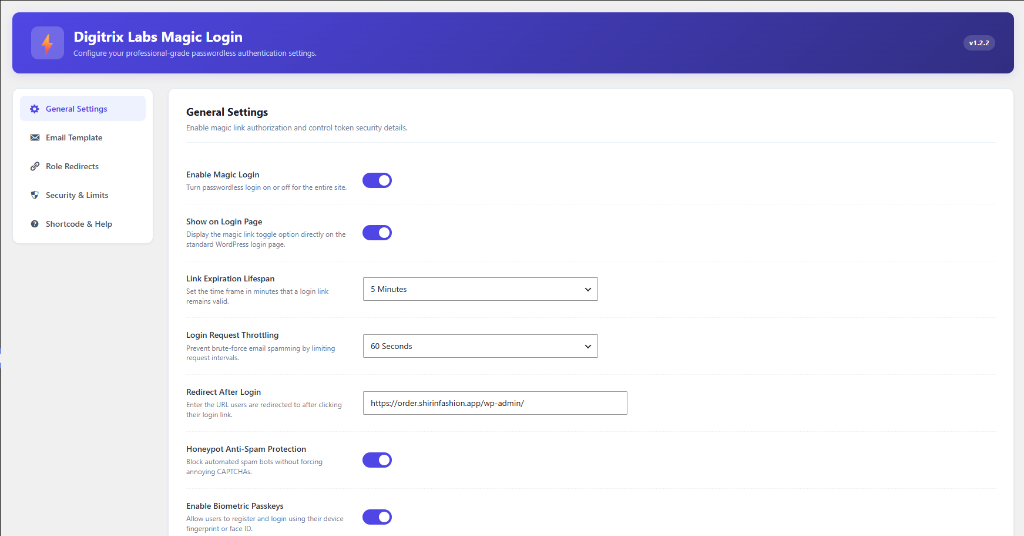
Digitrix Labs Passkeys and Email Link Access is a professional-grade, secure, passwordless authentication plugin for WordPress. It eliminates the need for traditional passwords, protecting your site from common security threats like brute-force attacks and password leaks.
The plugin provides two primary modern passwordless authentication options:
1. Email Login Links: Users enter their username or email address and receive a secure, one-time, time-limited login link in their email. Clicking the link logs them in instantly.
2. Biometric Passkeys (FIDO2/WebAuthn): Users register their device biometrics (such as fingerprint, TouchID, FaceID, or Windows Hello) from their profile page and log in instantly with a single touch or scan on their next visit.
Key Features
- Secure Email Links: Single-use, highly encrypted login links with adjustable expiration times.
- Biometric Passkeys: Hardware-secured biometrics utilizing FIDO2/WebAuthn standards (TouchID, FaceID, Windows Hello, etc.).
- Security & Limits: Define hourly login request limits per IP and lockout durations to block automated email spamming.
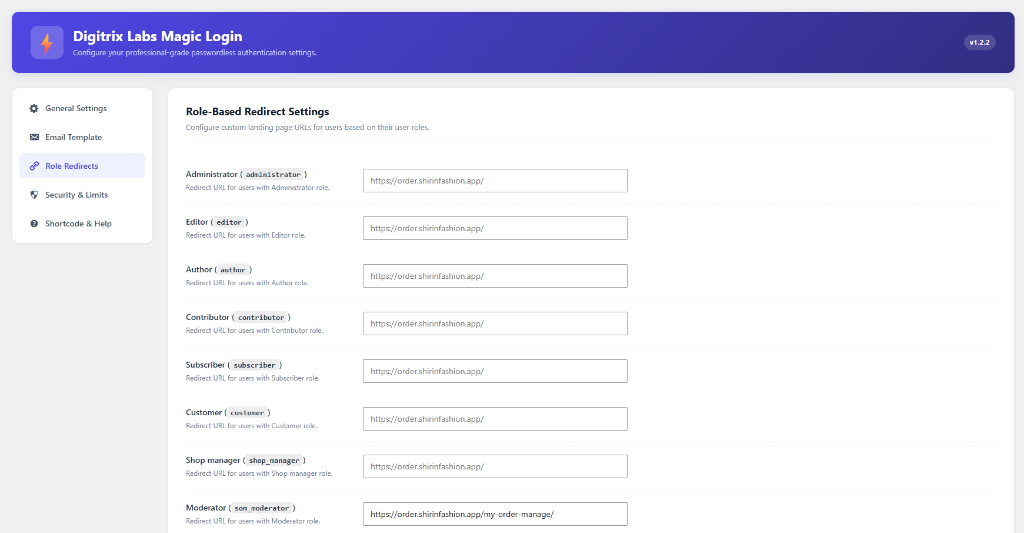
- Role-Based Redirects: Redirect users to custom URLs based on their user role (e.g., Administrator, Editor, Subscriber, WooCommerce Customer) upon successful login.
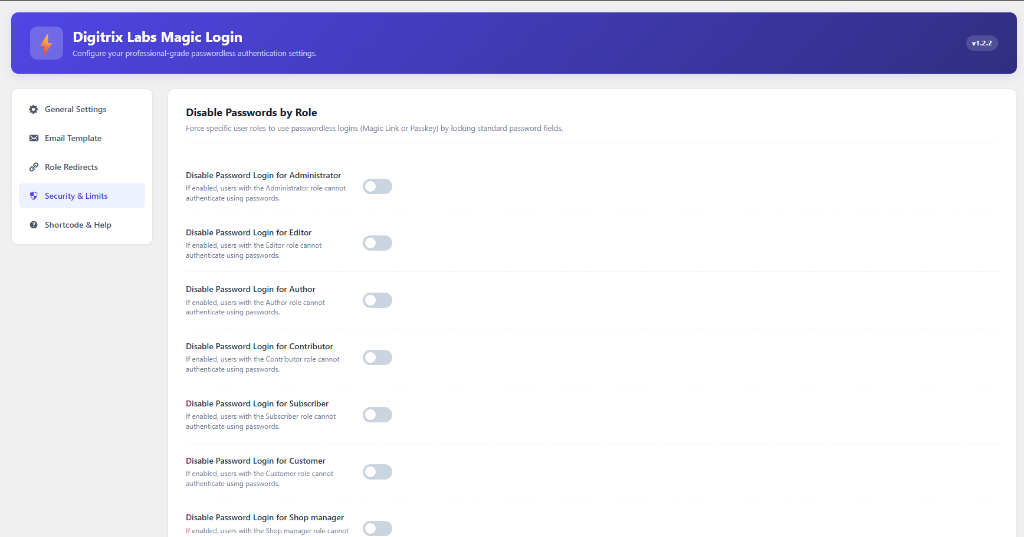
- Disable Password Login: Disable standard password logins for specific user roles to enforce passwordless authentication security.
- Honeypot Protection: Built-in hidden honeypot field to block automated spam bots silently without requiring annoying CAPTCHAs.
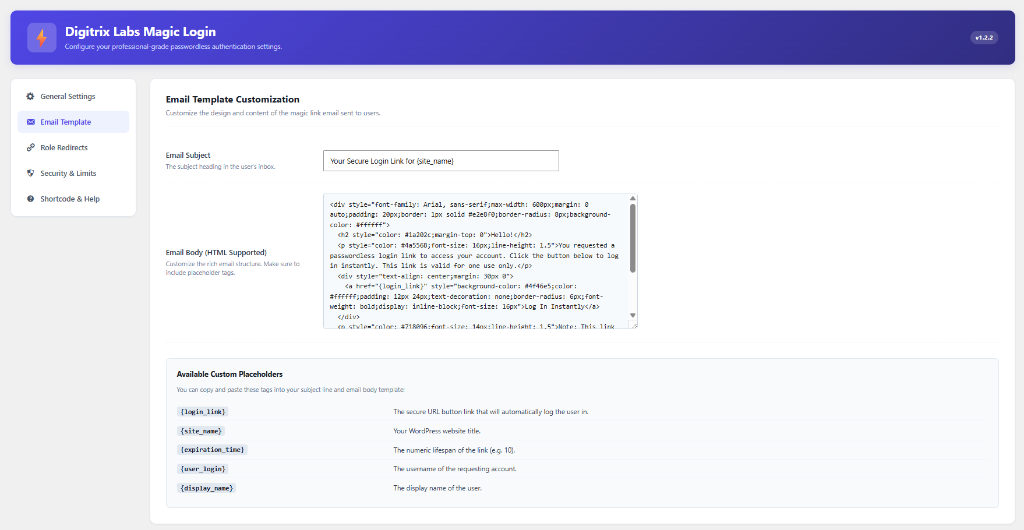
- Custom Email Templates: A beautifully styled admin dashboard tab to customize the login link email subject line and HTML structure with dynamic placeholders.
Captures
Instal·lació
- Upload the
digitrix-labs-passkeys-and-email-link-accessfolder to your site’s/wp-content/plugins/directory. - Activate the plugin through the Plugins menu in WordPress.
- Configure the options by navigating to Settings -> Passkeys & Email Link in your WordPress admin menu.
PMF
-
Does this plugin require HTTPS/SSL?
-
Yes. Biometric authentication (WebAuthn/Passkeys) is a secure browser API and will only function in secure contexts (HTTPS). Local development environments on
localhostcan test without HTTPS. -
Can I use the passwordless login form anywhere on my site?
-
Absolutely. You can insert the AJAX-based login link form on any post, page, or widget block using the
[digitrix_passkeys_email_login_form]shortcode. -
How do users set up their fingerprints or face scans?
-
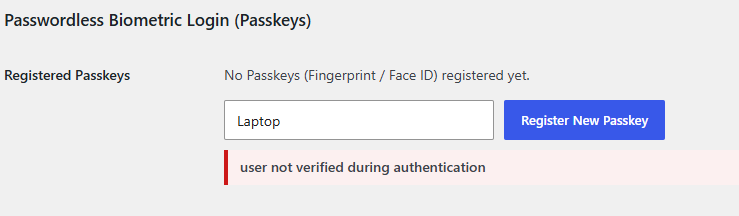
Once the administrator enables Biometric Passkeys in the general settings, users can register their biometrics by going to their own profile page (Users -> Profile) and enrolling a key under the «Passwordless Biometric Login (Passkeys)» section.
-
Does this plugin use sessions?
-
No. The plugin is built to be highly compatible with page caching plugins and does not use standard PHP
$_SESSIONsessions. Instead, it utilizes secure WordPress transients.
Ressenyes
No hi ha ressenyes per a aquesta extensió.
Col·laboradors i desenvolupadors
«Digitrix Labs Passkeys and Email Link Access» és programari de codi obert. La següent gent ha col·laborat en aquesta extensió.
Col·laboradors
Traduïu «Digitrix Labs Passkeys and Email Link Access» a la vostra llengua.
Interessats en el desenvolupament?
Navegueu pel codi, baixeu-vos el repositori SVN, o subscriviu-vos al registre de desenvolupament per fisl de subscripció RSS.
Registre de canvis
1.0.0
- Initial release.
- Core AJAX email login link request system, standard login page integration, and custom email template builder.
- Support for FIDO2/WebAuthn Biometric Passkeys (TouchID, FaceID, Windows Hello).
- Advanced rate limiting, role-based redirects, and role-specific password bypass options.
- Secure challenge hexadecimal conversion for database transients.