
Descripció
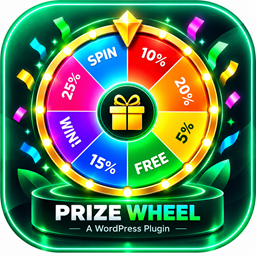
EgyDevInfo Prize Wheel adds a fixed left-side tab to your site that opens a full-height spin wheel panel. Visitors enter their email, spin the wheel, and receive a discount coupon — helping you grow your email list while rewarding customers.
Key features:
- Weighted spin wheel with up to 5 configurable prize slices (automatically duplicated for a fuller wheel)
- Optional «Sorry» slices to control win rate
- Auto-generates unique, single-use WooCommerce percentage coupons for each winner (requires WooCommerce)
- Email uniqueness check — each visitor can only play once per configurable period
- Leads table in the admin with email, result, coupon code, IP, and date
- CSV export of all leads
- Customizable title, subtitle, consent text, button labels, and privacy link
- Single primary color picker that styles the wheel, tab, buttons, and pointer
- Fully responsive — polished mobile layout with sticky coupon display
- ARIA labels and keyboard accessible
WooCommerce is optional. The wheel and email capture work without it; coupon auto-generation requires an active WooCommerce installation.
Captures


Instal·lació
- Upload the
egydevinfo-prize-wheelfolder to your/wp-content/plugins/directory, or install via Plugins > Add New. - Activate the plugin through the Plugins menu in WordPress.
- Go to Prize Wheel in your admin sidebar to configure prizes, colors, and labels.
- If you want auto-generated coupons, make sure WooCommerce is active and enable Auto-generate Coupons in the settings.
PMF
-
Does this plugin require WooCommerce?
-
No. The spin wheel and email capture work on any WordPress site. Automatic coupon generation requires WooCommerce.
-
Where do I see who has played?
-
Go to Prize Wheel > Leads in your WordPress admin. You can also download all entries as a CSV file.
-
How do I control how often a visitor can play?
-
Set Open once (days) in the settings. A visitor who has already played will not see the auto-open popup again for that many days, and attempting to spin again returns an error.
-
Can I change the wheel colors?
-
Yes. The Wheel Primary Color setting controls the primary color used for the wheel slices, the side tab, the buttons, and the arrow pointer.
-
How are the «Sorry» slices used?
-
«Sorry» slices are non-winning segments mixed into the wheel. Increase the count to reduce the overall win rate.
Ressenyes
No hi ha ressenyes per a aquesta extensió.
Col·laboradors i desenvolupadors
«EgyDevInfo Prize Wheel» és programari de codi obert. La següent gent ha col·laborat en aquesta extensió.
Col·laboradors
Traduïu «EgyDevInfo Prize Wheel» a la vostra llengua.
Interessats en el desenvolupament?
Navegueu pel codi, baixeu-vos el repositori SVN, o subscriviu-vos al registre de desenvolupament per fisl de subscripció RSS.
Registre de canvis
1.4.0
- Initial public release.