

Descripció
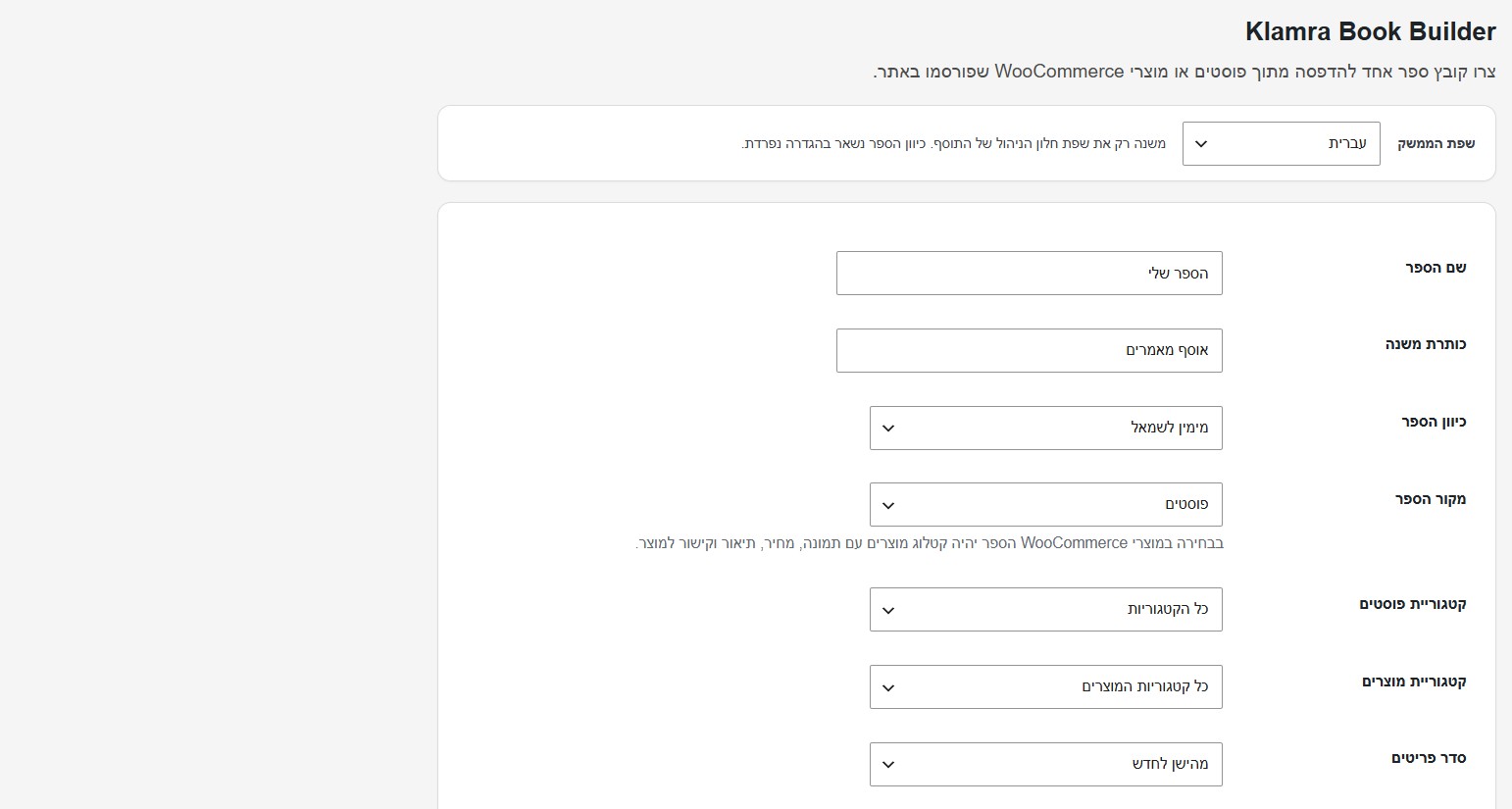
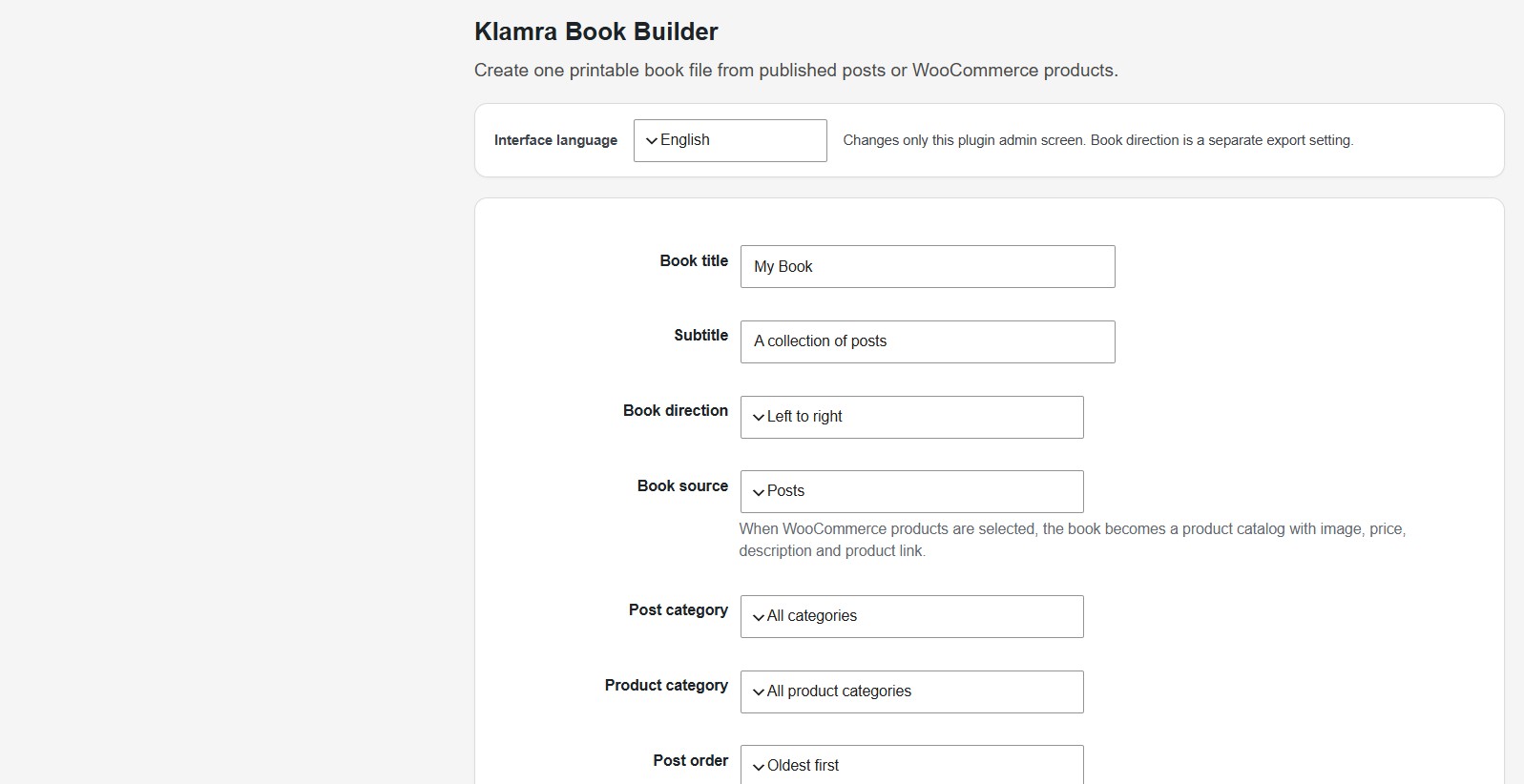
Klamra Book Builder helps site owners turn published WordPress posts or WooCommerce products into one organized, printable book file.
The plugin generates a standalone HTML file with a cover page, table of contents, chapter numbering, print stylesheet and browser-based Save as PDF support. It is useful for bloggers, writers, educators, artists, small publishers and content-heavy sites that want to turn an archive into a manuscript, booklet, printable collection or draft book.
The first public version focuses on safe HTML export rather than server-side PDF generation. This keeps the plugin lightweight and reduces hosting compatibility issues.
Features:
- Export published posts into one book-style HTML file
- Export WooCommerce products into a printable catalog-style book
- Choose all posts/products or a specific category
- Choose oldest-first or newest-first order
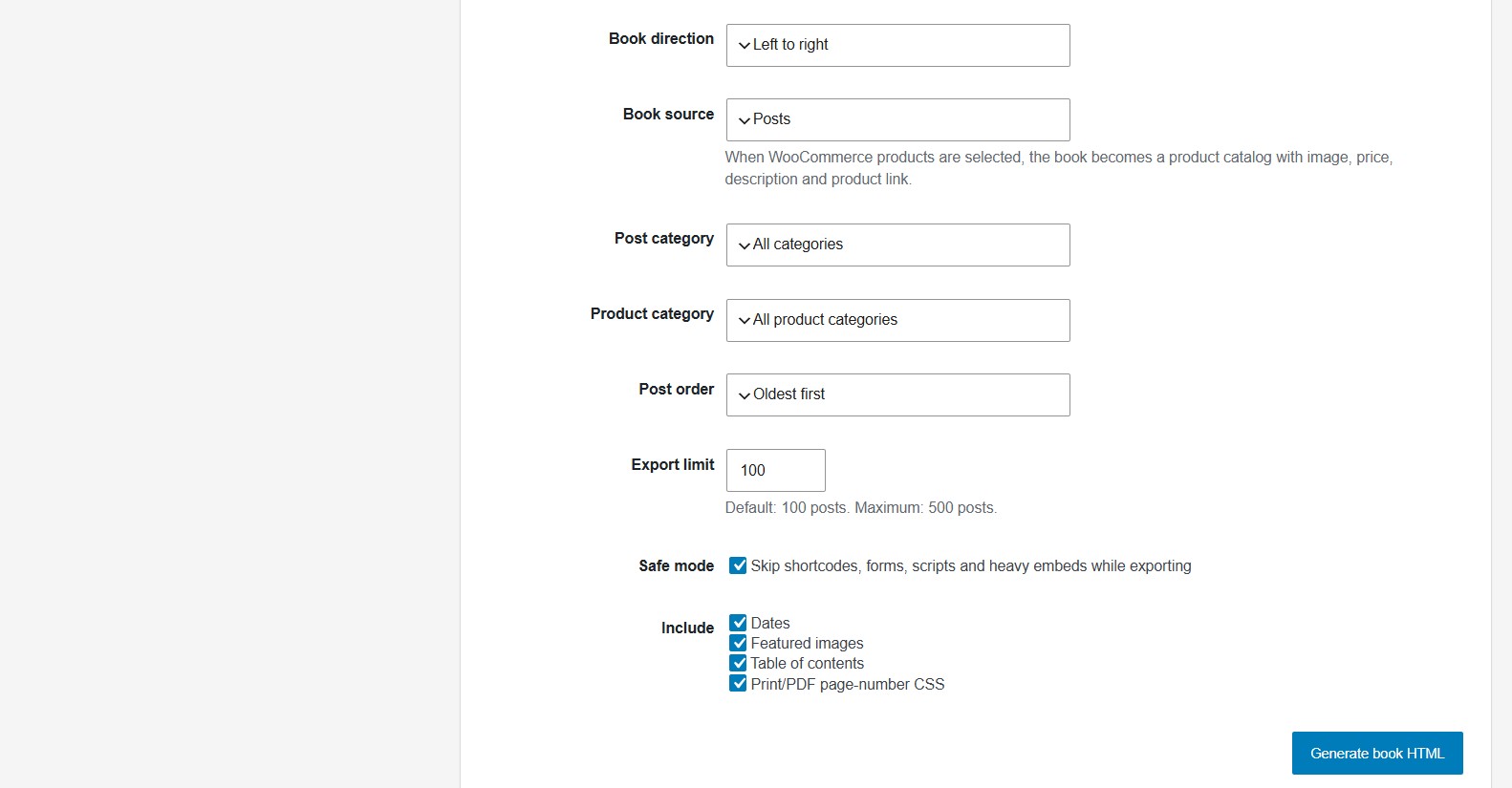
- Set an export limit to reduce server load
- Include dates, featured images and table of contents
- Choose LTR or RTL book direction
- Browser Print / Save as PDF support
- CSS page-number support for print engines that support CSS page margin boxes
- Safe mode to skip shortcodes, forms, scripts and heavy embeds while exporting
- Direct file writing to reduce memory usage
- Secure admin-only download links
- ASCII-only generated filenames for better hosting compatibility
Important PDF Note
Klamra Book Builder creates a printable HTML book. To create a PDF, open the generated book and use your browser’s Print / Save as PDF option.
Page numbers are added with CSS @page rules when the browser or PDF engine supports them. Browser support can vary.
Captures
Instal·lació
- Upload the plugin ZIP through Plugins > Add New > Upload Plugin.
- Activate the plugin.
- Go to Book Builder in the WordPress admin menu.
- Choose title, direction, category, order, export limit and options.
- Click Generate book HTML.
- Open the generated file and use Print / Save as PDF if needed.
PMF
-
Does this create a PDF file directly on the server?
-
No. The plugin creates a printable HTML book. You can save it as PDF from the browser. This keeps the plugin lighter and safer on shared hosting.
-
Can I export Hebrew or other RTL content?
-
Yes. Choose Right to left in the Book direction setting.
-
Why is there an export limit?
-
Large archives can be heavy. The limit helps protect your site from memory and timeout issues. The default is 100 posts and the maximum in this version is 500 posts.
-
What does Safe mode do?
-
Safe mode skips shortcodes, forms, scripts and heavy embeds while exporting. This helps avoid conflicts with page builders, video embeds, forms or other plugins during export.
-
Where are generated files saved?
-
Generated files are saved under wp-content/uploads/klamra-book-builder/.
Ressenyes
No hi ha ressenyes per a aquesta extensió.
Col·laboradors i desenvolupadors
«Klamra Book Builder» és programari de codi obert. La següent gent ha col·laborat en aquesta extensió.
Col·laboradors
Traduïu «Klamra Book Builder» a la vostra llengua.
Interessats en el desenvolupament?
Navegueu pel codi, baixeu-vos el repositori SVN, o subscriviu-vos al registre de desenvolupament per fisl de subscripció RSS.
Registre de canvis
0.2.7
- Reworked generated book output to avoid non-enqueued stylesheet warnings.
- Switched export and download file access to WP_Filesystem.
- Added translator comments for placeholder strings.
- Reduced plugin tags to five.
0.2.3
- Updated plugin author and contributor identity to Klamra22.
0.2.1
- Added an interface language selector for English and Hebrew.
- Improved Hebrew admin labels while keeping English as the public default.
0.2.0
- Public-ready plugin name and English admin interface.
- Added LTR/RTL direction setting.
- Cleaned admin UI for public distribution.
- Kept safe export limits, direct file writing and secure downloads.
- Kept table of contents, print stylesheet and browser PDF workflow.
0.1.5
- Internal development build.