
Descripció
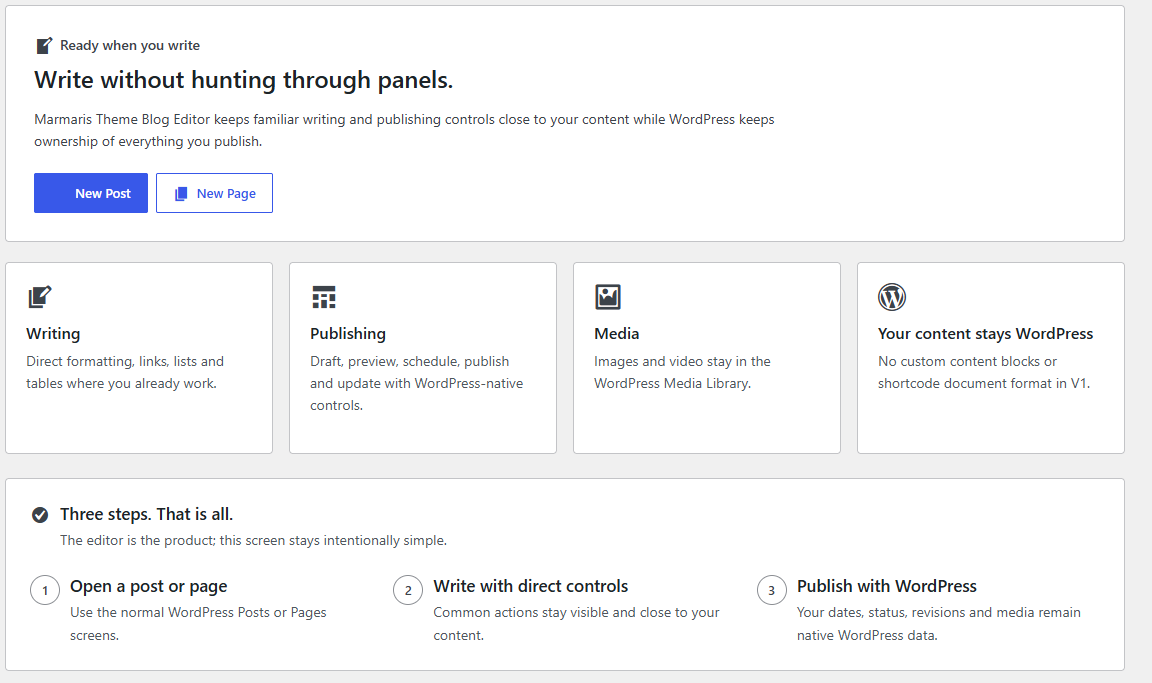
Marmaris Theme Blog Editor adds a simpler writing layer to the native WordPress Block Editor while keeping WordPress as the content and publishing authority.
Compatibility commitments:
- WordPress Core remains the content and publishing authority.
- The Gutenberg plugin is optional.
- The plugin uses native WordPress blocks and no proprietary document format.
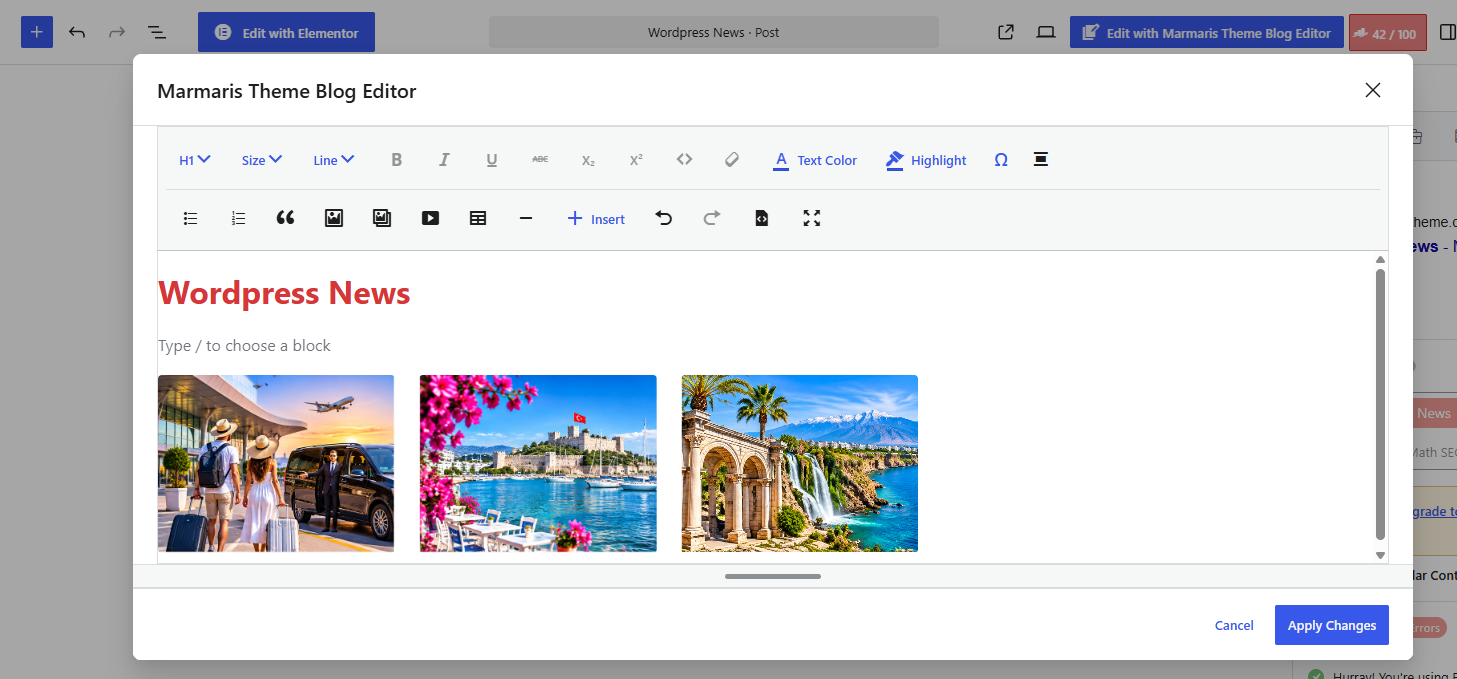
- Marmaris Theme Blog Editor includes Visual and Code views; Code view edits native WordPress block markup and validates it before applying changes.
- Rank Math and Yoast keep ownership of their SEO data and editor workflows.
- Deactivation leaves native content usable.
Privacy
Marmaris Theme Blog Editor does not send post content, writing statistics, plugin inventory, or editor activity to Marmaris Theme. V1 contains no telemetry and no remote authoring service.
Content Portability
The plugin uses native WordPress blocks and publishing data. V1 registers no custom content blocks and no shortcode document format.
More Tools
The plugin may show optional separate Marmaris Theme products such as Core Optimizer and Fast Safe Cache. They are not required, are not installed automatically, and clicks are not tracked by Marmaris Theme Blog Editor.
Captures


Instal·lació
- Upload the plugin folder to
/wp-content/plugins/. - Activate Marmaris Theme Blog Editor.
- Continue using the native WordPress editor.
PMF
-
Does Apply Changes save my post?
-
Apply Changes returns the workspace draft to WordPress. Use the native Save, Update or Publish action to save it. Unapplied workspace edits are not separately autosaved.
-
What if verification fails or the document changed?
-
Keep your work open and check the connection/session before retrying Apply. Each check stops after 15 seconds. If the document changed, preserve all unsaved work before reloading WordPress and reviewing the latest saved version. See documentation/index.html for recovery and support instructions.
-
Does this replace Gutenberg?
-
No. It enhances the native WordPress Block Editor.
-
Is the Gutenberg plugin required?
-
No.
-
Does the plugin own my content?
-
No. Native WordPress content remains the authority.
Ressenyes
No hi ha ressenyes per a aquesta extensió.
Col·laboradors i desenvolupadors
«Marmaris Theme Blog Editor» és programari de codi obert. La següent gent ha col·laborat en aquesta extensió.
Col·laboradors
Traduïu «Marmaris Theme Blog Editor» a la vostra llengua.
Interessats en el desenvolupament?
Navegueu pel codi, baixeu-vos el repositori SVN, o subscriviu-vos al registre de desenvolupament per fisl de subscripció RSS.
Registre de canvis
1.0.4
- Unified Classic-only and native Gutenberg editing under the Marmaris Theme Blog Editor advanced workspace while preserving Classic
core/freeformcontent. - Added structure-preservation guards for Classic, mixed, shortcode and raw HTML content without automatic block conversion.
- Expanded the Classic-compatible toolbar with line height, inline code, links, media, gallery, video, table and Insert controls.
- Kept Apply Changes and Cancel accessible with a single-scroll modal layout for long media and table content.
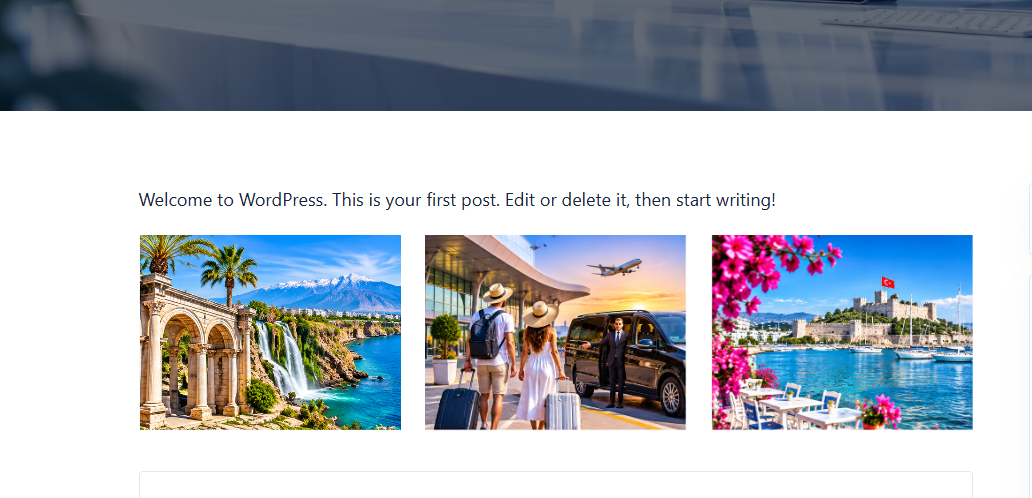
- Added responsive editor containment for large images, galleries and tables without changing stored post content.
- Expanded More Tools with Translate Engine, Smart AI Bridge, Smart Download Bridge and Premium WordPress Themes.
- Added WordPress.org screenshot metadata for the plugin overview, editor workflow and frontend result.
1.0.3
- Restored the optional More Tools admin destination and product-family cards from the established plugin UI.
- Updated the WordPress.org submission identity to Marmaris Theme Blog Editor.
- Updated the plugin slug, text domain, admin/plugin identifiers and translation template to marmaris-theme-blog-editor.
- Kept the existing PHP namespace and BEFG runtime constants unchanged to avoid an unnecessary implementation refactor.
1.0.1
- Standardized the user-facing product name, admin labels and editor modal title as Marmaris Theme Blog Editor while preserving the existing technical slug and internal runtime identifiers.
0.9.35
- Added a Visual / Code switcher to Marmaris Theme Blog Editor. Code view edits WordPress block markup without introducing a proprietary document format.
- Source changes are parsed before returning to Visual view or applying changes; unparseable source is not applied.
- Code view is available even when no block is selected and works with maximize/restore and the existing safe Apply Changes flow.
0.9.34
- Fixed the Marmaris Theme Blog Editor heading dropdown so Paragraph/H1-H6 changes update the isolated workspace source of truth instead of relying on a store action that could be rejected.
- Fixed Text Color and Highlight so selected text receives native inline
core/text-colorformatting, while an unselected paragraph/heading receives block-level color. - Preserved the active block/text selection while opening the heading and color dropdowns.
0.9.33
- Fixed Paragraph/H1-H6 conversion by replacing text blocks with native compatible core blocks while preserving supported attributes.
- Made the modal content container fill the available height and added an accessible drag handle for resizing the editor workspace vertically.
- Added support for modern grouped theme.json color and font-size presets and expanded the Insert menu with More, Page Break, Custom HTML, Shortcode, Media & Text and Verse.
0.9.30
- Increased the default Marmaris Theme Blog Editor workspace to a substantially wider and taller responsive canvas while keeping maximize/restore available.
- Added theme font-family presets, font-size presets, line-height controls, special-character insertion, and a larger native Insert menu for Button, Audio, File, Embed, Code, Preformatted, Pullquote, Cover, Columns, Group, Spacer and Details blocks.
- Kept all new writing and insertion controls on native WordPress block/rich-text APIs without proprietary document markup.
0.9.29
- Expanded Marmaris Theme Blog Editor into a two-row writing toolbar with additional native rich-text formats, separate bulleted/numbered list controls, Gallery and Separator insertion, clear formatting, and workspace maximize/restore.
- Kept all new controls on the isolated native WordPress block editor data model without adding proprietary document markup.
0.9.28
- Stop the isolated workspace from inheriting the parent editor Spotlight mode and native floating block toolbar.
- Fix editor plugin runtime failure when a block is selected by defining the native WordPress undo/redo editor controls.
0.9.26
- Prepared the initial WordPress.org package without optional product-discovery UI.
- Prevented canceled or unmounted workspaces from applying a delayed response.
- Apply now reads the current draft after verification, including recent Classic edits.
- Fixed mixed Classic undo and callback synchronization across editor lifecycle changes.
- Blocked stale tabs at workspace opening and limited verification requests to 15 seconds.
- Added native RichTextData support to formatting, document statistics and workspace routing.
- Kept workspace Undo/Redo within the isolated draft using the WordPress history utility.
- Added a scoped browser warning for unapplied workspace changes.
- Fixed link rel parsing and preserved existing link attributes.
- Updated troubleshooting, data-handling and compatibility documentation.
0.9.25
- Added true mixed Classic + Gutenberg editing inside one Marmaris Theme Blog Editor workspace without converting Classic blocks or opening a nested Classic modal.
- Replaces Classic block edit UI only inside the plugin workspace with a structure-preserving placeholder; selecting Edit Classic content switches the same modal into the isolated Classic editor and Back to blocks returns to Gutenberg.
- Supports multiple and nested core/freeform blocks through a scoped public editor.BlockEdit filter while leaving the normal WordPress editor untouched.
- Preserves the dirty-close, public launcher, Classic adapter, safe cloning and stale-document protections.
0.9.24
- Reworked cross-tab stale-document protection so the baseline is captured from the authoritative WordPress REST response when Marmaris Theme Blog Editor opens, instead of relying on the current tab’s local editor snapshot.
- Rechecks the same post through a cache-bypassed, read-only WordPress REST request on Apply Changes and compares saved content plus modified timestamps before any write.
- Fails safely if the server baseline or freshness check cannot be verified, and preserves behavior.
0.9.23
- Extended stale-document protection beyond the local Gutenberg store by verifying the current saved WordPress content through the native authenticated REST API only when Apply Changes is pressed.
- Detects edits saved in another browser/tab while the workspace is open and blocks Apply instead of allowing an older snapshot to overwrite newer content.
- Keeps the check read-only, scoped to the current post, limited to
idandcontent, and fails safely if WordPress cannot verify the latest saved document. - Preserves dirty-close, Classic adapter, public Gutenberg launcher, safe cloning and WordPress Save/Update/Publish ownership.
0.9.22
- Added a canonical block-document fingerprint at Marmaris Theme Blog Editor open time and rechecks the live WordPress block tree before Apply Changes.
- Refuses Apply Changes if the WordPress block document changed while the workspace was open, preventing an older modal snapshot from silently overwriting newer content.
- Pins the workspace route/source to the opening document while keeping live fingerprint observation outside the nested editor provider; Classic and Gutenberg paths both fail safely without changing canonical content.
- Preserves dirty-close, Classic adapter, public Gutenberg launcher, safe cloning and WordPress Save/Update/Publish ownership.
0.9.21
- Removed the shallow-copy block fallback from the Gutenberg workspace. If WordPress block serialization/parsing cannot produce an isolated copy, the workspace now fails safely without touching canonical content.
- Revalidates the edited block tree before Apply Changes and refuses the write if a safe clone cannot be created, leaving the draft open and canonical WordPress content unchanged.
- Preserves the accepted Classic adapter, dirty-close lifecycle, public Gutenberg launcher and WordPress save/publish ownership.
0.9.20
- Restored reliable Escape handling after Classic adapter isolation by binding the scoped handler at both TinyMCE and iframe-document levels.
- Rebinds the iframe-document listener when the Classic editor regains focus, and removes all adapter-owned Escape/focus listeners during cleanup.
- Preserves the existing dirty-close confirmation, Apply Changes behavior, public Gutenberg launcher, and WordPress save/publish ownership.
0.9.19
- Isolated legacy Classic/TinyMCE globals behind a prefixed Classic Editor adapter so the main editor shell no longer accesses wp.oldEditor, tinymce or wpEditorL10n directly.
- Removed the global TinyMCE EditorManager default override; adapter settings are passed per editor instance instead.
- Preserved the accepted Classic popup, dirty-close lifecycle, public Gutenberg launcher and WordPress Save/Update/Publish ownership.
0.9.18
- Removed the private Gutenberg header DOM injection, requestAnimationFrame polling and React portal host used by the Marmaris Theme Blog Editor launcher.
- The Marmaris Theme Blog Editor action now uses WordPress’ public More Tools & Options plugin menu extension point; the Marmaris Theme Blog Editor sidebar remains separate and native.
- Preserved the accepted Classic popup, dirty-close protection and WordPress Save/Update/Publish ownership.
0.9.17
- Fixed Escape handling inside the TinyMCE iframe by binding a scoped capture-phase key listener to the editor document and removing it during modal cleanup.
- Kept X, Cancel and Escape on the same dirty-close decision path without changing Apply Changes or WordPress save/publish ownership.
0.9.16
- Fixed Classic Editor dirty-close lifecycle so X, Cancel and Escape synchronously inspect the live TinyMCE content before allowing the modal to close.
- Routed Escape from inside the TinyMCE iframe through the same Continue editing / Discard changes decision path without changing WordPress save authority.
0.9.14
- Treat a single Classic block plus WordPress’ empty paragraph placeholder as the same Classic editing document, avoiding the false mixed-content warning without converting or deleting any blocks.
- Keep the fail-open warning only for posts that truly combine Classic content with other non-empty blocks.
0.9.13
- Kept the native permalink/link editor as the first Marmaris Theme Blog Editor sidebar section and added an explicit visual ordering contract so other sidebar sections cannot render above it.
- Preserved the native WordPress PostURLPanel and existing save/publish ownership; no duplicate permalink editor was introduced.
0.9.12
- Fixed the Classic Editor popup header overlap by restoring the WordPress Modal component’s native header/content offset instead of forcing the modal content to start at the top edge.
- Kept the single-click Classic editor lifecycle, Apply Changes flow, and responsive modal sizing unchanged.
0.9.11
- Prevent mixed Classic + block documents from opening a nested Classic editor inside the popup; safely hand those documents back to the normal WordPress editor without changing content.
- Add a visible fail-open state when the standalone block workspace is unavailable instead of leaving an empty/disabled popup state.
- Isolate Classic/TinyMCE startup failures and clean stale editor instances before initialization so repeated open/close cycles cannot accumulate duplicate editor UI.
- Return keyboard focus to the Marmaris Theme Blog Editor launcher after the popup closes.
0.9.10
- Separated the Marmaris Theme Blog Editor launcher from the Marmaris Theme Blog Editor sidebar so the header action no longer depends on opening a sidebar.
- Fixed classic-only posts so the first click opens one direct Classic-style editor modal instead of an editor-inside-editor sequence.
- Kept mixed/native block documents on the native Block Editor workspace without converting their block structure.
- Added unapplied-change protection for Cancel, Escape and modal close actions.
- Changed the modal action from Save to Apply Changes so WordPress remains the final Save/Update/Publish authority.
- Kept modal block capability checks inside the active block-editor registry to avoid cross-editor state leakage.
- Renamed the local utility destination from Admin Tools to Advanced Tools.
0.9.9
- Reverted the incorrect full-screen editor workspace.
- Restored the exact requested Classic/JCE-style centered editor dialog.
- Keeps the Marmaris Theme Blog Editor button in the WordPress editor header beside the right-side controls.
- One click opens the editor dialog directly.
- The dialog contains the persistent JCE-style formatting toolbar, native WordPress block editing canvas, Cancel, and Save.
- Removed the Editor Tools sidebar from inside the dialog; the strong Marmaris Theme Blog Editor sidebar remains separate.
0.9.8
- Fixed the missing Marmaris Theme Blog Editor header button.
- Removed the unsupported fixed-position button from the plugin render tree.
- Restored the visible Marmaris Theme Blog Editor header control through WordPress’s public PluginSidebar toolbar slot.
- Kept the strong Marmaris Theme Blog Editor sidebar separate from the launcher so one click opens the full JCE-style workspace.
0.9.7
- Removed the incorrect popup/modal editor experience.
- Added a separate Elementor-style Marmaris Theme Blog Editor button positioned beside the editor sidebar area instead of inside the sidebar.
- One click now opens a full editing workspace, not a sliding sidebar or centered popup.
- Restored a persistent JCE-style direct toolbar with paragraph/headings, bold, italic, underline, text color, highlight, alignment, links, lists, quote, image, video, table, undo and redo.
- Keeps native WordPress blocks and applies changes back only through the public block-editor state.
0.9.6
- Fixed the Marmaris Theme Blog Editor launcher to obey a strict one-click popup contract.
- Split the strong Marmaris Theme Blog Editor sidebar from the popup toolbar launcher so an already-open sidebar can no longer consume the first click.
- Kept the strong Marmaris Theme Blog Editor right sidebar and restores it after the popup closes.
- Added a standard WordPress More-menu entry for opening the strong Marmaris Theme Blog Editor sidebar separately.
0.9.5
- Fixed the Marmaris Theme Blog Editor toolbar action so it opens a real WordPress modal editor instead of only sliding the plugin sidebar.
- Added a native BlockEditorProvider + BlockCanvas popup using the existing Core blocks.
- Added Apply Changes / Cancel behavior; popup changes are applied back to the canonical WordPress block state only when confirmed.
- Restores the strong Marmaris Theme Blog Editor sidebar after leaving the popup.
0.9.4
- Moved the native permalink/link editor to the very top of the Marmaris Theme Blog Editor sidebar.
- Added a stronger WordPress-primary visual state for Published and preserved the native Publish/Update action.
- Added an Marmaris Theme Blog Editor labelled PluginSidebar launcher using the public WordPress sidebar API.
- Kept Move to Trash destructive instead of recoloring it as a primary action.
0.9.3
- Reworked the strong Marmaris Theme Blog Editor sidebar around the familiar WordPress Publish hierarchy.
- Made save feedback compact while keeping lock/save failures prominent.
- Promoted Featured Image and native post/page panels as separate familiar sections.
- Rebuilt editor CSS to stop native WordPress date/time and control layouts from being stretched by plugin styles.
0.9.2
- Renamed the utility destination to Admin Tools.
- Added a simple local Admin Tools page without background maintenance or hidden actions.
0.9.1
- Added a dedicated WordPress-native Marmaris Theme Blog Editor admin menu.
- Reworked admin UI to use monochrome WordPress Dashicons and simple familiar cards.
0.9.0
- Added public documentation, privacy disclosure and asset/license manifest.
- Documented native content ownership and distribution requirements.
0.8.0
- Kept content operations within the existing WordPress APIs.
- Reduced repeated document-statistics calculations.
- Documented native-content portability after deactivation.
0.7.0
- Kept SEO metadata and third-party editor workflows under their existing owners.
- Added accessibility labels, polite save-state announcements, larger interaction targets and RTL-safe logical CSS.
- Added current translation template generation.
0.6.0
- Added native Add Content and local WordPress block patterns for common sections.
- Added native alignment, theme spacing presets, and portable mobile stacking controls.
- Preserved V1 custom block count at zero.
0.5.0
- Added native list/table/paste helpers and local document productivity controls.
- Added visible native undo/redo controls.
- Added local outline, heading hierarchy check, writing stats, and native distraction-free toggle.
0.2.0
- Added editor-only asset loader.
- Added JCE-style context-aware block toolbar shell.
- Added native paragraph/heading transforms, bold/italic/underline helpers, alignment and quick native block insertion.
- Added initial WordPress-native Marmaris Theme Blog Editor sidebar using core/editor state.
- Added save-lock awareness and graceful block-lock behavior.
0.1.0
- Initial native editor foundation.