

Descripció
Pay4All for TWINT adds TWINT as a payment method to the free Pay4All Shop plugin (order-form-based checkouts).
TWINT is a trademark of TWINT AG (Switzerland). This plugin is an independent integration and is not affiliated with, endorsed by, or sponsored by TWINT AG.
Main features:
- TWINT integration for the free Pay4All Shop plugin (order forms with TWINT payment).
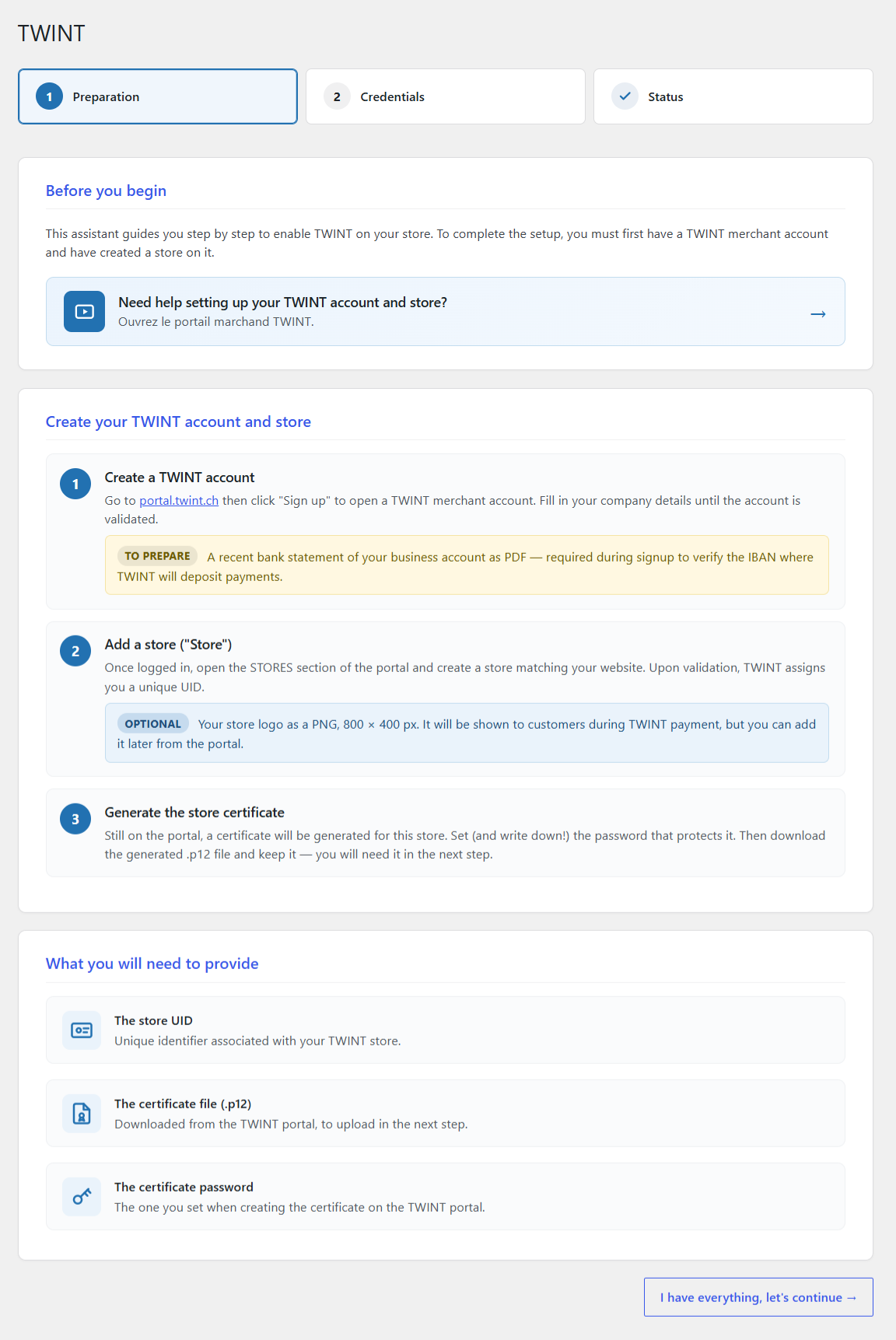
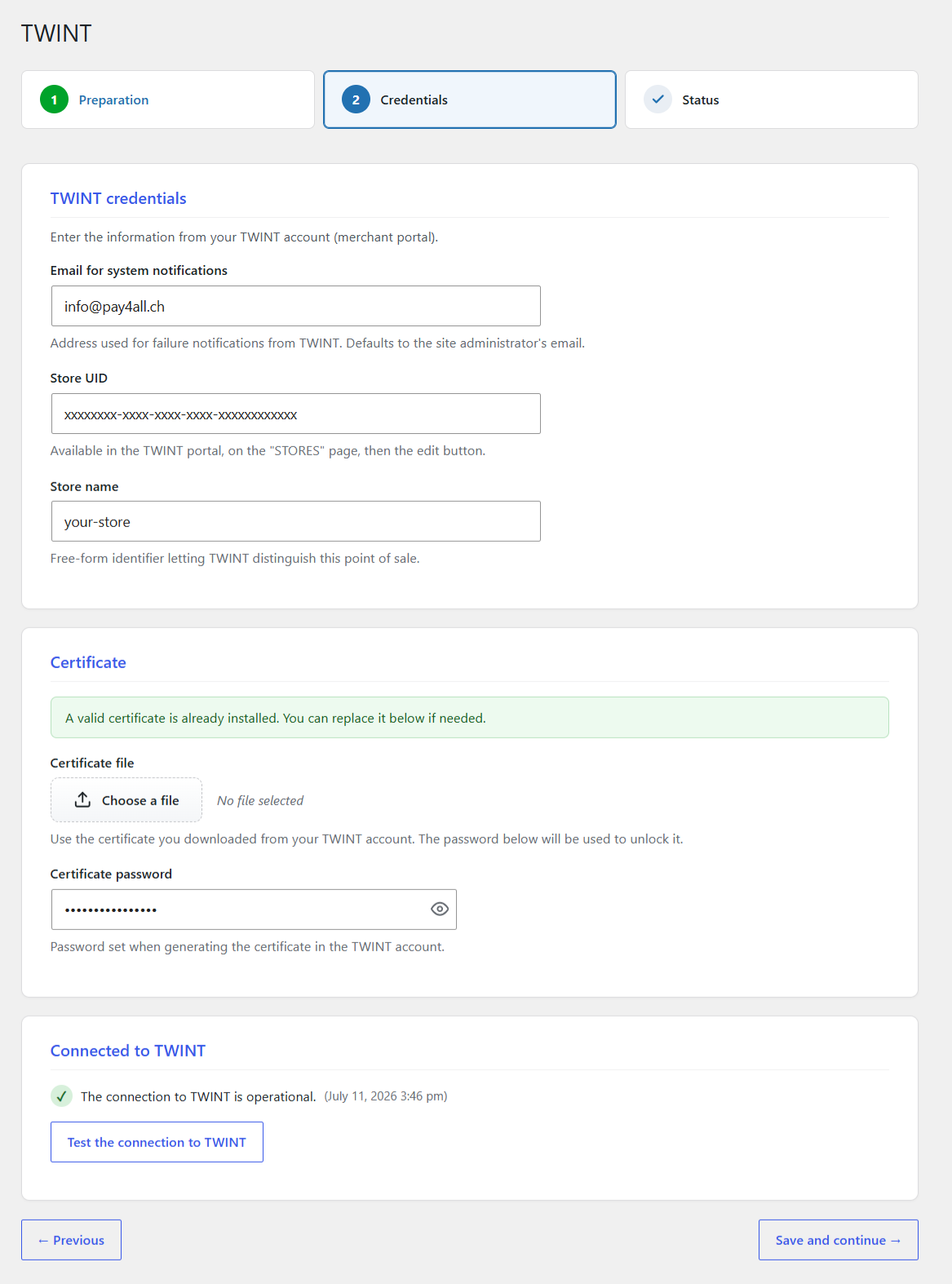
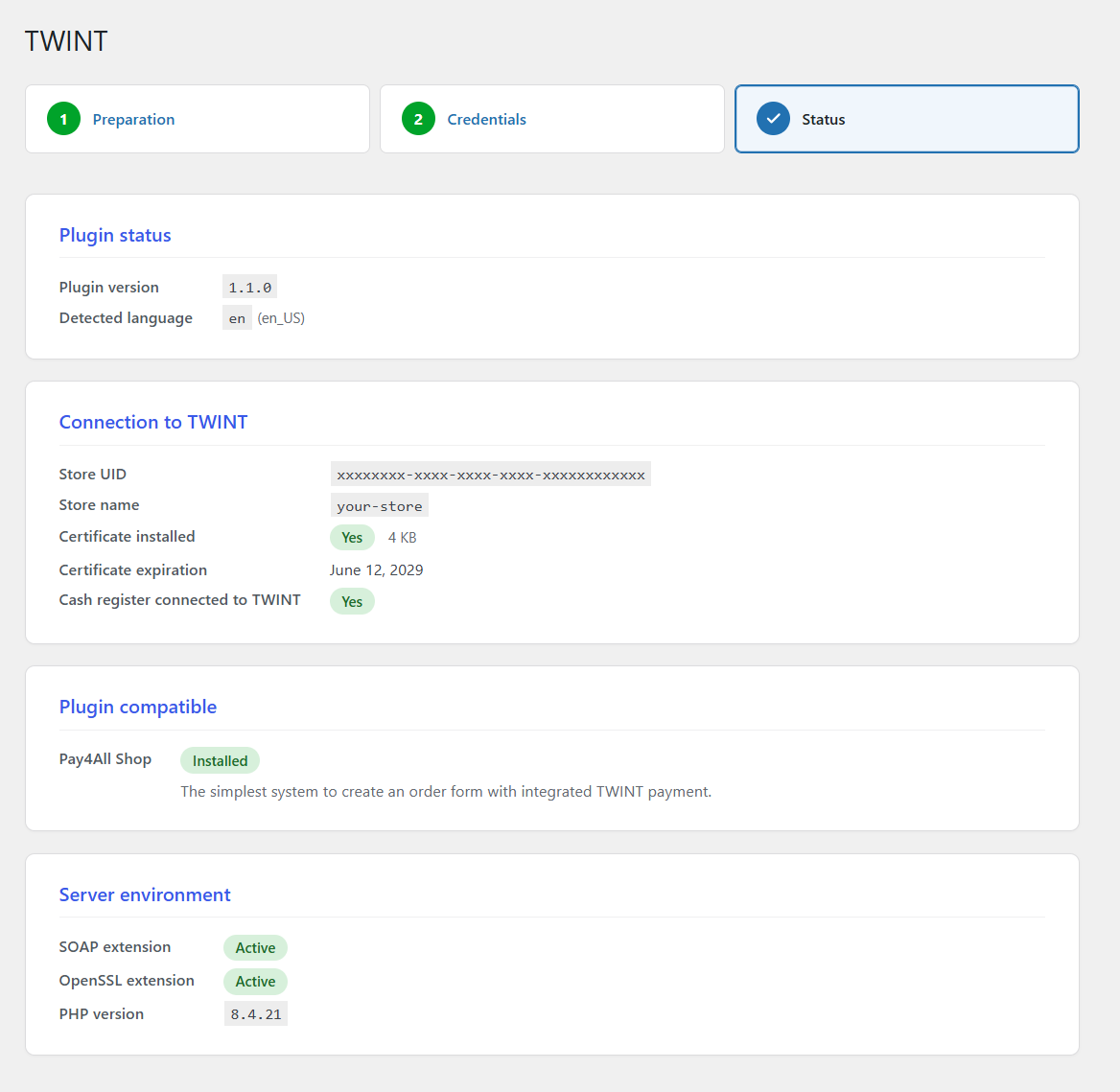
- Step-by-step setup wizard: TWINT credentials, certificate upload, connection test, status page.
- Automatic conversion of the .p12 certificate delivered by TWINT to PEM format.
- Cash register enrollment and connection test built into the wizard.
- Localized payment instructions in French, German, Italian and English.
To use this plugin you need:
- the free Pay4All Shop plugin installed and active.
- a TWINT merchant account with a configured store and an active certificate (see https://portal.twint.ch).
There is no license fee, no subscription, no domain activation. Install, activate, run the wizard, done.
WooCommerce support
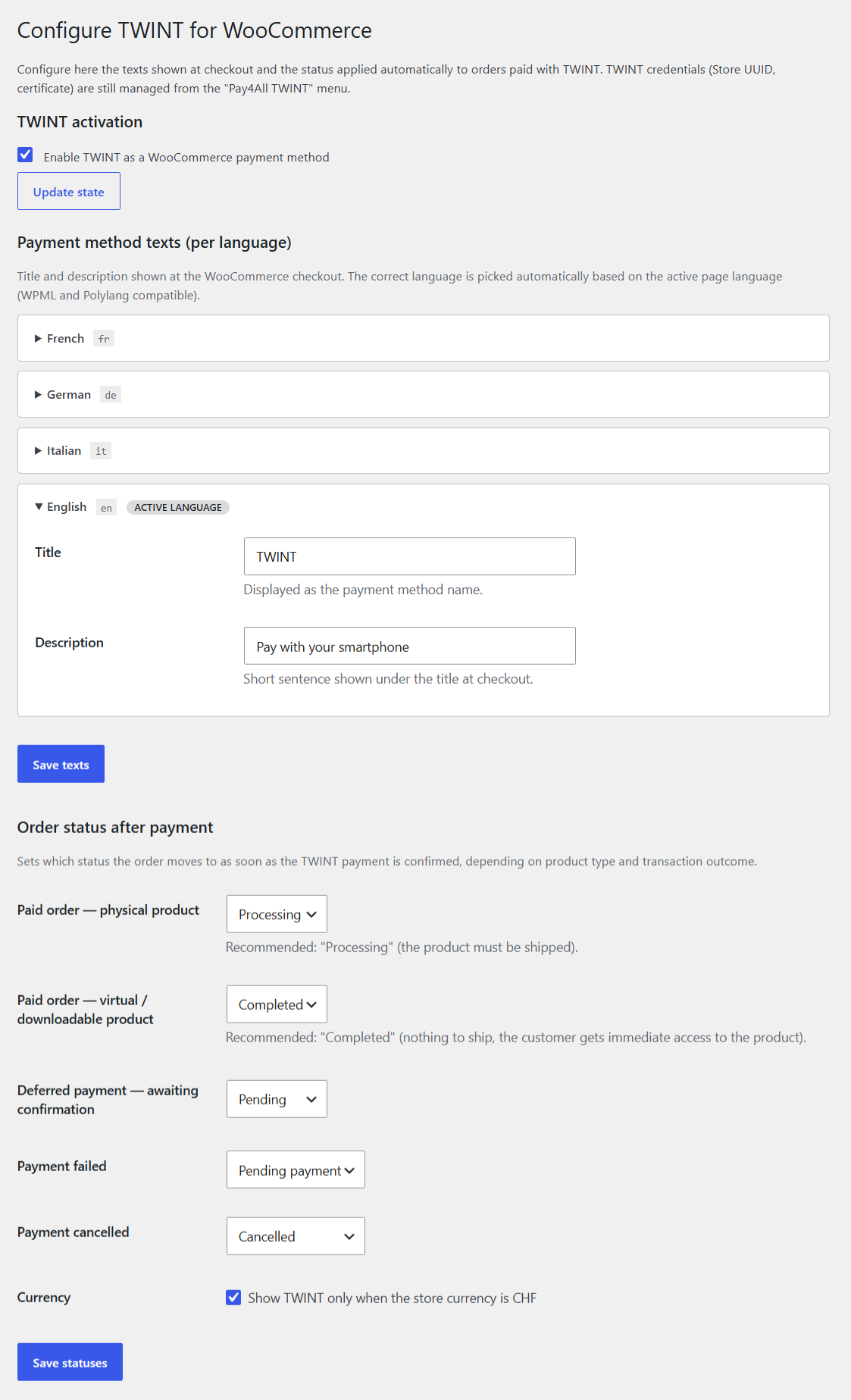
The WooCommerce payment-gateway integration (classic checkout, Checkout Blocks, HPOS, refunds, background monitoring) is not shipped inside this free plugin. It lives inside the paid companion « Pay4All Pro », distributed outside WordPress.org from https://pay4all.ch/. Install Pay4All Pro next to this plugin to enable the WooCommerce TWINT gateway.
External services
This plugin connects to the TWINT merchant SOAP API (operated by TWINT AG) to authorize, capture, refund and reconcile payments. Without a valid TWINT merchant account and certificate, the gateway cannot process payments.
What it is used for
- Every TWINT payment initiated from a Pay4All Shop form is forwarded to the TWINT SOAP API for authorization and status polling (payment start, background status polling, refund, cancellation).
- Nothing else is sent to any external service.
What data is sent, and when
- On payment start: the order number, the amount, the currency, the store UID (from your TWINT merchant account), the cash-register ID and — depending on your TWINT setup — the customer’s e-mail or phone number.
- On status polling and reconciliation: only the TWINT transaction identifier returned by the previous call.
- On refund: the TWINT transaction identifier plus the amount to refund.
- No login credentials, no plugin telemetry, no site metadata are sent.
Where the data is sent
The plugin talks to one of three TWINT-owned endpoints depending on your T4A_ENVIRONMENT setting:
- Production:
https://service.twint.ch/merchant/service/TWINTMerchantServiceV8_4 - Integration / staging:
https://service-int.twint.ch/merchant/service/TWINTMerchantServiceV8_4 - Pre-authorization test:
https://service-pat.twint.ch/merchant/service/TWINTMerchantServiceV8_4
Terms of use and privacy policy for TWINT
- TWINT terms of use: https://www.twint.ch/en/legal/
- TWINT data protection: https://www.twint.ch/en/data-protection/
No other external service is contacted by this plugin.
Source code
The complete, non-minified source of this plugin is bundled inside the ZIP itself. Every PHP file is human-readable and directly editable. The JavaScript bundles under assets/js/ are shipped in a pretty-printed, non-minified form so you can read and modify them without a build step.
No compiler, transpiler or bundler is required to work on this plugin.
Captures
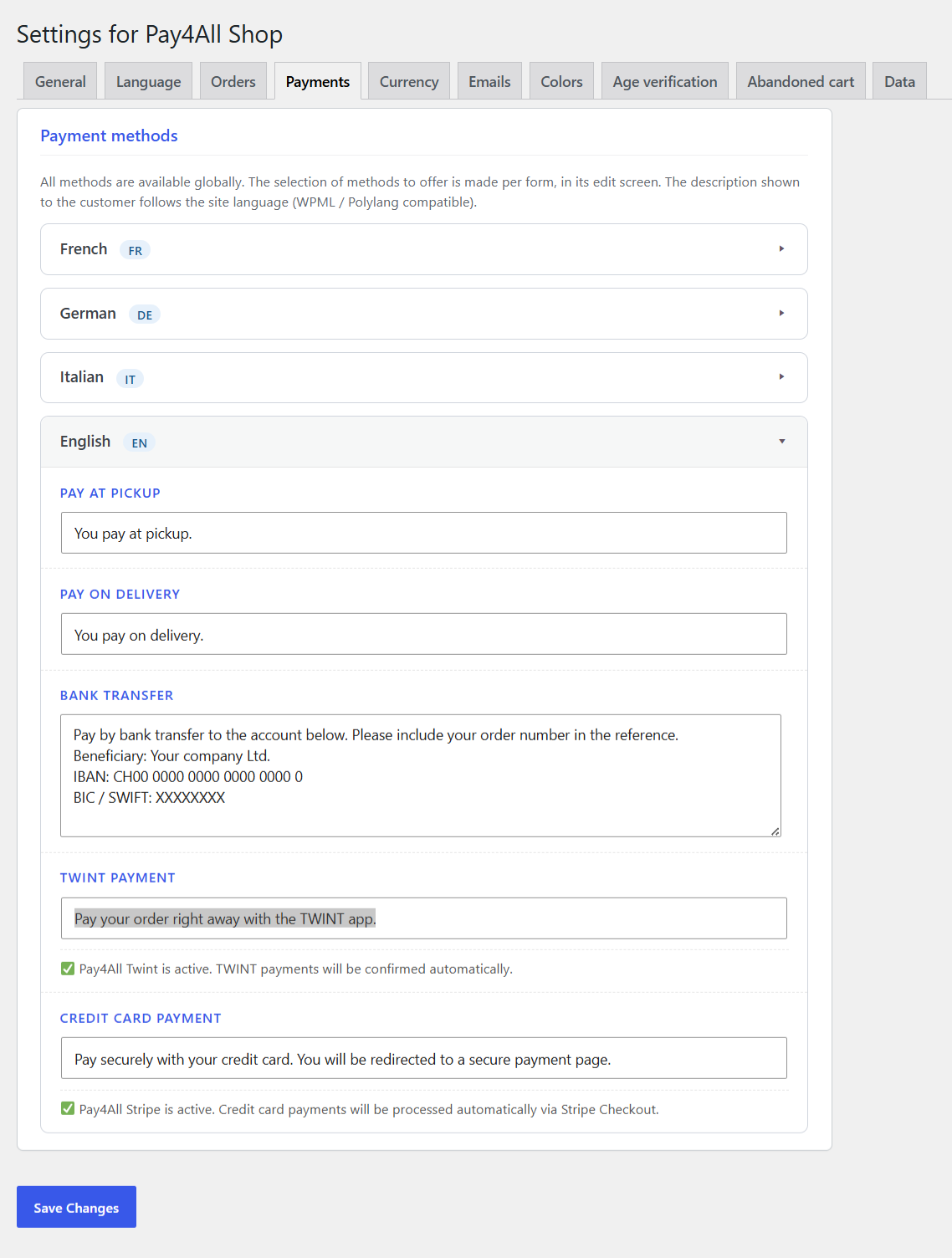
Instal·lació
- Upload the
pay4all-for-twintfolder to/wp-content/plugins/(or install the ZIP from Plugins > Add New). - Activate «Pay4All for TWINT» from the WordPress Plugins screen.
- Install and activate the free «Pay4All Shop» plugin (required companion).
- Open the «Pay4All TWINT» menu in the admin and follow the wizard: TWINT credentials, certificate upload, status.
Server requirements:
- PHP 7.4 or higher (8.x recommended).
- PHP extensions:
openssl,soap,curl. - WordPress 5.9 or higher.
- Pay4All Shop plugin (required).
PMF
-
Does the plugin work without Pay4All Shop?
-
No. Pay4All Shop is a required companion — the wizard shows a warning when the companion is missing. Install both plugins together.
-
Does the plugin work with WooCommerce?
-
Not directly. The WooCommerce TWINT gateway is packaged in the paid « Pay4All Pro » add-on, distributed from https://pay4all.ch/. That add-on installs on top of this free plugin and wires the WooCommerce checkout, Checkout Blocks, HPOS compatibility and background monitoring.
-
Where do I find my TWINT credentials?
-
Log in to https://portal.twint.ch, create a store and generate a certificate. The wizard asks for the store UID, certificate password, cash-register ID and the certificate file.
-
Do I need a Pay4All account or license?
-
No. This plugin is fully free and works standalone (with Pay4All Shop). You only need TWINT merchant credentials.
-
Is WordPress Multisite supported?
-
Not in this version. Activate the plugin site by site.
Ressenyes
No hi ha ressenyes per a aquesta extensió.
Col·laboradors i desenvolupadors
«Pay4All for TWINT» és programari de codi obert. La següent gent ha col·laborat en aquesta extensió.
Col·laboradors
Traduïu «Pay4All for TWINT» a la vostra llengua.
Interessats en el desenvolupament?
Navegueu pel codi, baixeu-vos el repositori SVN, o subscriviu-vos al registre de desenvolupament per fisl de subscripció RSS.
Registre de canvis
1.1.0
- SOAP client rewritten in non-WSDL mode. The full TWINT Merchant Service v8.4 WSDL/XSD contract (previously shipped as
.xmlschema files undersrc/Engine/Soap/schemas/v8_4/) has been removed from the plugin package per WordPress.org’s blanket file-type policy. Every SOAP request is now built as a hand-written XML envelope insideTwintSoapClient::dispatch(), transported by\SoapClientin non-WSDL mode (mTLS + gzip + timeouts unchanged), and the response is parsed by an in-houseDOMDocumentstdClassconverter that mimics SoapClient’s classic->_shape so every existing consumer ($response->Order->Status->Status->_, etc.) keeps working. Validated live against production TWINT on a small-amount payment + refund round-trip (StartOrder GetOrder polling ConfirmOrder REVERSAL). - Sensitive payloads no longer logged. The SOAP journal used to record the full
$argsrequest payload and$responseobject for every operation. On WordPress.org’s review request the plugin now only logs the operation name + message id, never the payload. Applies toTwintSoapClient,TransactionService,BackofficeTransactionServiceandAdminAjax::check_successful_order_statuses. Debug-onlyprint_r( $this->client )block removed. - Internal :
set_headers(),send_soap_request(),get_default_params()retired ; replaced bydispatch()+build_envelope()+merchant_information_xml()helpers.
1.0.0
- Initial release on WordPress.org.
- TWINT integration for the free Pay4All Shop plugin.
- Setup wizard, certificate handling, cash-register enrollment.
- French, German, Italian and English translations bundled.