
Descripció
Stop losing customers to silence. Keep them informed with instant order notifications.
Sandeshify connects your WooCommerce store to the official Meta Business Messaging API, so your customers automatically receive messages at every important step of their order journey — from placement to delivery.
No coding required. No third-party intermediaries. Just reliable, direct WooCommerce messaging automation powered by Meta’s own API.
This plugin is not affiliated with or endorsed by WhatsApp LLC or Meta Platforms, Inc.
Why Choose Sandeshify for WooCommerce Order Notifications?
Over 2 billion people use WhatsApp every day. Your customers are already on it. Sandeshify bridges your WooCommerce store and your customers’ most-used messaging app — helping you reduce support queries, build trust, and improve the post-purchase experience.
- Official API only – Uses the Meta WhatsApp Business Cloud API directly. No unofficial workarounds, no grey-zone services.
- Privacy-first – Your API credentials are AES-256-CBC encrypted before being stored. Your data never passes through our servers.
- Built for WooCommerce – Deeply integrated with WooCommerce order lifecycle events. Works the way your store does.
- Safe to test – A dedicated Test Mode lets you verify your entire setup without sending real messages or using API quota.
- Transparent logging – Every message attempt is logged with status (Success / Failed / Test) so you always know what was sent and when.
Features
Automated Order Notifications
- Order Created Notification – Instantly notify customers the moment a new order is placed, reducing uncertainty and support tickets.
- Order Completed Notification – Automatically send a message when an order status changes to Completed, giving customers timely delivery confirmation.
Flexible Message Customisation
- Personalised Message Templates – Craft your own messages using dynamic variables:
{customer_name},{order_id}, and{order_total}. Every message feels personal. - Manual Send Button – Send a message directly from any individual WooCommerce order page — ideal for custom updates or follow-ups.
Reliability & Control
- Test Mode / Live Mode Toggle – Switch between modes with a single click. Test Mode logs all attempts without sending real messages.
- Send Test Message – Verify your API connection instantly from the settings panel.
- Duplicate Prevention – Built-in safeguard prevents the same message from being sent more than once within a 5-minute window.
- Encrypted Credential Storage – API credentials are encrypted with AES-256-CBC before being saved to your WordPress database.
Message Logs & Visibility
- Full Message History – View a complete log of all notifications sent from your store.
- Filterable by Status – Filter logs by Success, Failed, or Test with pagination for easy review.
How It Works
- Connect your Meta WhatsApp Business API credentials in the plugin settings.
- Enable the order notification events you want to trigger (Order Created, Order Completed).
- Customise your message templates with your brand voice.
- Go Live and start sending automated order notifications to your WooCommerce customers.
Requirements
- WordPress 5.8 or higher
- WooCommerce 7.0 or higher
- PHP 7.4 or higher
- A Meta WhatsApp Business API account (Meta Developer account + WhatsApp Business phone number required)
External Service
This plugin connects to the Meta (Facebook) WhatsApp Business Cloud API to deliver messages to your customers.
- Service URL: https://graph.facebook.com/v19.0/
- Purpose: Sending order notifications when WooCommerce order events occur.
- Data sent: Customer phone number, order ID, order total, customer name.
- When data is sent: Only when a notification event is triggered and the plugin is set to Live Mode. No customer data is transmitted in Test Mode.
- Meta Privacy Policy: https://www.facebook.com/privacy/policy/
- Meta Terms of Service: https://www.facebook.com/terms/
- WhatsApp Business Policy: https://www.whatsapp.com/legal/business-policy/
Store owners are solely responsible for obtaining appropriate customer consent before sending messages. This plugin is not affiliated with or endorsed by WhatsApp LLC or Meta Platforms, Inc.
Developer
Built by Santosh Gautam.
Captures
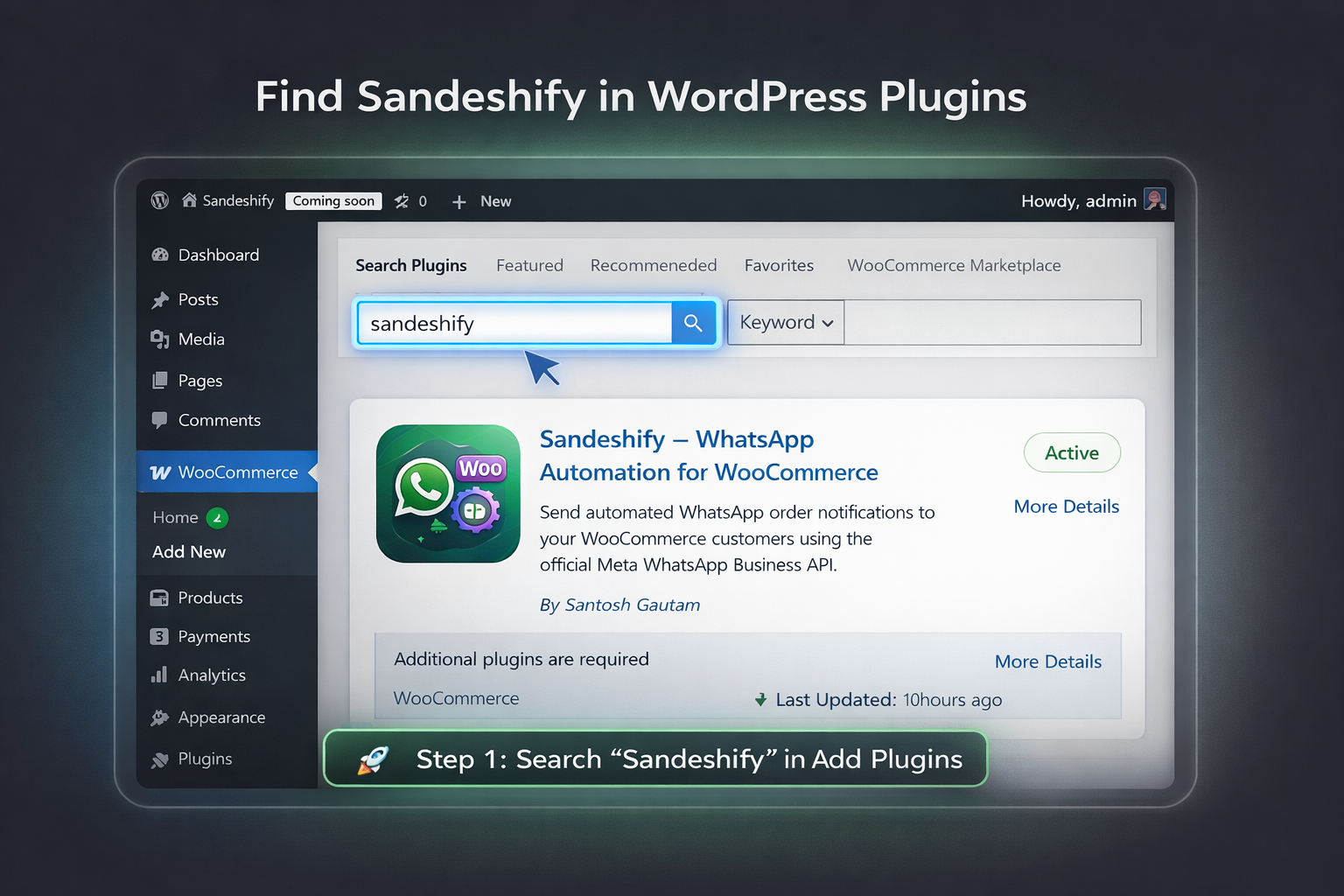
Search for “Sandeshify” in WordPress Plugins. 
Install and activate the Sandeshify plugin. 
Access Sandeshify from WooCommerce settings menu. 
Configure operating mode – choose between Test Mode and Live Mode. 
Connect your Business API account – add App ID, Phone Number ID, and Access Token. 
Set admin phone number and test connection – send a test message.
Instal·lació
- Install and activate WooCommerce first.
- Search for “Sandeshify” in the WordPress plugin directory, or upload the
sandeshify-messaging-automation-for-woocommercefolder to/wp-content/plugins/. - Activate the plugin via the Plugins screen in WordPress.
- Navigate to WooCommerce Settings Sandeshify.
- Enter your Meta WhatsApp Business API credentials under the General tab.
- Enable your desired notification events under the Notifications tab.
- Customise your message content under the Templates tab.
- Click Send Test Message to verify your connection, then switch to Live Mode.
PMF
-
Does this plugin work without WooCommerce?
-
No. Sandeshify is built specifically for WooCommerce and requires it to be installed and active.
-
Which API does this plugin use?
-
Sandeshify uses the official Meta (Facebook) WhatsApp Business Cloud API. You will need a Meta Developer account and a verified WhatsApp Business phone number to use this plugin. This plugin is not affiliated with or endorsed by WhatsApp LLC or Meta Platforms, Inc.
-
Are my API credentials stored securely?
-
Yes. All API credentials are encrypted using AES-256-CBC encryption before being stored in your WordPress database. Your credentials never pass through our servers.
-
Can I test the plugin without sending real messages to customers?
-
Yes. Enable Test Mode in the General settings tab. All notification attempts will be logged with a “Test” status, but no actual messages will be sent and no API quota will be consumed.
-
Why am I receiving an HTTP 400 error from the API?
-
The WhatsApp Business API only permits free-form text messages within an active 24-hour customer conversation window. Outside this window, you must use a pre-approved Meta message template. This is a restriction enforced by Meta, not by this plugin.
-
Do I need to obtain customer consent before sending messages?
-
Yes. Store owners are responsible for ensuring they have the appropriate consent from customers before sending messages via the Meta API. Please consult Meta’s WhatsApp Business Policy and your local data protection regulations.
-
Is this plugin GDPR compliant?
-
The plugin itself does not store personal data on external servers — all data is sent directly to Meta’s API from your WordPress server. However, you are responsible for ensuring your store complies with applicable data protection laws including GDPR.
-
Does Sandeshify support WooCommerce HPOS?
-
Yes. Sandeshify is fully compatible with WooCommerce High Performance Order Storage (HPOS).
Ressenyes
No hi ha ressenyes per a aquesta extensió.
Col·laboradors i desenvolupadors
«Sandeshify Messaging Automation for WooCommerce» és programari de codi obert. La següent gent ha col·laborat en aquesta extensió.
Col·laboradors

Traduïu «Sandeshify Messaging Automation for WooCommerce» a la vostra llengua.
Interessats en el desenvolupament?
Navegueu pel codi, baixeu-vos el repositori SVN, o subscriviu-vos al registre de desenvolupament per fisl de subscripció RSS.
Registre de canvis
1.1.3
- Fixed: Plugin display name updated to comply with WordPress.org trademark guidelines.
- Fixed: Stable tag synced with plugin version header (1.1.3).
- Updated: Tags updated for WordPress.org directory compliance.
1.1.2
- Plugin renamed to Sandeshify Messaging Automation for WooCommerce.
- Added:
Requires Pluginsheader for WooCommerce dependency declaration. - Fixed: All inline script tags replaced with
wp_add_inline_script()for standards compliance. - Fixed: Text domain updated to match plugin slug.
- Removed: All upsell banners and Pro feature references.
- Added: Webhook verify token auto-generate and save functionality.
- Improved: API error messages now surface Meta’s actual error detail for easier debugging.
1.0.0
- Initial release.