

Descripció
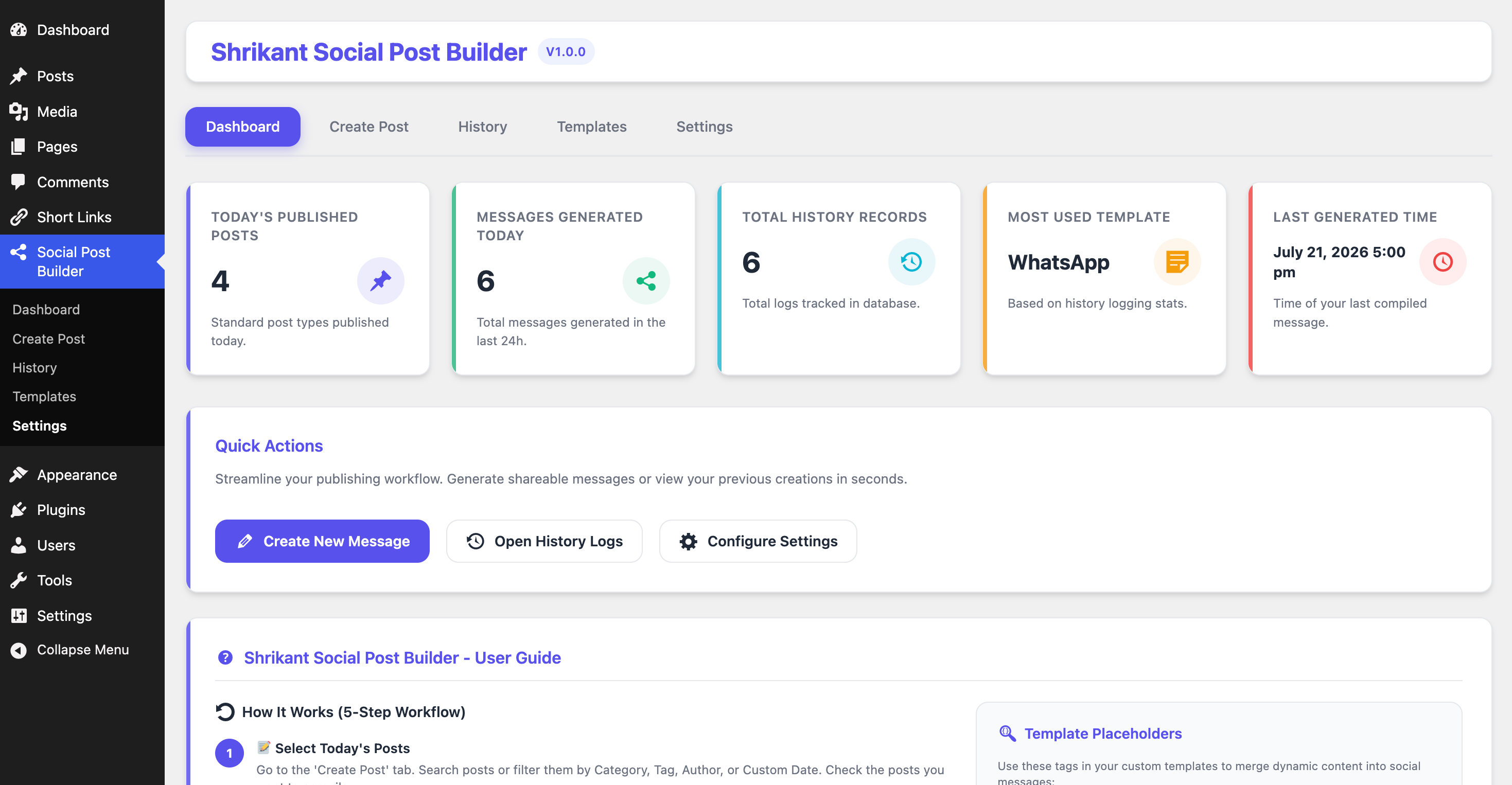
Publishers publish multiple posts daily. To share on social networks like WhatsApp, Telegram, Facebook, LinkedIn, X (Twitter), Viber, or Signal, they manually copy titles and links. This plugin streamlines the process down to a few clicks: select posts, arrange drag-and-drop order, choose a formatting template, and generate ready-to-share text compiled instantly! Optimize your social media marketing and automated publishing flow with this lightweight social post generator helper.
Key Features
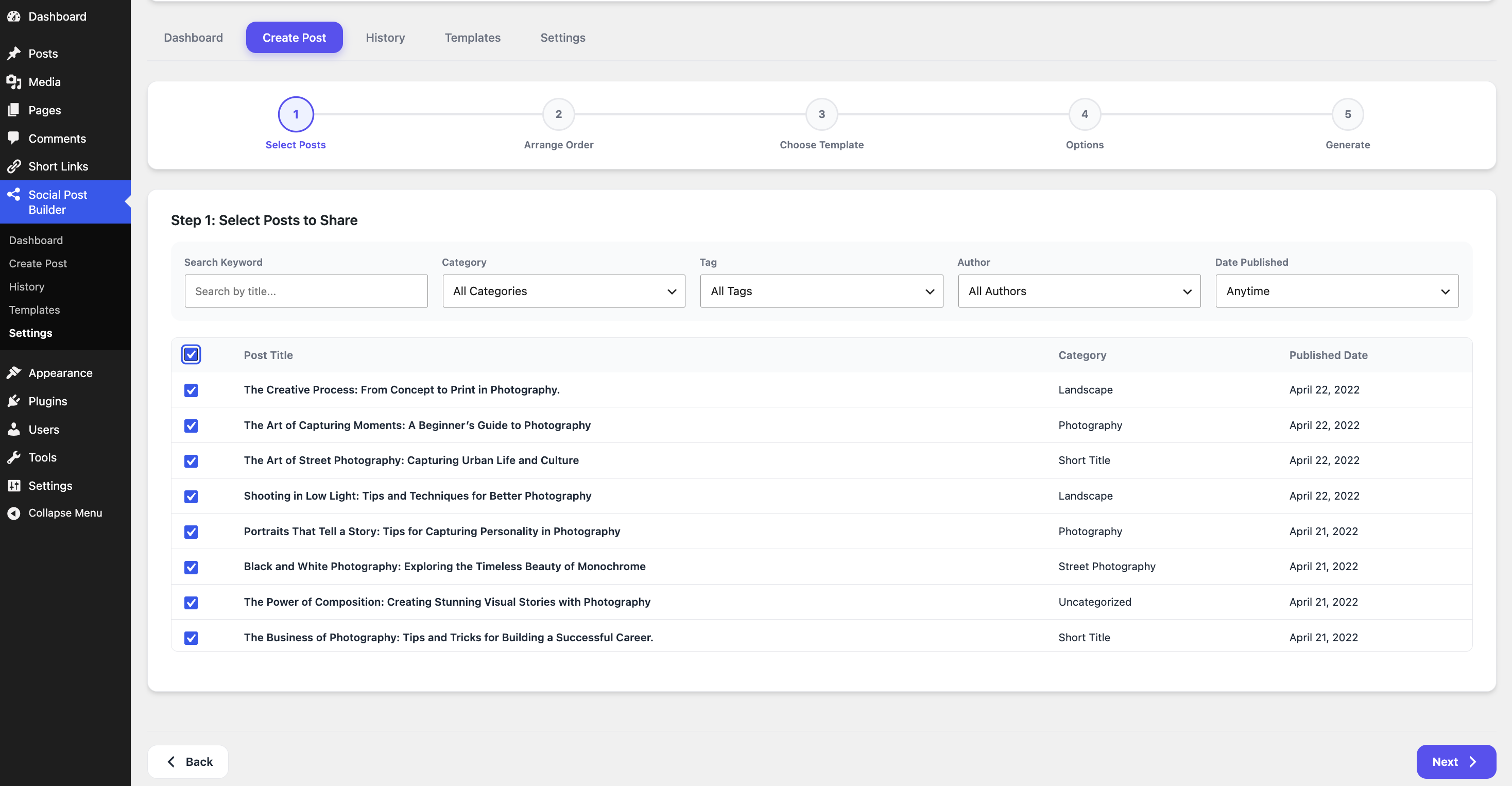
- Multi-Post Selection: Find posts easily using category, tag, author, publication date, or keyword search.
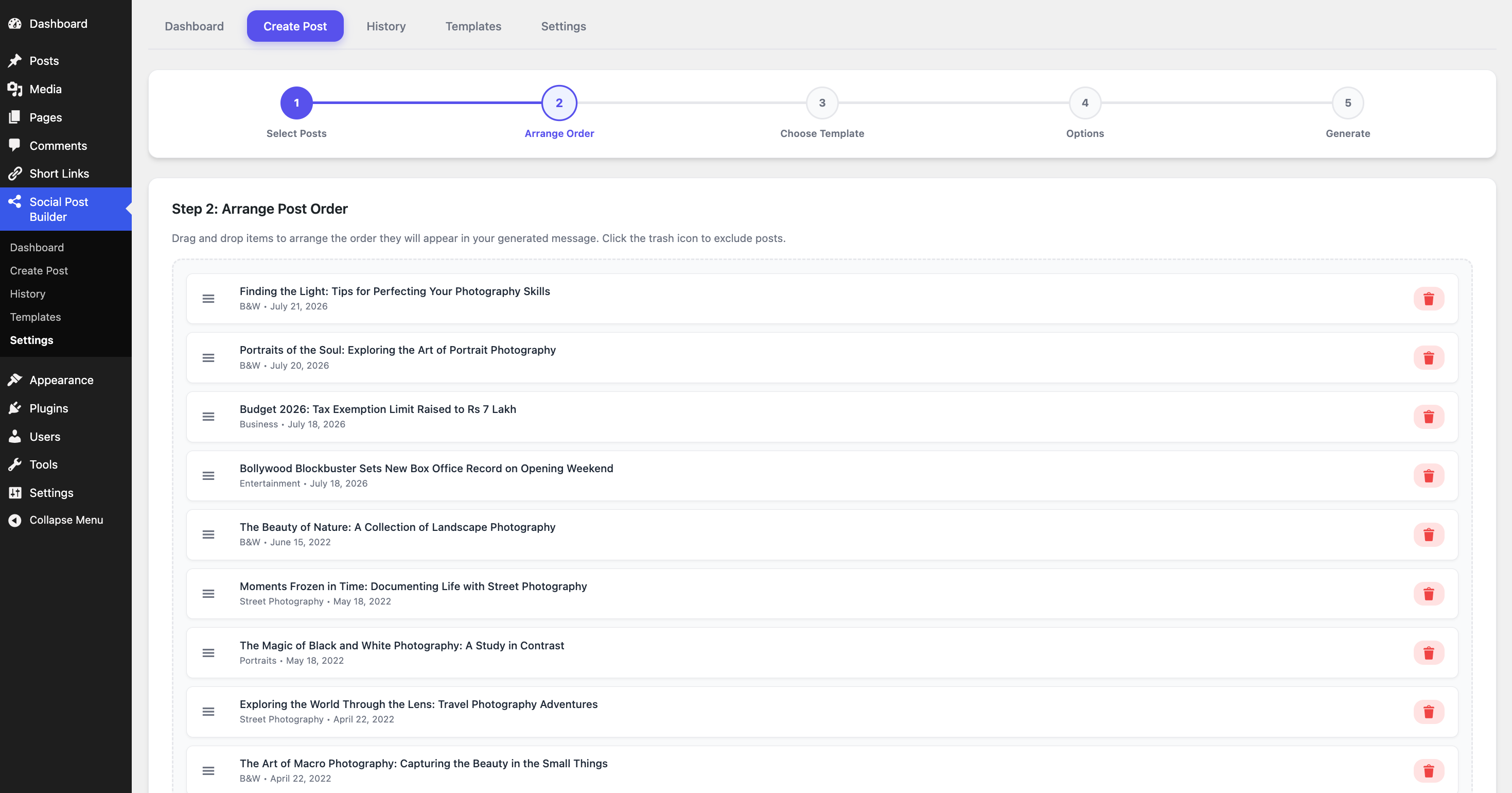
- Drag-and-Drop Reordering: Rearrange the sequence of selected posts to list them exactly as you want.
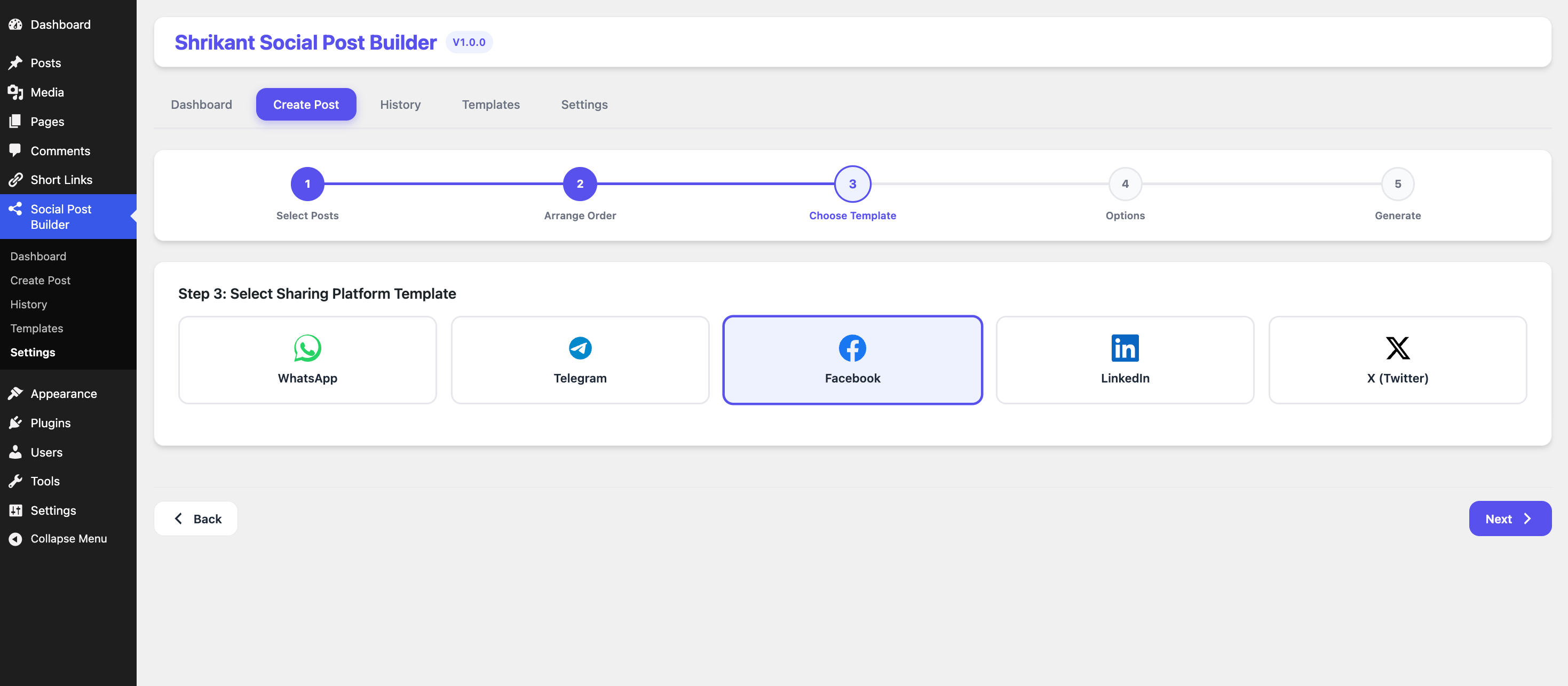
- Ready-Made Social Templates: Built-in template designs for WhatsApp, Telegram, Facebook, LinkedIn, and X.
- Custom Template Creator: Create your own dynamic templates with custom formatting tags.
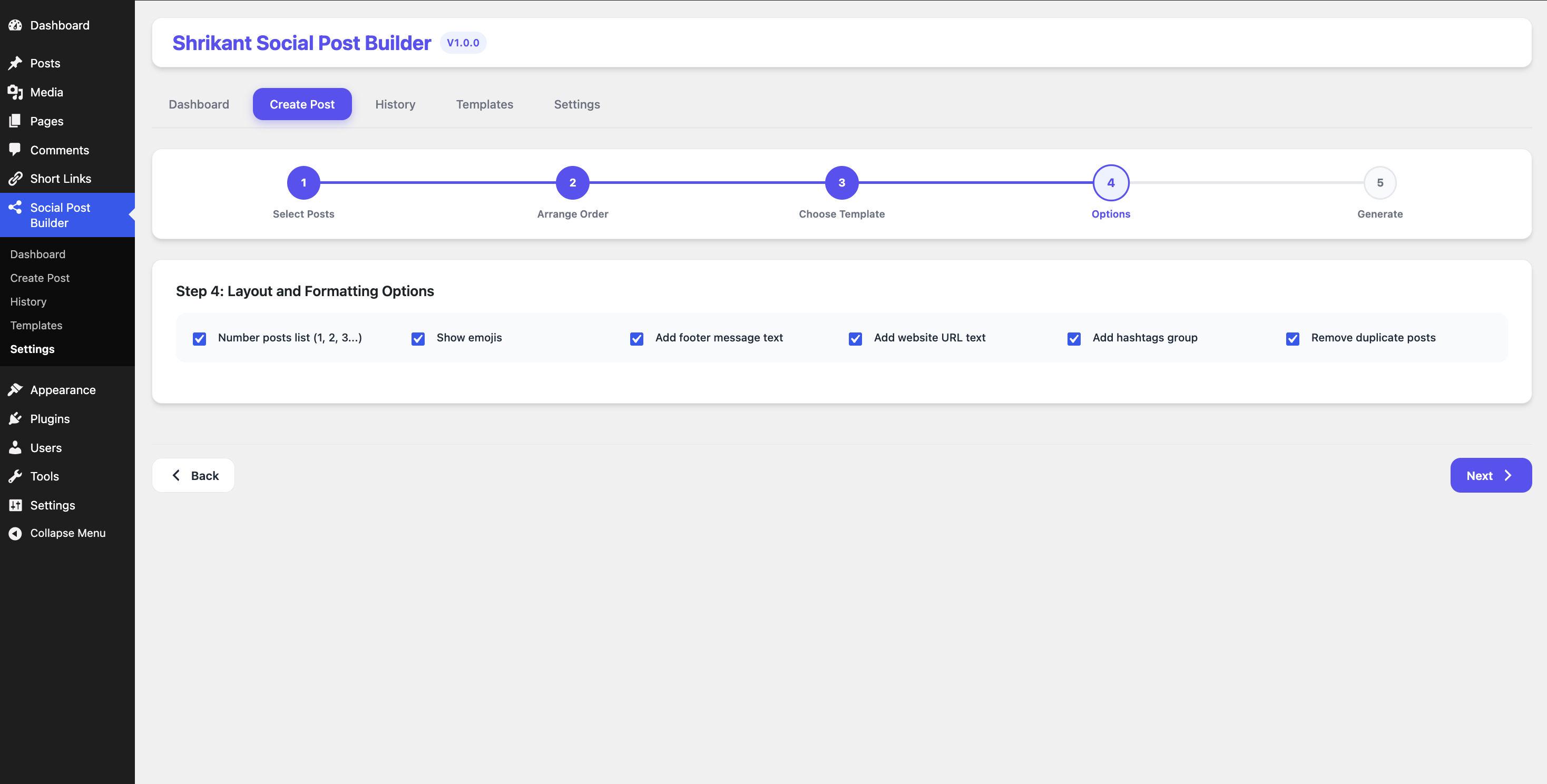
- Formatting Options: Auto-number posts list, toggle emojis, append website URL, default footer message, or default hashtags.
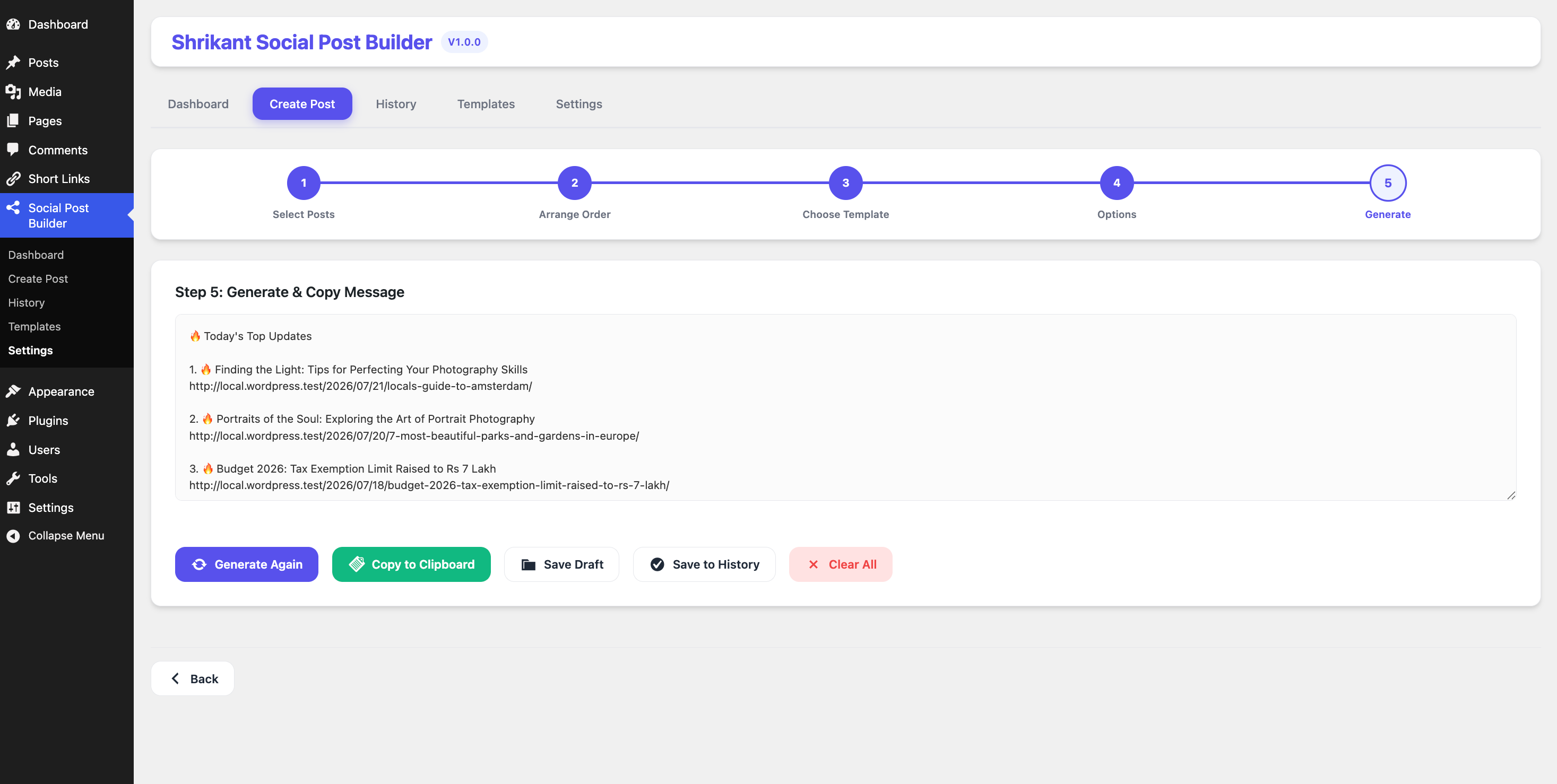
- Instant Clipboard Copy: Copy generated text in one click to paste anywhere.
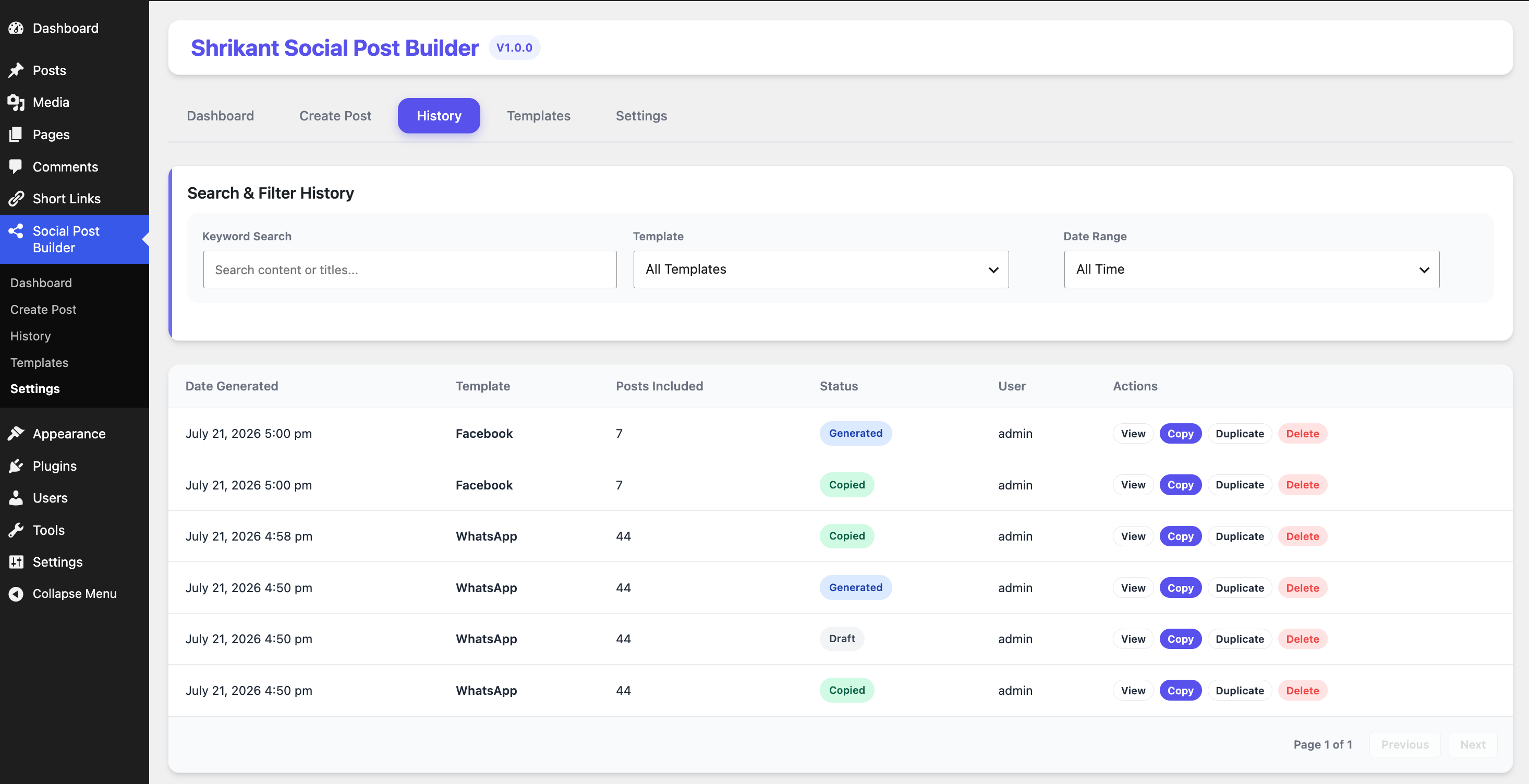
- Audit & Compilation History: Logs compiled messages in a database with full trace details and quick duplicate options.
- Retention Cleanup Settings: Automated tools to clear logs older than X days or limit total history entries.
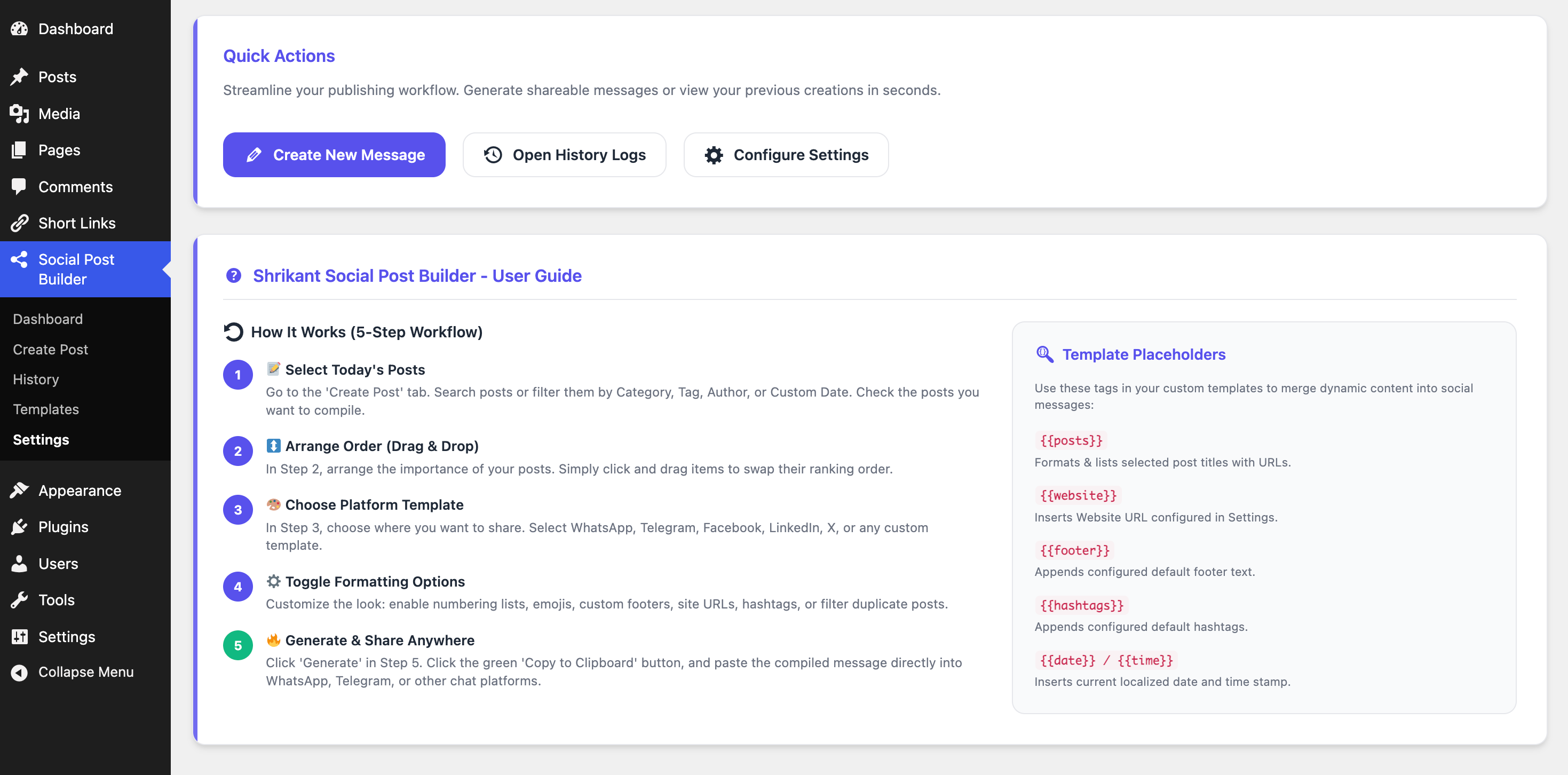
Supported Template Placeholders
Build custom templates using these dynamic tag placeholders:
* {{title}} – The title of the WordPress post.
* {{url}} – The permalink of the post.
* {{excerpt}} – The post excerpt or snippet.
* {{date}} – The publication date.
* {{author}} – The author’s display name.
* {{website}} – Custom site link defined in plugin settings.
* {{footer}} – Default footer message text.
* {{hashtags}} – Group of default hashtags.
How to Use
- Select Posts: Go to the ‘Create Post’ tab. Use the search input or category, tag, author, or custom date range filters to find the posts you want to compile. Check the boxes next to the posts you wish to include.
- Arrange Order: Go to Step 2 (‘Arrange Order’) and use the drag-and-drop handles to order the posts exactly as you want them to appear in the message.
- Choose Template: In Step 3, choose the platform format template (e.g. WhatsApp, Telegram, Facebook, LinkedIn, X, or your own Custom template).
- Configure Options: Toggle formatting preferences in Step 4, such as prepending list numbers, showing emojis, and appending website URL, default footer, or hashtags.
- Generate & Share: In Step 5, click ‘Generate’ to compile your message. You can copy the generated text to your clipboard with a single click, and paste it directly into any app or platform.
Captures
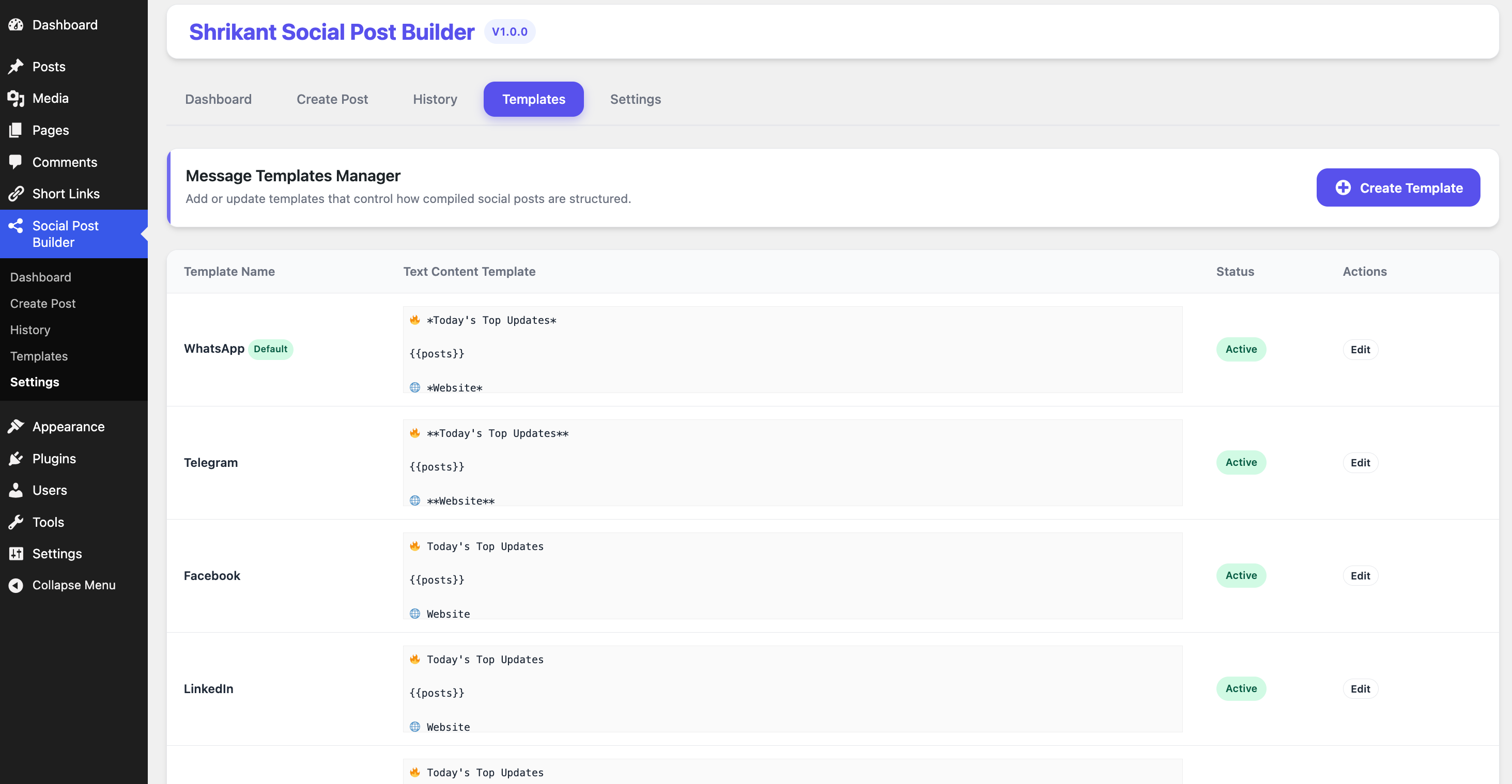
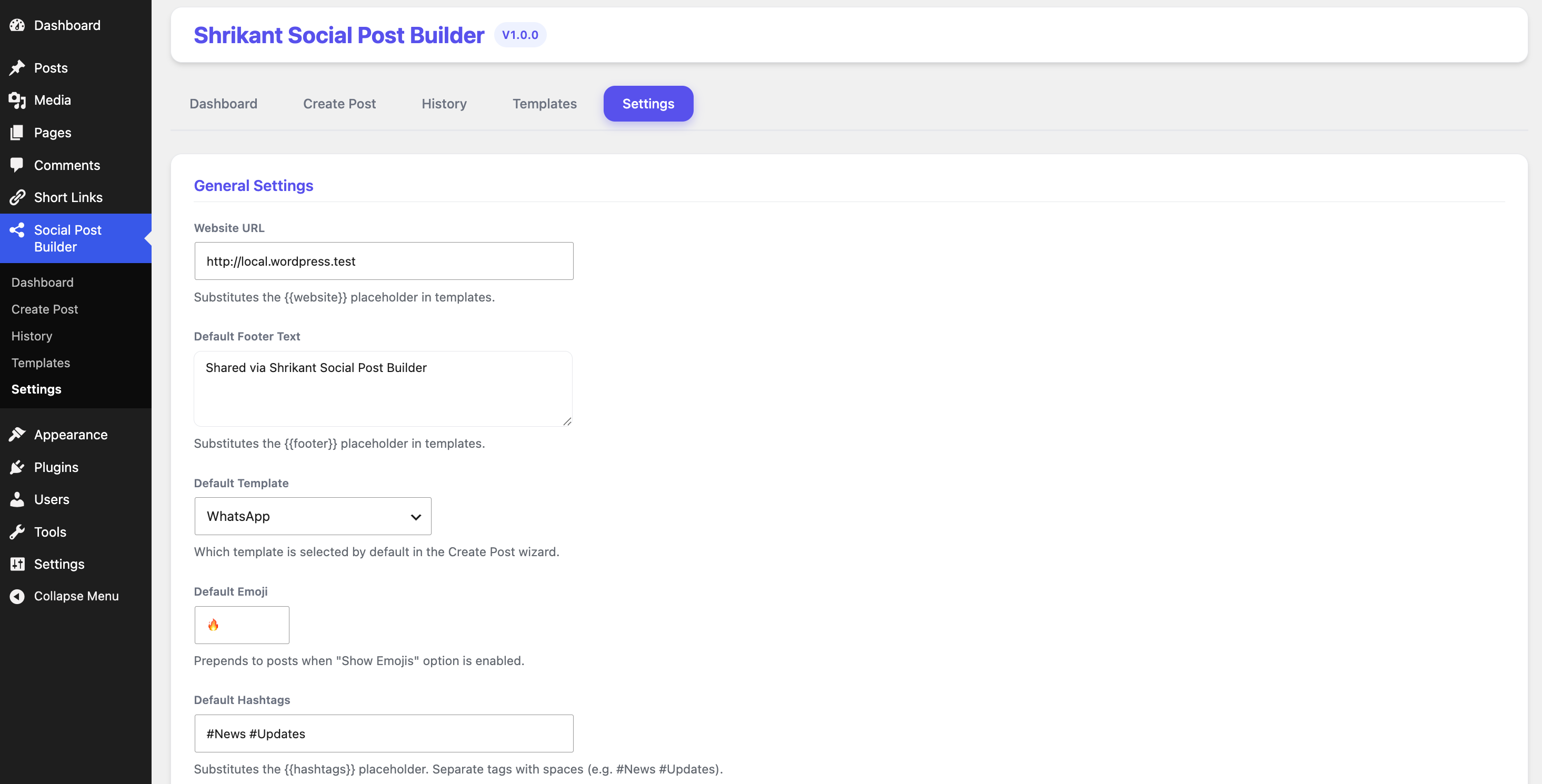
Instal·lació
- Upload the plugin files to the
/wp-content/plugins/shrikant-social-post-builderdirectory. - Activate the plugin through the ‘Plugins’ screen in WordPress.
- Access the ‘Shrikant Social Post Builder’ menu from your WordPress admin dashboard.
PMF
-
No. This plugin compiles your chosen posts into a beautifully formatted text block. You can then copy it with one click and paste it manually into your social media channel (e.g. WhatsApp groups, Telegram channels, X threads). This gives you full control and avoids account suspension risks associated with auto-posting APIs.
-
How do I create a custom template?
-
Go to the ‘Templates’ tab and click ‘Add Custom Template’. You can use any combination of text, emojis, and dynamic placeholders like
{{title}}or{{url}}. -
Can I auto-delete old compilation history?
-
Yes. Go to ‘Settings’ and configure the ‘Auto Delete Logs (Days)’ and ‘Maximum History Records Limit’. The database will clean itself up automatically to save space.
-
Which post types are supported?
-
Currently, standard WordPress posts (
post) are fully supported for compilation.
Ressenyes
No hi ha ressenyes per a aquesta extensió.
Col·laboradors i desenvolupadors
«Shrikant Social Post Builder» és programari de codi obert. La següent gent ha col·laborat en aquesta extensió.
Col·laboradors
Traduïu «Shrikant Social Post Builder» a la vostra llengua.
Interessats en el desenvolupament?
Navegueu pel codi, baixeu-vos el repositori SVN, o subscriviu-vos al registre de desenvolupament per fisl de subscripció RSS.
Registre de canvis
1.0.3
- Added title truncation option with customizable character limits and ellipsis (…).
- Added UPPERCASE title formatting option for high-impact broadcasts.
- Improved Step 4 Layout Options with interactive toggle cards and realtime stats toolbar in Step 5.
- Fixed short URL generator integration to create compact 5-character random hash slugs.
1.0.2
- Added native WordPress thickbox modal views for Shrikant Short Links description popup.
1.0.1
- Added Shrikant Short Links integration for automatic URL shortening.
- Added cross-promotion notices with direct activation/installation links.
1.0.0
- Initial release.