
Descripció
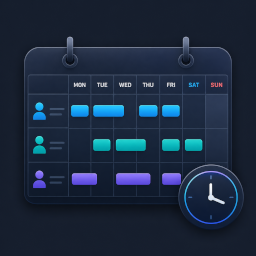
YPSupport Shift Scheduler is a WordPress plugin that collects shift requests from your staff and automatically builds the schedule. It’s a simple, fast scheduling tool for stores and facilities that are still managing shifts manually with spreadsheets or Google Forms.
Does this sound familiar?
- Coordinating shifts takes longer as your team grows
- You’re still copying and compiling shift requests by hand every week
- You don’t want to keep paying monthly per-user fees for a dedicated SaaS tool
- Giving every staff member a WordPress account feels like too much overhead
Key Features (Free)
- Staff Management — Add, edit, and remove staff members
- Shift Registration & Editing — Create, edit, and delete shifts
- Calendar View — View the schedule in weekly or monthly calendar format
- Shift Request & Approval Flow — Staff submit requests; managers review and approve
- Account-Free Frontend Submission — Staff submit shift requests via a unique personal link — no login required. Each link is tied to one staff member, keeping submissions secure
- Basic Auto-Scheduling — Automatically build a shift schedule from collected requests
- Email Notifications — Send email notifications for shift-related events
- CSV Import / Export (Shifts) — Import and export shift data in CSV format
Your Server. One-Time Payment.
YPSupport Shift Scheduler runs entirely on your own WordPress site. Staff data never leaves your server. No monthly fees, no per-user charges.
Shortcodes
Add any of these shortcodes to a page or post. Then set those pages under Shift Management > Page Links so the plugin can link to them from emails.
[ypss_request_form]— Shift request form for staff. Works without a WordPress login when opened via a staff member’s personal link. Optional attribute:title. Example:[ypss_request_form title="Submit your shifts"][ypss_my_requests]— Shows the logged-in staff member’s own request history. (No attributes.)[ypss_schedule]— Displays the published (confirmed) schedule for staff to view. Optional attribute:title.[ypss_week_schedule]— Compact one-week view of upcoming shifts. Optional attribute:title.
Captures


Instal·lació
- Upload the plugin ZIP, or search for «YPSupport Shift Scheduler» under Plugins > Add New in your WordPress admin.
- Activate the plugin.
- Open Shift Management from the admin menu and register your staff.
- Generate a unique submission link for each staff member and share it with them.
- Once requests come in, create or auto-generate the schedule.
PMF
-
Do staff need a WordPress account?
-
No. Staff submit their shift requests via a personal link issued by the manager — no login required. Only managers and administrators who need to manage shifts require a WordPress account.
-
Is the personal link secure?
-
Yes. Each link contains a unique, unguessable token tied to that specific staff member. Links can be reissued or revoked at any time from the admin dashboard.
-
Is there a monthly fee?
-
No. The free version is free, and it runs on your own WordPress site. There are no external SaaS subscriptions or per-user charges.
-
Where is staff data stored?
-
All data is stored in your WordPress site’s own database. Nothing is sent to external cloud services.
-
Does it work on mobile?
-
Yes. The staff-facing shift request form is responsive and works on both smartphones and desktop browsers.
Ressenyes
No hi ha ressenyes per a aquesta extensió.
Col·laboradors i desenvolupadors
«YPSupport Shift Scheduler» és programari de codi obert. La següent gent ha col·laborat en aquesta extensió.
Col·laboradors

Traduïu «YPSupport Shift Scheduler» a la vostra llengua.
Interessats en el desenvolupament?
Navegueu pel codi, baixeu-vos el repositori SVN, o subscriviu-vos al registre de desenvolupament per fisl de subscripció RSS.
Registre de canvis
1.1.0
- Added: A dark mode for the admin screens (dark navy, on by default), with an Auto / Light / Dark toggle in the page header (Auto follows your operating system’s appearance setting). The choice is remembered per browser.
- Changed: Refreshed the admin color scheme to a blue / navy palette (dark navy by default) with a vibrant accent palette used to colour-code time slots; applied a Japanese-friendly system font stack, and replaced the page-title emoji with monochrome inline-SVG icons (no external requests).
- Added: Selectable color themes for the staff-facing (frontend) pages — Default, Cocoon (Green), Sakura (Pink), Ocean (Teal), and Midnight (Dark) — chosen from Page Links settings.
- Added: The staff-facing confirmed-shift page now offers Month / Week / Day views, including a per-hour day timeline. Each staff member sees their own confirmed shifts.
- Added: Personal request links are now issued per month. Opening next month’s requests no longer invalidates the current month’s link, and each month’s link can be issued or revoked independently.
- Added: A «Lost (draw)» request status. Staff who are not selected in the auto-scheduling lottery are marked accordingly and are automatically included again the next time you generate.
- Added: The auto-scheduling preview now shows how many times each staff member appears in each candidate pattern.
- Added: You can email a staff member their personal request link directly from the staff list.
- Added: The Requests admin menu shows a badge with the number of pending requests.
- Added: Copy buttons for the shortcodes on the Page Links settings screen.
- Changed: When registering a request on a staff member’s behalf, duplicates for the same staff member, date, and time slot are now prevented.
- Changed: On the request form, cancelling a request now asks for confirmation in an in-page dialog instead of the browser’s built-in prompt.
1.0.7
- Added: Holiday CSV import now works for any country — it auto-detects the character encoding (UTF-8 / Shift-JIS), accepts flexible date formats, skips header rows automatically, and merges multiple imports.
1.0.6
- Changed: The plugin interface is now in English by default, with full internationalization (i18n) support. All user-facing text is translatable.
- Added: Bundled Japanese translation (ja). Sites using Japanese continue to display in Japanese.
- Note: Source strings are now English, so the plugin can be translated into any language via translate.wordpress.org.
1.0.5
- Changed: Prefixed JavaScript global object names (e.g. ypssData, ypssAg, ypssPublic) to avoid collisions, per WordPress.org review. No functional changes.
1.0.4
- Fixed: Replaced mt_srand() with a deterministic shuffle so auto-scheduling results stay reproducible between preview and confirmation (resolves Plugin Check notices).
- Fixed: Corrected coding-standard annotations for file-stream and migration queries flagged by Plugin Check.
- Changed: Shortened the readme short description.
1.0.3
- Changed: Renamed the plugin to «YPSupport Shift Scheduler» with a unique prefix across all functions, classes, options, and shortcodes (existing data is migrated automatically on update).
- Changed: Pro-only features are now fully separated into a premium module, so the free version contains only free functionality.
- Changed: Inline scripts and styles are now loaded via the standard WordPress enqueue APIs.
- Fixed: Shift CSV import no longer drops rows whose fields contain line breaks, and is more tolerant of time formats.
- Note: Shortcodes changed to [ypss_request_form], [ypss_my_requests], [ypss_schedule], [ypss_week_schedule] (Pro: [ypss_groups], [ypss_groups_admin]). Update any pages that used the old shortcodes.
1.0.2
- Fixed: Shift request acceptance could not be started for a month that had not been opened before. The status now defaults correctly to «closed», so opening works as expected.
1.0.1
- Added: License management and automatic free/premium separation via Freemius.
- Added: Activating the Pro version now automatically deactivates the free version.
- Changed: Plugin deletion now reliably removes all plugin data (custom tables, options, transients, and user meta).
1.0.0
- Initial release